 Davide Boizza
 This workflow corresponds to n8n.io template #5200 — we link there as the canonical source.
This workflow follows the Form → Form Trigger recipe pattern — see all workflows that pair these two integrations.
The workflow JSON
Copy or download the full n8n JSON below. Paste it into a new n8n workflow, add your credentials, activate. Full import guide →
{
"id": "bnkWL5ReJLmi9DKA",
"meta": {
"templateCredsSetupCompleted": true
},
"name": "Form Visual Try-on for Ecommerce webiste",
"tags": [],
"nodes": [
{
"id": "ec6c9aa4-aa67-4f76-bda5-2d8368995993",
"name": "On form submission",
"type": "n8n-nodes-base.formTrigger",
"position": [
-680,
200
],
"parameters": {
"options": {
"appendAttribution": false
},
"formTitle": "Virtual Try On",
"formFields": {
"values": [
{
"fieldLabel": "Nome",
"placeholder": "Nome",
"requiredField": true
},
{
"fieldName": "Product",
"fieldType": "hiddenField"
},
{
"fieldType": "file",
"fieldLabel": "Me",
"requiredField": true,
"acceptFileTypes": ".jpg,.png"
}
]
},
"formDescription": "Upload your image and virtually try on the dress"
},
"typeVersion": 2.2
},
{
"id": "12941dfe-2c91-4270-87a4-510f83c7aa65",
"name": "FTP",
"type": "n8n-nodes-base.ftp",
"position": [
-420,
200
],
"parameters": {
"path": "=/eolianpenthouse.dev.eureweb.it/test/{{$now.format('yyyyyyLLddHHii')}}-{{ $json.Me[0].filename }}",
"operation": "upload",
"binaryPropertyName": "Me"
},
"credentials": {
"ftp": {
"name": "<your credential>"
}
},
"typeVersion": 1
},
{
"id": "d5524925-4d2d-4c95-9efc-c877004e65b0",
"name": "Get Url image",
"type": "n8n-nodes-base.httpRequest",
"position": [
-680,
460
],
"parameters": {
"url": "=https://queue.fal.run/fal-ai/kling/requests/{{ $json.request_id }}",
"options": {},
"authentication": "genericCredentialType",
"genericAuthType": "httpHeaderAuth"
},
"credentials": {
"httpHeaderAuth": {
"name": "<your credential>"
}
},
"typeVersion": 4.2
},
{
"id": "87300ee2-366e-469b-85bf-9dbd1d5de850",
"name": "Get status",
"type": "n8n-nodes-base.httpRequest",
"position": [
240,
200
],
"parameters": {
"url": "=https://queue.fal.run/fal-ai/kling/requests/{{ $('Create Image').item.json.request_id }}/status ",
"options": {},
"authentication": "genericCredentialType",
"genericAuthType": "httpHeaderAuth"
},
"credentials": {
"httpHeaderAuth": {
"name": "<your credential>"
}
},
"typeVersion": 4.2
},
{
"id": "8db4508e-b82a-4134-85c7-44b2162d5da6",
"name": "Sticky Note",
"type": "n8n-nodes-base.stickyNote",
"position": [
-300,
-980
],
"parameters": {
"color": 6,
"width": 340,
"height": 540,
"content": "## Me\n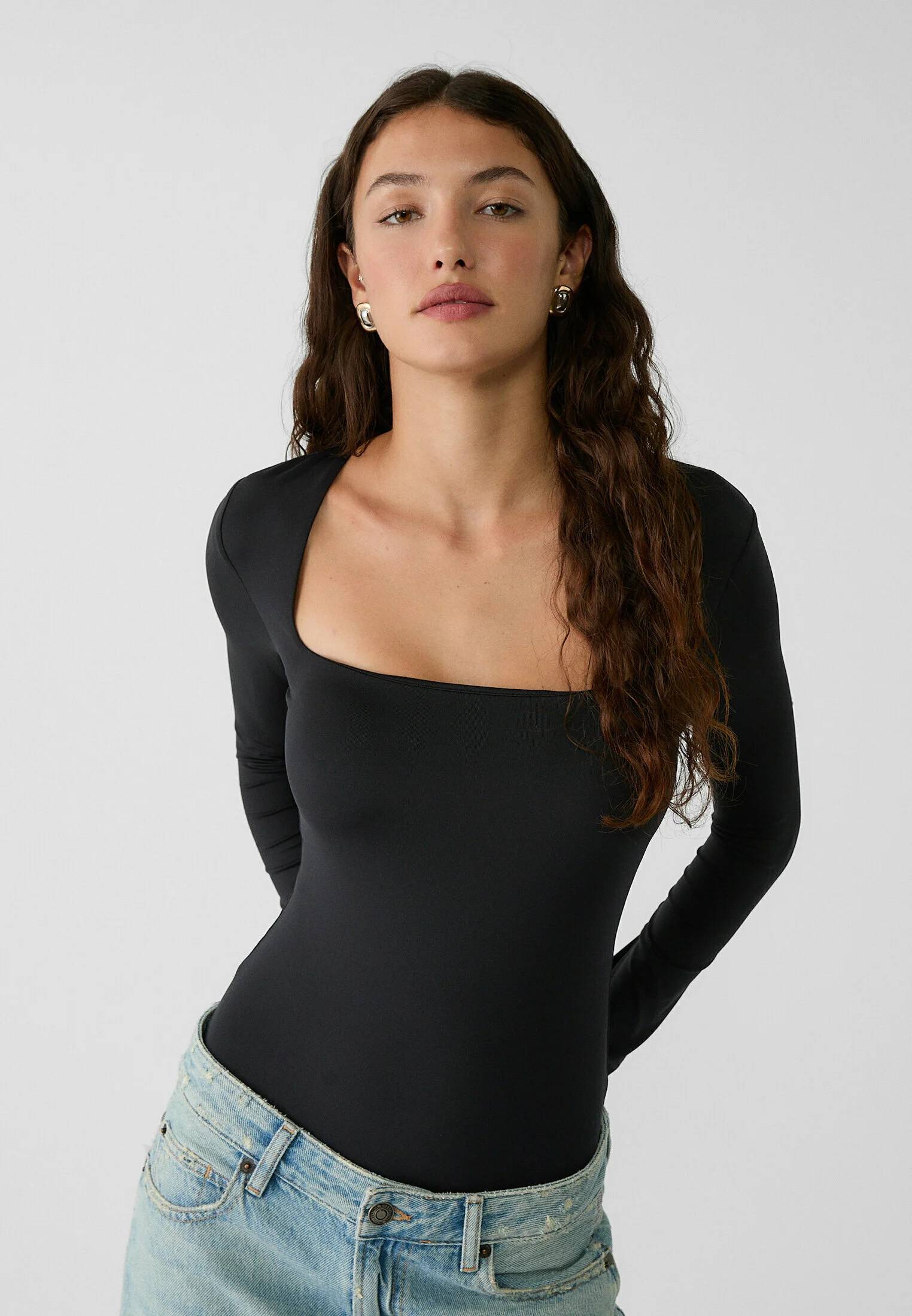"
},
"typeVersion": 1
},
{
"id": "f4765a45-0ad4-49d6-8227-9cc3e050b429",
"name": "Sticky Note1",
"type": "n8n-nodes-base.stickyNote",
"position": [
-700,
-980
],
"parameters": {
"color": 6,
"width": 360,
"height": 540,
"content": "## Product\n"
},
"typeVersion": 1
},
{
"id": "79a6158d-fb3c-4293-82cc-e344aa21db37",
"name": "Sticky Note2",
"type": "n8n-nodes-base.stickyNote",
"position": [
80,
-980
],
"parameters": {
"color": 4,
"width": 340,
"height": 540,
"content": "## Result\n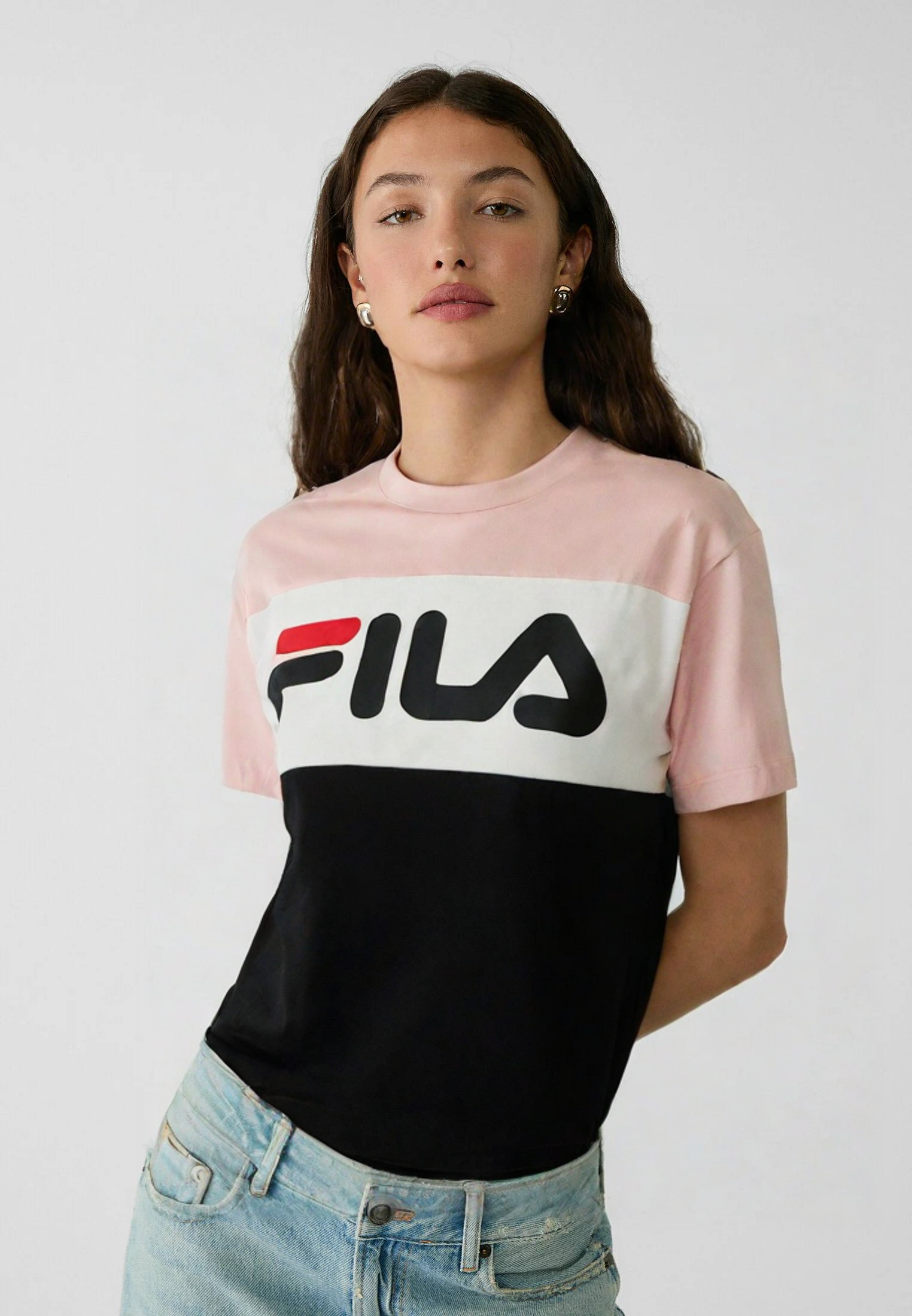"
},
"typeVersion": 1
},
{
"id": "032557a3-1ced-47d3-8e72-b1e3057d9e46",
"name": "Sticky Note3",
"type": "n8n-nodes-base.stickyNote",
"position": [
-700,
-1260
],
"parameters": {
"color": 3,
"width": 740,
"height": 240,
"content": "# Functionality\n\nThis low-code automation enables all eCommerce store visitors to upload a **photo of themselves and virtually \u201ctry on\u201d** a garment in just a few clicks. \n\nWith this workflow, **WooCommerce, Prestashop, Shopify** and more merchants can offer a cutting-edge \u201cvirtual try-on\u201d feature with minimal development effort, enhancing customer engagement and reducing product returns.\n\n"
},
"typeVersion": 1
},
{
"id": "6a740b21-b95f-4c8e-bb92-c205e52e3925",
"name": "Completed?",
"type": "n8n-nodes-base.if",
"position": [
420,
200
],
"parameters": {
"options": {},
"conditions": {
"options": {
"version": 2,
"leftValue": "",
"caseSensitive": true,
"typeValidation": "strict"
},
"combinator": "and",
"conditions": [
{
"id": "383d112e-2cc6-4dd4-8985-f09ce0bd1781",
"operator": {
"name": "filter.operator.equals",
"type": "string",
"operation": "equals"
},
"leftValue": "={{ $json.status }}",
"rightValue": "COMPLETED"
}
]
}
},
"typeVersion": 2.2
},
{
"id": "f33040d8-cbac-4c21-845b-10397c5210cc",
"name": "Sticky Note5",
"type": "n8n-nodes-base.stickyNote",
"position": [
-700,
-80
],
"parameters": {
"width": 740,
"height": 180,
"content": "## STEP 3 - ECOMMERCE\nIn production environment, the \"Product\" field must be dynamically filled with the url of the product dress image (e.g. https://n3wstorage.b-cdn.net/n3witalia/camicia-seta.png).\n\nOn the ecommerce, create a \"Try On\" button and the following url to open in pop-up format https://URL_N8N/form/ca1c314d-46c6-4eeb-b6a5-359XXXXXX?Product=IMAGE_URL"
},
"typeVersion": 1
},
{
"id": "0799d997-c38e-4c84-8096-0f2ef04b0223",
"name": "Create Image",
"type": "n8n-nodes-base.httpRequest",
"position": [
-180,
200
],
"parameters": {
"url": "https://queue.fal.run/fal-ai/kling/v1-5/kolors-virtual-try-on",
"method": "POST",
"options": {},
"jsonBody": "={\n \"human_image_url\": \"https://eolianpenthouse.dev.eureweb.it/test/{{$now.format('yyyyyyLLddHHii')}}-{{ $json.Me[0].filename }}\",\n \"garment_image_url\": \"{{ $('On form submission').item.json.Product }}\"\n} ",
"sendBody": true,
"sendHeaders": true,
"specifyBody": "json",
"authentication": "genericCredentialType",
"genericAuthType": "httpHeaderAuth",
"headerParameters": {
"parameters": [
{
"name": "Content-Type",
"value": "application/json"
}
]
}
},
"credentials": {
"httpHeaderAuth": {
"name": "<your credential>"
}
},
"typeVersion": 4.2
},
{
"id": "63e29ad5-5965-4a2c-98f5-bc89124a6b21",
"name": "Sticky Note6",
"type": "n8n-nodes-base.stickyNote",
"position": [
-700,
-400
],
"parameters": {
"width": 740,
"height": 140,
"content": "## STEP 1 - GET API KEY (YOURAPIKEY)\nCreate an account [here](https://fal.ai/) and obtain API KEY.\nIn the node \"Create Image\" set \"Header Auth\" and set:\n- Name: \"Authorization\"\n- Value: \"Key YOURAPIKEY\""
},
"typeVersion": 1
},
{
"id": "67188445-73c4-4070-b1f8-6e21beb3e1fa",
"name": "Form",
"type": "n8n-nodes-base.form",
"position": [
-240,
460
],
"parameters": {
"operation": "completion",
"redirectUrl": "={{ $json.image.url }}",
"respondWith": "redirect"
},
"typeVersion": 1
},
{
"id": "1a65532e-abb9-4c3f-99c3-ddf35e7ed5e4",
"name": "Sticky Note7",
"type": "n8n-nodes-base.stickyNote",
"position": [
-700,
-220
],
"parameters": {
"width": 740,
"height": 100,
"content": "## STEP 2 - FTP\nFTP space or S3 bucket to temporarily upload your image to"
},
"typeVersion": 1
},
{
"id": "cf2e4f76-e658-4aa3-a6c0-9a85bb1749e6",
"name": "Get image",
"type": "n8n-nodes-base.httpRequest",
"position": [
-460,
460
],
"parameters": {
"url": "={{ $json.image.url }}",
"options": {}
},
"typeVersion": 4.2
},
{
"id": "04573589-8467-4768-9451-177aa2d19f57",
"name": "Wait 10 sec.",
"type": "n8n-nodes-base.wait",
"position": [
60,
200
],
"parameters": {
"amount": 10
},
"typeVersion": 1.1
}
],
"active": false,
"settings": {
"executionOrder": "v1"
},
"versionId": "c42ea134-5e24-4e45-9a6b-0f0765c4c13c",
"connections": {
"FTP": {
"main": [
[
{
"node": "Create Image",
"type": "main",
"index": 0
}
]
]
},
"Form": {
"main": [
[]
]
},
"Get image": {
"main": [
[
{
"node": "Form",
"type": "main",
"index": 0
}
]
]
},
"Completed?": {
"main": [
[
{
"node": "Get Url image",
"type": "main",
"index": 0
}
],
[
{
"node": "Wait 10 sec.",
"type": "main",
"index": 0
}
]
]
},
"Get status": {
"main": [
[
{
"node": "Completed?",
"type": "main",
"index": 0
}
]
]
},
"Create Image": {
"main": [
[
{
"node": "Wait 10 sec.",
"type": "main",
"index": 0
}
]
]
},
"Wait 10 sec.": {
"main": [
[
{
"node": "Get status",
"type": "main",
"index": 0
}
]
]
},
"Get Url image": {
"main": [
[
{
"node": "Get image",
"type": "main",
"index": 0
}
]
]
},
"On form submission": {
"main": [
[
{
"node": "FTP",
"type": "main",
"index": 0
}
]
]
}
}
}
Credentials you'll need
Each integration node will prompt for credentials when you import. We strip credential IDs before publishing — you'll add your own.
ftphttpHeaderAuth
For the full experience including quality scoring and batch install features for each workflow upgrade to Pro
About this workflow
This low-code automation enables all eCommerce store visitors to upload a photo of themselves and virtually “try on” a garment in just a few clicks.
Source: https://n8n.io/workflows/5200/ — original creator credit. Request a take-down →
Related workflows
Workflows that share integrations, category, or trigger type with this one. All free to copy and import.
This workflow allows you to import any workflow from a file or another n8n instance and map the credentials easily. A multi-form setup guides you through the entire process At the beginning you have t
LDX hub All Services Demo. Uses formTrigger, httpRequest, form, n8n-nodes-ldxhub. Event-driven trigger; 53 nodes.
This workflow provides a single n8n form that routes to five LDXhub services (StructFlow, RefineLoop, RenderOCR, CastDoc, and ExtractDoc) to run one-off document processing jobs and return the generat
N8n recently introduced folders and it has been a big improvement on workflow management on top of the tags.
Git Commit. Uses github, n8n, formTrigger, httpRequest. Event-driven trigger; 34 nodes.