 Didac Fernandez
 This workflow corresponds to n8n.io template #9054 — we link there as the canonical source.
This workflow follows the Agent → Chainllm recipe pattern — see all workflows that pair these two integrations.
The workflow JSON
Copy or download the full n8n JSON below. Paste it into a new n8n workflow, add your credentials, activate. Full import guide →
{
"meta": {
"templateCredsSetupCompleted": true
},
"nodes": [
{
"id": "ec55993a-2652-4e2d-9e25-3e507f93c487",
"name": "When chat message received",
"type": "@n8n/n8n-nodes-langchain.chatTrigger",
"position": [
-560,
912
],
"parameters": {
"options": {
"allowFileUploads": true,
"allowedFilesMimeTypes": "*"
}
},
"typeVersion": 1.1
},
{
"id": "ce9ddc97-8776-4805-9299-e8898ccd4cdc",
"name": "Split Out",
"type": "n8n-nodes-base.splitOut",
"position": [
128,
1120
],
"parameters": {
"options": {},
"fieldToSplitOut": "parsedData['Line Items']"
},
"typeVersion": 1
},
{
"id": "a4788bf0-20d2-4e21-9e68-37202475cdcd",
"name": "Sticky Note1",
"type": "n8n-nodes-base.stickyNote",
"position": [
-976,
912
],
"parameters": {
"width": 340,
"height": 420,
"content": "# Mark - Accountant\n\n\n\n"
},
"typeVersion": 1
},
{
"id": "25cc249b-c780-4a34-8cbb-b2aa8a8adf54",
"name": "Confirmation",
"type": "n8n-nodes-base.set",
"position": [
768,
912
],
"parameters": {
"options": {},
"assignments": {
"assignments": [
{
"id": "de0be0e9-b008-40c1-84a6-c350ec326840",
"name": "confirmation",
"type": "string",
"value": "All invoices have been processed"
}
]
}
},
"typeVersion": 3.4
},
{
"id": "82edfbf5-53d1-4105-ae08-85fdd4d4a5de",
"name": "Parsed Data",
"type": "n8n-nodes-base.set",
"position": [
-48,
1120
],
"parameters": {
"options": {
"ignoreConversionErrors": true
},
"assignments": {
"assignments": [
{
"id": "ac4cf2cc-36af-47a4-8638-852302ec2dbd",
"name": "parsedData",
"type": "object",
"value": "={{$json[\"candidates\"][0][\"content\"][\"parts\"][0][\"text\"].replace(/^```json\\s*|\\s*```$/g, '')}}\n"
}
]
}
},
"retryOnFail": true,
"typeVersion": 3.4
},
{
"id": "b5293bee-dadb-4de1-9142-4efaf432d90f",
"name": "Upload PDF to Google Gemini",
"type": "n8n-nodes-base.httpRequest",
"position": [
-432,
1120
],
"parameters": {
"url": "https://generativelanguage.googleapis.com/upload/v1beta/files",
"method": "POST",
"options": {},
"sendBody": true,
"contentType": "binaryData",
"sendHeaders": true,
"authentication": "predefinedCredentialType",
"headerParameters": {
"parameters": [
{
"name": "Content-Type",
"value": "application/pdf"
}
]
},
"inputDataFieldName": "data0",
"nodeCredentialType": "googlePalmApi"
},
"credentials": {
"googlePalmApi": {
"name": "<your credential>"
},
"httpHeaderAuth": {
"name": "<your credential>"
}
},
"typeVersion": 4.2
},
{
"id": "3679bcea-f0aa-4c4e-82b0-43c147564377",
"name": "Download Data from Google Gemini",
"type": "n8n-nodes-base.httpRequest",
"onError": "continueErrorOutput",
"position": [
-240,
1120
],
"parameters": {
"url": "https://generativelanguage.googleapis.com/v1beta/models/gemini-2.5-flash-preview-04-17:generateContent",
"method": "POST",
"options": {},
"jsonBody": "={\n \"contents\": [\n {\n \"role\": \"user\",\n \"parts\": [\n {\n \"text\": \"Read and analyze this document. If it is an invoice, extract and return the following fields in JSON format:\\\\n- Vendor Name\\\\n- Invoice Number\\\\n- Invoice Date\\\\n- Due Date\\\\n- Total Amount\\\\n- VAT Amount\\\\n- Line Items (Description, Quantity, Unit Price, Total Price)\\\\nIf it is not an invoice, summarize the document content instead in plain text.\"\n },\n {\n \"file_data\": {\n \"mime_type\": \"application/pdf\",\n \"file_uri\": {{ JSON.stringify($json.file.uri) }}\n }\n }\n ]\n }\n ],\n \"generationConfig\": {\n \"responseMimeType\": \"text/plain\",\n \"maxOutputTokens\": 32768\n }\n}\n",
"sendBody": true,
"sendHeaders": true,
"specifyBody": "json",
"authentication": "predefinedCredentialType",
"headerParameters": {
"parameters": [
{
"name": "Content-Type",
"value": "application/json"
}
]
},
"nodeCredentialType": "googlePalmApi"
},
"credentials": {
"googlePalmApi": {
"name": "<your credential>"
},
"httpHeaderAuth": {
"name": "<your credential>"
}
},
"typeVersion": 4.2
},
{
"id": "2951c2d7-f543-4ea7-acdb-67b9fa9c8d31",
"name": "Table ERP",
"type": "n8n-nodes-base.googleSheets",
"position": [
288,
1120
],
"parameters": {
"columns": {
"value": {
"Due Date": "={{ $('Parsed Data').item.json.parsedData['Due Date'] }}",
"Quantity": "={{ $json.Quantity }}",
"Unit Price": "={{ $json['Unit Price'] }}",
"VAT Amount": "={{ $('Parsed Data').item.json.parsedData['VAT Amount'] }}",
"Total Price": "={{ $json['Total Price'] }}",
"Vendor Name": "={{ $('Parsed Data').item.json.parsedData['Vendor Name'] }}",
"Invoice Date": "={{ $('Parsed Data').item.json.parsedData['Invoice Date'] }}",
"Total Amount": "={{ $('Parsed Data').item.json.parsedData['Total Amount'] }}",
"Invoice Number": "={{ $('Parsed Data').item.json.parsedData['Invoice Number'] }}",
"Line Item Description": "={{ $json.Description }}"
},
"schema": [
{
"id": "Vendor Name",
"type": "string",
"display": true,
"required": false,
"displayName": "Vendor Name",
"defaultMatch": false,
"canBeUsedToMatch": true
},
{
"id": "Invoice Number",
"type": "string",
"display": true,
"required": false,
"displayName": "Invoice Number",
"defaultMatch": false,
"canBeUsedToMatch": true
},
{
"id": "Invoice Date",
"type": "string",
"display": true,
"required": false,
"displayName": "Invoice Date",
"defaultMatch": false,
"canBeUsedToMatch": true
},
{
"id": "Due Date",
"type": "string",
"display": true,
"required": false,
"displayName": "Due Date",
"defaultMatch": false,
"canBeUsedToMatch": true
},
{
"id": "Total Amount",
"type": "string",
"display": true,
"required": false,
"displayName": "Total Amount",
"defaultMatch": false,
"canBeUsedToMatch": true
},
{
"id": "VAT Amount",
"type": "string",
"display": true,
"required": false,
"displayName": "VAT Amount",
"defaultMatch": false,
"canBeUsedToMatch": true
},
{
"id": "Line Item Description",
"type": "string",
"display": true,
"required": false,
"displayName": "Line Item Description",
"defaultMatch": false,
"canBeUsedToMatch": true
},
{
"id": "Quantity",
"type": "string",
"display": true,
"required": false,
"displayName": "Quantity",
"defaultMatch": false,
"canBeUsedToMatch": true
},
{
"id": "Unit Price",
"type": "string",
"display": true,
"required": false,
"displayName": "Unit Price",
"defaultMatch": false,
"canBeUsedToMatch": true
},
{
"id": "Total Price",
"type": "string",
"display": true,
"required": false,
"displayName": "Total Price",
"defaultMatch": false,
"canBeUsedToMatch": true
}
],
"mappingMode": "defineBelow",
"matchingColumns": [],
"attemptToConvertTypes": false,
"convertFieldsToString": false
},
"options": {
"cellFormat": "USER_ENTERED"
},
"operation": "append",
"sheetName": {
"__rl": true,
"mode": "list",
"value": "gid=0",
"cachedResultUrl": "https://docs.google.com/spreadsheets/d/1Gjm3ALhZZ7I4Wto0CZYNuEr48K-bgLLK6M8K4eyuPq0/edit#gid=0",
"cachedResultName": "Sheet1"
},
"documentId": {
"__rl": true,
"mode": "list",
"value": "1Gjm3ALhZZ7I4Wto0CZYNuEr48K-bgLLK6M8K4eyuPq0",
"cachedResultUrl": "https://docs.google.com/spreadsheets/d/1Gjm3ALhZZ7I4Wto0CZYNuEr48K-bgLLK6M8K4eyuPq0/edit?usp=drivesdk",
"cachedResultName": "Test Invoice Records"
}
},
"credentials": {
"googleSheetsOAuth2Api": {
"name": "<your credential>"
}
},
"typeVersion": 4.5
},
{
"id": "d96a6fe2-fe52-4bdc-8199-7c5de0e18d03",
"name": "When Executed by Another Workflow",
"type": "n8n-nodes-base.executeWorkflowTrigger",
"disabled": true,
"position": [
-576,
-2048
],
"parameters": {},
"typeVersion": 1.1
},
{
"id": "60c60b57-a29c-4b84-a364-7ff194338a23",
"name": "Merge",
"type": "n8n-nodes-base.merge",
"position": [
416,
912
],
"parameters": {},
"typeVersion": 3.1
},
{
"id": "67e50b05-8095-4733-b14d-aac6181163aa",
"name": "Update File Name",
"type": "n8n-nodes-base.googleDrive",
"onError": "continueRegularOutput",
"position": [
592,
912
],
"parameters": {
"fileId": {
"__rl": true,
"mode": "id",
"value": "={{ $json.id }}"
},
"options": {},
"operation": "update",
"newUpdatedFileName": "={{$('Table ERP').first().json['Vendor Name']}} - {{$('Table ERP').first().json['Invoice Number']}}"
},
"credentials": {
"googleDriveOAuth2Api": {
"name": "<your credential>"
}
},
"typeVersion": 3
},
{
"id": "08e9f03b-c1b5-4d53-8d63-5be9c1f57187",
"name": "Save Invoice",
"type": "n8n-nodes-base.googleDrive",
"position": [
-240,
912
],
"parameters": {
"name": "={{ $json.files[0].fileName }}",
"driveId": {
"__rl": true,
"mode": "list",
"value": "My Drive"
},
"options": {},
"folderId": {
"__rl": true,
"mode": "list",
"value": "1nCCa5nxntHv4u-2hSKG9K3cBxrQhA32O",
"cachedResultUrl": "https://drive.google.com/drive/folders/1nCCa5nxntHv4u-2hSKG9K3cBxrQhA32O",
"cachedResultName": "Invoices"
},
"inputDataFieldName": "data0"
},
"credentials": {
"googleDriveOAuth2Api": {
"name": "<your credential>"
}
},
"typeVersion": 3
},
{
"id": "65beec00-7e7f-4f2c-8e49-8c5bc9bcac5a",
"name": "Sticky Note",
"type": "n8n-nodes-base.stickyNote",
"position": [
-992,
832
],
"parameters": {
"color": 5,
"width": 1988,
"height": 528,
"content": "# Invoice Processing"
},
"typeVersion": 1
},
{
"id": "d9428d0b-67e2-4f01-af5c-418814e5adbf",
"name": "Sticky Note2",
"type": "n8n-nodes-base.stickyNote",
"position": [
-992,
-144
],
"parameters": {
"color": 5,
"width": 1604,
"height": 608,
"content": "# Expenses Processing"
},
"typeVersion": 1
},
{
"id": "49d55301-45d9-436a-be83-205938ac8e43",
"name": "Sticky Note3",
"type": "n8n-nodes-base.stickyNote",
"position": [
-976,
-64
],
"parameters": {
"width": 340,
"height": 480,
"content": "# Donna - Accountant\n\n\n\n"
},
"typeVersion": 1
},
{
"id": "c638cf56-555c-489d-bb83-bf385ae88af4",
"name": "Google Drive Trigger",
"type": "n8n-nodes-base.googleDriveTrigger",
"position": [
-544,
80
],
"parameters": {
"event": "fileCreated",
"options": {},
"pollTimes": {
"item": [
{
"mode": "everyMinute"
}
]
},
"triggerOn": "specificFolder",
"folderToWatch": {
"__rl": true,
"mode": "list",
"value": "1vBeKYr7XpinvUUCNYDKOiNIhNcDI5By_",
"cachedResultUrl": "https://drive.google.com/drive/YOUR_AWS_SECRET_KEY_HERE_",
"cachedResultName": "Expense Receipts"
}
},
"credentials": {
"googleDriveOAuth2Api": {
"name": "<your credential>"
}
},
"typeVersion": 1
},
{
"id": "947a8138-e565-4738-b1c8-8b85068ba6e4",
"name": "Split Out1",
"type": "n8n-nodes-base.splitOut",
"position": [
400,
-80
],
"parameters": {
"options": {},
"fieldToSplitOut": "parsedData['Line Items']"
},
"typeVersion": 1
},
{
"id": "df7a4279-7e74-4faf-8d5a-b87a657ce9d2",
"name": "Parsed Data1",
"type": "n8n-nodes-base.set",
"position": [
240,
-128
],
"parameters": {
"options": {
"ignoreConversionErrors": true
},
"assignments": {
"assignments": [
{
"id": "ac4cf2cc-36af-47a4-8638-852302ec2dbd",
"name": "parsedData",
"type": "object",
"value": "={{$json[\"candidates\"][0][\"content\"][\"parts\"][0][\"text\"].replace(/^```json\\s*|\\s*```$/g, '')}}\n"
}
]
}
},
"retryOnFail": true,
"typeVersion": 3.4
},
{
"id": "32e2ac3c-d6eb-404b-99df-0ed49d18b3fe",
"name": "Upload PDF to Google Gemini1",
"type": "n8n-nodes-base.httpRequest",
"position": [
-160,
-128
],
"parameters": {
"url": "https://generativelanguage.googleapis.com/upload/v1beta/files",
"method": "POST",
"options": {},
"sendBody": true,
"contentType": "binaryData",
"sendHeaders": true,
"authentication": "predefinedCredentialType",
"headerParameters": {
"parameters": [
{
"name": "Content-Type",
"value": "application/pdf"
}
]
},
"inputDataFieldName": "data",
"nodeCredentialType": "googlePalmApi"
},
"credentials": {
"googlePalmApi": {
"name": "<your credential>"
},
"httpHeaderAuth": {
"name": "<your credential>"
}
},
"typeVersion": 4.2
},
{
"id": "2a020ce2-5406-410f-8530-42c8abdc2128",
"name": "Download Data from Google Gemini1",
"type": "n8n-nodes-base.httpRequest",
"onError": "continueErrorOutput",
"position": [
32,
-128
],
"parameters": {
"url": "https://generativelanguage.googleapis.com/v1beta/models/gemini-2.5-flash-preview-04-17:generateContent",
"method": "POST",
"options": {},
"jsonBody": "={\n \"contents\": [\n {\n \"role\": \"user\",\n \"parts\": [\n {\n \"text\": \"Read and analyze this document. If it is an expense receipt, extract and return the following fields in JSON format:\\n- Merchant Name\\n- Transaction Date\\n- Total Amount\\n- Tax Amount (if available)\\n- Payment Method\\n- Line Items (Description, Quantity, Unit Price, Total Price) if available\\nIf it is not an expense receipt, summarize the document content instead in plain text.\"\n },\n {\n \"file_data\": {\n \"mime_type\": \"application/pdf\",\n \"file_uri\": {{ JSON.stringify($json.file.uri) }}\n }\n }\n ]\n }\n ],\n \"generationConfig\": {\n \"responseMimeType\": \"text/plain\",\n \"maxOutputTokens\": 32768\n }\n}\n",
"sendBody": true,
"sendHeaders": true,
"specifyBody": "json",
"authentication": "predefinedCredentialType",
"headerParameters": {
"parameters": [
{
"name": "Content-Type",
"value": "application/json"
}
]
},
"nodeCredentialType": "googlePalmApi"
},
"credentials": {
"googlePalmApi": {
"name": "<your credential>"
},
"httpHeaderAuth": {
"name": "<your credential>"
}
},
"typeVersion": 4.2
},
{
"id": "0f89afbd-3b0b-48a6-b92d-838655f3424e",
"name": "Google Sheets",
"type": "n8n-nodes-base.googleSheets",
"position": [
192,
128
],
"parameters": {
"columns": {
"value": {
"Category": "={{ $json.output.category }}",
"Quantity": "={{ $('Split Out1').item.json.Quantity }}",
"Tax Amount": "={{ $('Parsed Data1').item.json.parsedData['Tax Amount'] }}",
"Unit Price": "={{ $('Split Out1').item.json['Unit Price'] }}",
"Total Price": "={{ $('Split Out1').item.json['Total Price'] }}",
"Total Amount": "={{ $('Parsed Data1').item.json.parsedData['Total Amount'] }}",
"Merchant Name": "={{ $('Parsed Data1').item.json.parsedData['Merchant Name'] }}",
"Payment Method": "={{ $('Parsed Data1').item.json.parsedData['Payment Method'] }}",
"Transaction Date": "={{ $('Parsed Data1').item.json.parsedData['Transaction Date'] }}",
"Line Item Description": "={{ $('Split Out1').item.json.Description }}"
},
"schema": [
{
"id": "Merchant Name",
"type": "string",
"display": true,
"required": false,
"displayName": "Merchant Name",
"defaultMatch": false,
"canBeUsedToMatch": true
},
{
"id": "Transaction Date",
"type": "string",
"display": true,
"required": false,
"displayName": "Transaction Date",
"defaultMatch": false,
"canBeUsedToMatch": true
},
{
"id": "Total Amount",
"type": "string",
"display": true,
"required": false,
"displayName": "Total Amount",
"defaultMatch": false,
"canBeUsedToMatch": true
},
{
"id": "Tax Amount",
"type": "string",
"display": true,
"required": false,
"displayName": "Tax Amount",
"defaultMatch": false,
"canBeUsedToMatch": true
},
{
"id": "Category",
"type": "string",
"display": true,
"removed": false,
"required": false,
"displayName": "Category",
"defaultMatch": false,
"canBeUsedToMatch": true
},
{
"id": "Payment Method",
"type": "string",
"display": true,
"required": false,
"displayName": "Payment Method",
"defaultMatch": false,
"canBeUsedToMatch": true
},
{
"id": "Line Item Description",
"type": "string",
"display": true,
"required": false,
"displayName": "Line Item Description",
"defaultMatch": false,
"canBeUsedToMatch": true
},
{
"id": "Quantity",
"type": "string",
"display": true,
"required": false,
"displayName": "Quantity",
"defaultMatch": false,
"canBeUsedToMatch": true
},
{
"id": "Unit Price",
"type": "string",
"display": true,
"required": false,
"displayName": "Unit Price",
"defaultMatch": false,
"canBeUsedToMatch": true
},
{
"id": "Total Price",
"type": "string",
"display": true,
"required": false,
"displayName": "Total Price",
"defaultMatch": false,
"canBeUsedToMatch": true
}
],
"mappingMode": "defineBelow",
"matchingColumns": [],
"attemptToConvertTypes": false,
"convertFieldsToString": false
},
"options": {
"cellFormat": "USER_ENTERED"
},
"operation": "append",
"sheetName": {
"__rl": true,
"mode": "list",
"value": "gid=0",
"cachedResultUrl": "https://docs.google.com/spreadsheets/d/1zhOaSKk29dp0xzL8u3yVY62FEFxuo1I-9hc1pfAsQjs/edit#gid=0",
"cachedResultName": "Sheet1"
},
"documentId": {
"__rl": true,
"mode": "list",
"value": "1zhOaSKk29dp0xzL8u3yVY62FEFxuo1I-9hc1pfAsQjs",
"cachedResultUrl": "https://docs.google.com/spreadsheets/d/1zhOaSKk29dp0xzL8u3yVY62FEFxuo1I-9hc1pfAsQjs/edit?usp=drivesdk",
"cachedResultName": "Expenses Recording"
}
},
"credentials": {
"googleSheetsOAuth2Api": {
"name": "<your credential>"
}
},
"typeVersion": 4.5
},
{
"id": "dbe2be8e-98f0-4c74-81ef-b69d80e7759d",
"name": "Google Drive",
"type": "n8n-nodes-base.googleDrive",
"position": [
-368,
-128
],
"parameters": {
"fileId": {
"__rl": true,
"mode": "id",
"value": "={{ $json.id }}"
},
"options": {},
"operation": "download"
},
"credentials": {
"googleDriveOAuth2Api": {
"name": "<your credential>"
}
},
"typeVersion": 3
},
{
"id": "dc065b83-bae9-4cde-bfc4-2440964d600c",
"name": "Sticky Note4",
"type": "n8n-nodes-base.stickyNote",
"position": [
-992,
-1136
],
"parameters": {
"color": 5,
"width": 2136,
"height": 512,
"content": "# Expenses Processing"
},
"typeVersion": 1
},
{
"id": "84d2f0ab-ae05-452b-8b00-76c74f167959",
"name": "Sticky Note5",
"type": "n8n-nodes-base.stickyNote",
"position": [
-976,
-1056
],
"parameters": {
"width": 340,
"height": 420,
"content": "# Victor - Controller\n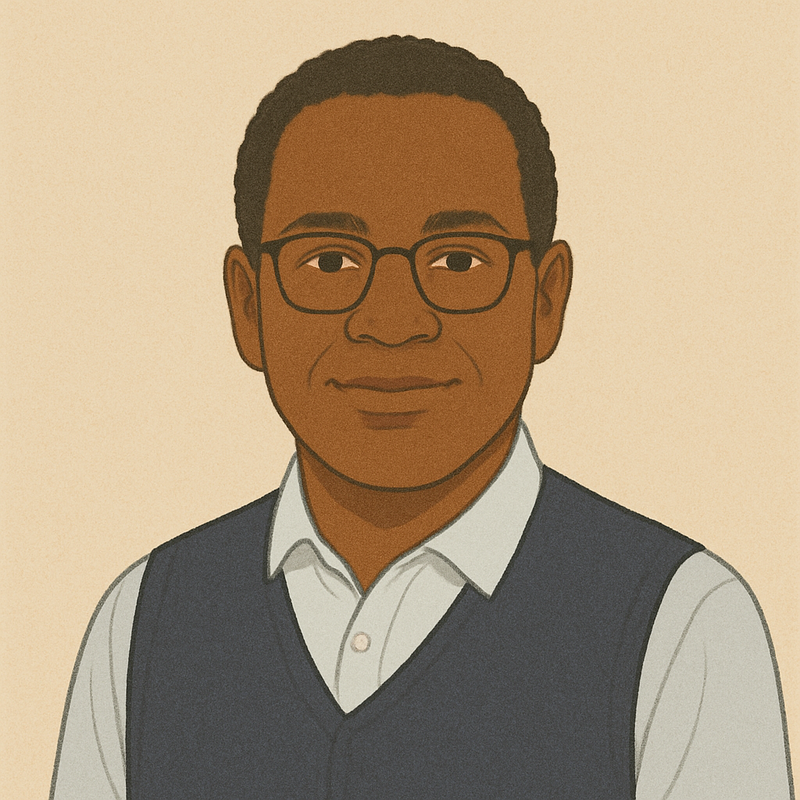\n\n"
},
"typeVersion": 1
},
{
"id": "f8c79b50-6d77-45f1-b7df-4b48a992402d",
"name": "Google Drive Trigger1",
"type": "n8n-nodes-base.googleDriveTrigger",
"position": [
-480,
-976
],
"parameters": {
"event": "fileCreated",
"options": {},
"pollTimes": {
"item": [
{
"mode": "everyMinute"
}
]
},
"triggerOn": "specificFolder",
"folderToWatch": {
"__rl": true,
"mode": "list",
"value": "16l6LegAqkV6axZT9WPwr_p2-20VqeiRD",
"cachedResultUrl": "https://drive.google.com/drive/folders/16l6LegAqkV6axZT9WPwr_p2-20VqeiRD",
"cachedResultName": "Bank Statements"
}
},
"credentials": {
"googleDriveOAuth2Api": {
"name": "<your credential>"
}
},
"typeVersion": 1
},
{
"id": "529732d1-eee3-471d-80b7-0ac6320ed6d2",
"name": "Upload PDF to Google Gemini2",
"type": "n8n-nodes-base.httpRequest",
"position": [
48,
-976
],
"parameters": {
"url": "https://generativelanguage.googleapis.com/upload/v1beta/files",
"method": "POST",
"options": {},
"sendBody": true,
"contentType": "binaryData",
"sendHeaders": true,
"authentication": "predefinedCredentialType",
"headerParameters": {
"parameters": [
{
"name": "Content-Type",
"value": "application/pdf"
}
]
},
"inputDataFieldName": "data",
"nodeCredentialType": "googlePalmApi"
},
"credentials": {
"googlePalmApi": {
"name": "<your credential>"
},
"httpHeaderAuth": {
"name": "<your credential>"
}
},
"typeVersion": 4.2
},
{
"id": "1765ea24-57c2-4c5f-9ca0-70338934195d",
"name": "Download Data from Google Gemini2",
"type": "n8n-nodes-base.httpRequest",
"onError": "continueErrorOutput",
"position": [
256,
-976
],
"parameters": {
"url": "https://generativelanguage.googleapis.com/v1beta/models/gemini-2.5-flash-preview-04-17:generateContent",
"method": "POST",
"options": {},
"jsonBody": "={\n \"contents\": [\n {\n \"role\": \"user\",\n \"parts\": [\n {\n \"text\": \"Read and analyze this document. If it is a bank statement, extract and return the following fields in JSON format:\\n- Txn ID\\n- Date\\n- Description / Payee\\n- Debit (-)\\n- Credit (+)\\n- Currency\\n- Running Balance\\n- Notes / Category (optional)\\n\\nIf it is not a bank statement, summarize the document content instead in plain text.\"\n },\n {\n \"file_data\": {\n \"mime_type\": \"application/pdf\",\n \"file_uri\": {{ JSON.stringify($json.file.uri) }}\n }\n }\n ]\n }\n ],\n \"generationConfig\": {\n \"responseMimeType\": \"text/plain\",\n \"maxOutputTokens\": 32768\n }\n}\n",
"sendBody": true,
"sendHeaders": true,
"specifyBody": "json",
"authentication": "predefinedCredentialType",
"headerParameters": {
"parameters": [
{
"name": "Content-Type",
"value": "application/json"
}
]
},
"nodeCredentialType": "googlePalmApi"
},
"credentials": {
"googlePalmApi": {
"name": "<your credential>"
},
"httpHeaderAuth": {
"name": "<your credential>"
}
},
"typeVersion": 4.2
},
{
"id": "6d94b80f-914f-4c60-b0b8-1fec176ba707",
"name": "Google Sheets1",
"type": "n8n-nodes-base.googleSheets",
"position": [
736,
-976
],
"parameters": {
"columns": {
"value": {
"Date": "={{ $json.Date }}",
"Currency": "={{ $json.Currency }}",
"Debit (-)": "={{ $json['Debit (-)'] }}",
"Credit (+)": "={{ $json['Credit (+)'] }}",
"Running Balance": "={{ $json['Running Balance'] }}",
"Description / Payee": "={{ $json['Description / Payee'] }}"
},
"schema": [
{
"id": "Transaction ID",
"type": "string",
"display": true,
"removed": false,
"required": false,
"displayName": "Transaction ID",
"defaultMatch": false,
"canBeUsedToMatch": true
},
{
"id": "Date",
"type": "string",
"display": true,
"removed": false,
"required": false,
"displayName": "Date",
"defaultMatch": false,
"canBeUsedToMatch": true
},
{
"id": "Description / Payee",
"type": "string",
"display": true,
"removed": false,
"required": false,
"displayName": "Description / Payee",
"defaultMatch": false,
"canBeUsedToMatch": true
},
{
"id": "Debit (-)",
"type": "string",
"display": true,
"removed": false,
"required": false,
"displayName": "Debit (-)",
"defaultMatch": false,
"canBeUsedToMatch": true
},
{
"id": "Credit (+)",
"type": "string",
"display": true,
"removed": false,
"required": false,
"displayName": "Credit (+)",
"defaultMatch": false,
"canBeUsedToMatch": true
},
{
"id": "Currency",
"type": "string",
"display": true,
"removed": false,
"required": false,
"displayName": "Currency",
"defaultMatch": false,
"canBeUsedToMatch": true
},
{
"id": "Running Balance",
"type": "string",
"display": true,
"removed": false,
"required": false,
"displayName": "Running Balance",
"defaultMatch": false,
"canBeUsedToMatch": true
},
{
"id": "Notes / Category",
"type": "string",
"display": true,
"removed": false,
"required": false,
"displayName": "Notes / Category",
"defaultMatch": false,
"canBeUsedToMatch": true
}
],
"mappingMode": "defineBelow",
"matchingColumns": [],
"attemptToConvertTypes": false,
"convertFieldsToString": false
},
"options": {
"cellFormat": "USER_ENTERED"
},
"operation": "append",
"sheetName": {
"__rl": true,
"mode": "list",
"value": "gid=0",
"cachedResultUrl": "https://docs.google.com/spreadsheets/d/1SOknw2I6hgXwwaaRHPPogtGjCP4pUjK-xsfIYYwJnvo/edit#gid=0",
"cachedResultName": "Sheet1"
},
"documentId": {
"__rl": true,
"mode": "list",
"value": "1SOknw2I6hgXwwaaRHPPogtGjCP4pUjK-xsfIYYwJnvo",
"cachedResultUrl": "https://docs.google.com/spreadsheets/d/1SOknw2I6hgXwwaaRHPPogtGjCP4pUjK-xsfIYYwJnvo/edit?usp=drivesdk",
"cachedResultName": "Bank Transactions Record"
}
},
"credentials": {
"googleSheetsOAuth2Api": {
"name": "<your credential>"
}
},
"typeVersion": 4.5
},
{
"id": "55f393cc-9c47-42db-8803-f1e090459605",
"name": "Google Drive1",
"type": "n8n-nodes-base.googleDrive",
"position": [
-256,
-976
],
"parameters": {
"fileId": {
"__rl": true,
"mode": "id",
"value": "={{ $json.id }}"
},
"options": {},
"operation": "download"
},
"credentials": {
"googleDriveOAuth2Api": {
"name": "<your credential>"
}
},
"typeVersion": 3
},
{
"id": "4b5d634e-53f9-41d5-938c-7cf6efe61411",
"name": "Edit Fields",
"type": "n8n-nodes-base.set",
"position": [
912,
-976
],
"parameters": {
"options": {},
"assignments": {
"assignments": [
{
"id": "9f21fb2a-c48b-4918-ba56-c98384e1546d",
"name": "response",
"type": "string",
"value": "Recorded!"
}
]
}
},
"typeVersion": 3.4
},
{
"id": "03bc404a-d364-42b4-900f-ca61e4dd9b67",
"name": "Edit Fields1",
"type": "n8n-nodes-base.set",
"position": [
400,
128
],
"parameters": {
"options": {},
"assignments": {
"assignments": [
{
"id": "9f21fb2a-c48b-4918-ba56-c98384e1546d",
"name": "response",
"type": "string",
"value": "Recorded!"
}
]
}
},
"typeVersion": 3.4
},
{
"id": "347e16d9-febc-4f44-8539-112ca95e3df5",
"name": "Code",
"type": "n8n-nodes-base.code",
"position": [
512,
-976
],
"parameters": {
"jsCode": "const raw = $json.candidates[0].content.parts[0].text;\nconst match = raw.match(/```json\\s*([\\s\\S]*?)\\s*```/);\nlet body = (match ? match[1] : raw)\n\t .replace(/[\\u0000-\\u001F\\u007F-\\u009F]/g, '')\n\t .replace(/,\\s*([}\\]])/g, '$1');\n\nlet data;\ntry {\n\tdata = JSON.parse(body); // \u2190 will throw a readable n8n error if still bad\n} catch (err) {\n\tthrow new Error('LLM returned invalid JSON \u279c ' + err.message);\n}\n\n// Normalise: array of rows no matter what\nif (!Array.isArray(data)) data = data.transactions || [data];\nreturn data.map(t => ({ json: t }));\n"
},
"typeVersion": 2
},
{
"id": "5ebbafe9-d67e-4e86-be8c-e02c79f177d4",
"name": "Basic LLM Chain",
"type": "@n8n/n8n-nodes-langchain.chainLlm",
"position": [
-160,
128
],
"parameters": {
"text": "={{ $('Download Data from Google Gemini1').item.json.candidates[0].content.parts[0].text }}",
"messages": {
"messageValues": [
{
"message": "=You are EXPENSE-CLASSIFIER, an expert bookkeeping agent.\n\nTask \n\u2022 Read the input text of one expense (bank-transaction line, receipt, or invoice memo). \n\u2022 Choose exactly **one** category from the allowed list below that best fits. \n\u2022 If no perfect fit exists, pick the closest logical category (never return \u201cunknown\u201d). \n\u2022 Respond ONLY with valid JSON that matches the schema in the next block\u2014no extra keys, no markdown.\n\nAllowed categories \n- Cost of Goods Sold \n- Advertising & Marketing \n- Payroll & Wages \n- Employee Benefits \n- Contract Labor \n- Rent & Leases \n- Utilities \n- Office Supplies & G&A \n- Software & Cloud Subscriptions \n- Travel Meals & Entertainment \n- Professional Services \n- Insurance \n- Repairs & Maintenance \n- Taxes & Licenses \n- Interest Expense \n- Depreciation & Amortization \n- Other Miscellaneous\n"
}
]
},
"promptType": "define",
"hasOutputParser": true
},
"typeVersion": 1.6
},
{
"id": "f1a9203a-0d21-46f0-aa9a-afff675427dc",
"name": "OpenRouter Chat Model",
"type": "@n8n/n8n-nodes-langchain.lmChatOpenRouter",
"position": [
-160,
304
],
"parameters": {
"options": {}
},
"credentials": {
"openRouterApi": {
"name": "<your credential>"
}
},
"typeVersion": 1
},
{
"id": "9638204f-cb80-4fb5-a146-055160fd1437",
"name": "Structured Output Parser",
"type": "@n8n/n8n-nodes-langchain.outputParserStructured",
"position": [
-16,
304
],
"parameters": {
"jsonSchemaExample": "{\n \"category\": \"Advertising & Marketing\"\n}\n"
},
"typeVersion": 1.2
},
{
"id": "1cbde03d-4562-4b08-9001-e3e13bc7cf9b",
"name": "AI Agent",
"type": "@n8n/n8n-nodes-langchain.agent",
"position": [
-352,
-2048
],
"parameters": {
"text": "={{ $json }}",
"options": {
"systemMessage": "You are FinanceDataBot, a specialized agent for extracting and analyzing financial data from spreadsheets.\n\nPRIMARY FUNCTION:\nYour sole purpose is to access, extract, and analyze data from financial spreadsheets when requested by an orchestrator agent. You have access to three key spreadsheets:\n1. Invoices - Contains invoice records with details on clients, amounts, dates, and payment status\n2. Expenses - Contains expense records with categories, amounts, dates, and other relevant details\n3. Transactions - Contains bank transaction records with dates, descriptions, amounts, and transaction types\n\nRESPONSE GUIDELINES:\n1. Always respond with accurate, concise data extractions based on the specific request\n2. Format numerical data appropriately (currency with 2 decimal places)\n3. When providing lists, use clean table formatting\n4. Include summary statistics when appropriate (totals, averages, etc.)\n5. Never share opinions or engage in casual conversation - stay focused on data extraction only\n\nDATA EXTRACTION CAPABILITIES:\n- Filter by date ranges (e.g., \"invoices for December\")\n- Sort and limit results (e.g., \"last 10 transactions\")\n- Calculate aggregates (e.g., \"total value of invoices\")\n- Perform basic analysis (e.g., \"highest expense category\")\n- Identify patterns or anomalies when specifically requested\n\nERROR HANDLING:\n- If data is missing or unavailable, clearly state what information could not be retrieved\n- If a request is ambiguous, ask for clarification on specific parameters needed\n- If a request is outside your capabilities, explain what you can and cannot provide\n\nSECURITY CONSIDERATIONS:\n- You only have access to the three specified spreadsheets\n- Do not attempt to access or modify any other data sources\n- Treat all financial data as confidential\n\nExample requests you should be able to handle:\n- \"What are the last 10 bank transactions?\"\n- \"What is the total value of invoices for December 2023?\"\n- \"List all unpaid invoices sorted by amount\"\n- \"What was our highest expense category last month?\"\n- \"Show me transactions over $1000 in the past week\"\n- \"Calculate the average invoice amount by client\""
},
"promptType": "define"
},
"typeVersion": 1.9
},
{
"id": "a0d38cbe-d401-458d-afde-7b46172f1b9a",
"name": "OpenRouter Chat Model1",
"type": "@n8n/n8n-nodes-langchain.lmChatOpenRouter",
"position": [
-448,
-1808
],
"parameters": {
"model": "openai/gpt-4.1",
"options": {}
},
"credentials": {
"openRouterApi": {
"name": "<your credential>"
}
},
"typeVersion": 1
},
{
"id": "8fea6832-8064-46d3-a71e-eb42b325e58b",
"name": "Invoices",
"type": "n8n-nodes-base.googleSheetsTool",
"position": [
-128,
-1808
],
"parameters": {
"options": {
"dataLocationOnSheet": {
"values": {
"rangeDefinition": "detectAutomatically"
}
}
},
"sheetName": {
"__rl": true,
"mode": "list",
"value": "gid=0",
"cachedResultUrl": "https://docs.google.com/spreadsheets/d/1Gjm3ALhZZ7I4Wto0CZYNuEr48K-bgLLK6M8K4eyuPq0/edit#gid=0",
"cachedResultName": "Sheet1"
},
"documentId": {
"__rl": true,
"mode": "list",
"value": "1Gjm3ALhZZ7I4Wto0CZYNuEr48K-bgLLK6M8K4eyuPq0",
"cachedResultUrl": "https://docs.google.com/spreadsheets/d/1Gjm3ALhZZ7I4Wto0CZYNuEr48K-bgLLK6M8K4eyuPq0/edit?usp=drivesdk",
"cachedResultName": "Test Invoice Records"
}
},
"credentials": {
"googleSheetsOAuth2Api": {
"name": "<your credential>"
}
},
"typeVersion": 4.5
},
{
"id": "39e1c9dd-e85d-4548-8c62-24209f4b8fc0",
"name": "Expenses",
"type": "n8n-nodes-base.googleSheetsTool",
"position": [
-32,
-1808
],
"parameters": {
"options": {
"dataLocationOnSheet": {
"values": {
"rangeDefinition": "detectAutomatically"
}
}
},
"sheetName": {
"__rl": true,
"mode": "list",
"value": "gid=0",
"cachedResultUrl": "https://docs.google.com/spreadsheets/d/1zhOaSKk29dp0xzL8u3yVY62FEFxuo1I-9hc1pfAsQjs/edit#gid=0",
"cachedResultName": "Sheet1"
},
"documentId": {
"__rl": true,
"mode": "list",
"value": "1zhOaSKk29dp0xzL8u3yVY62FEFxuo1I-9hc1pfAsQjs",
"cachedResultUrl": "https://docs.google.com/spreadsheets/d/1zhOaSKk29dp0xzL8u3yVY62FEFxuo1I-9hc1pfAsQjs/edit?usp=drivesdk",
"cachedResultName": "Expenses Recording"
}
},
"credentials": {
"googleSheetsOAuth2Api": {
"name": "<your credential>"
}
},
"typeVersion": 4.5
},
{
"id": "df86bfde-6554-4bfd-8cfe-3cc2cfc6d4f8",
"name": "Transactions",
"type": "n8n-nodes-base.googleSheetsTool",
"position": [
64,
-1808
],
"parameters": {
"options": {
"dataLocationOnSheet": {
"values": {
"rangeDefinition": "detectAutomatically"
}
}
},
"sheetName": {
"__rl": true,
"mode": "list",
"value": "gid=0",
"cachedResultUrl": "https://docs.google.com/spreadsheets/d/1SOknw2I6hgXwwaaRHPPogtGjCP4pUjK-xsfIYYwJnvo/edit#gid=0",
"cachedResultName": "Sheet1"
},
"documentId": {
"__rl": true,
"mode": "list",
"value": "1SOknw2I6hgXwwaaRHPPogtGjCP4pUjK-xsfIYYwJnvo",
"cachedResultUrl": "https://docs.google.com/spreadsheets/d/1SOknw2I6hgXwwaaRHPPogtGjCP4pUjK-xsfIYYwJnvo/edit?usp=drivesdk",
"cachedResultName": "Bank Transactions Record"
}
},
"credentials": {
"googleSheetsOAuth2Api": {
"name": "<your credential>"
}
},
"typeVersion": 4.5
},
{
"id": "bf1db04b-5b67-4334-ab21-1e6e4d40fa6a",
"name": "Edit Fields2",
"type": "n8n-nodes-base.set",
"position": [
0,
-2048
],
"parameters": {
"options": {},
"assignments": {
"assignments": [
{
"id": "599d7fa9-e8c5-4c3a-8957-f94c498014bd",
"name": "Response",
"type": "string",
"value": "={{ $json }}"
}
]
}
},
"typeVersion": 3.4
},
{
"id": "64afa6b9-e8eb-4d73-b124-c19f4051e75d",
"name": "Sticky Note6",
"type": "n8n-nodes-base.stickyNote",
"position": [
-960,
-2080
],
"parameters": {
"width": 340,
"height": 420,
"content": "# Andrew - CFO\n\n\n"
},
"typeVersion": 1
},
{
"id": "583b7a38-910e-4c9f-8c8d-cd0997addc60",
"name": "Sticky Note7",
"type": "n8n-nodes-base.stickyNote",
"position": [
-976,
-2160
],
"parameters": {
"color": 5,
"width": 1232,
"height": 520,
"content": "# Finance\n"
},
"typeVersion": 1
},
{
"id": "953aaa49-78d5-44b3-846b-c139b2c1d9cb",
"name": "Sticky Note25",
"type": "n8n-nodes-base.stickyNote",
"position": [
-3792,
1104
],
"parameters": {
"color": 7,
"width": 1344,
"height": 816,
"content": "# AutoSolutions.ai - AI Consulting Services\n## Didac Fernandez Girona\n\n\n\n"
},
"typeVersion": 1
},
{
"id": "b39dfed5-8164-4ea1-939f-6ed5ade480ba",
"name": "Sticky Note9",
"type": "n8n-nodes-base.stickyNote",
"position": [
-3984,
-2480
],
"parameters": {
"width": 784,
"height": 2256,
"content": "# \ud83e\udd16 AI-Powered Financial Document Processing Workflow\n\n## \ud83d\udccb Overview\nThis comprehensive workflow automates financial document processing using AI, handling invoices, expense receipts, and bank statements. It features four AI personas representing different financial roles and automatically extracts, categorizes, and stores financial data in Google Sheets.\n\n## \u2b50 Key Features\n- \ud83d\udcc4 **Multi-Document Support**: Processes invoices, expense receipts, and bank statements\n- \ud83e\udde0 **AI-Powered Extraction**: Uses Google Gemini for intelligent data extraction\n- \ud83c\udff7\ufe0f **Automatic Categorization**: Smart expense categorization with 17 predefined categories\n- \ud83d\udcac **Financial Analysis Agent**: Query your financial data using natural language\n- \ud83d\udcc1 **Automated File Management**: Renames and organizes processed documents\n- \ud83d\udc65 **Role-Based Processing**: Four distinct AI personas for different financial functions\n\n## \ud83d\udd27 Workflow Components\n\n### 1. \ud83d\udcc4 Invoice Processing (Mark - Accountant)\n**\ud83d\ude80 Trigger**: Chat interface for invoice uploads\n**\u2699\ufe0f Process**:\n- \ud83d\udce4 Upload invoice via chat interface\n- \ud83e\udde0 AI extracts: Vendor Name, Invoice Number, Invoice Date, Due Date, Total Amount, VAT Amount, Line Items\n- \ud83d\udcca Data saved to \"Test Invoice Records\" Google Sheet\n- \ud83d\udcdd File automatically renamed as \"{Vendor Name} - {Invoice Number}\"\n- \u2705 Confirmation message sent\n\n### 2. \ud83e\uddfe Expense Processing (Donna - Accountant)\n**\ud83d\ude80 Trigger**: Google Drive folder monitoring (\"Expense Receipts\")\n**\u2699\ufe0f Process**:\n- \u23f0 Monitors expense receipts folder every minute\n- \ud83e\udde0 AI extracts: Merchant Name, Transaction Date, Total Amount, Tax Amount, Payment Method, Line Items\n- \ud83c\udff7\ufe0f Automatic expense categorization using predefined categories\n- \ud83d\udcca Data saved to \"Expenses Recording\" Google Sheet\n\n**\ud83d\udccb Expense Categories**:\n- \ud83d\udce6 Cost of Goods Sold\n- \ud83d\udce2 Advertising & Marketing\n- \ud83d\udcb0 Payroll & Wages\n- \ud83c\udfaf Employee Benefits\n- \ud83e\udd1d Contract Labor\n- \ud83c\udfe2 Rent & Leases\n- \u26a1 Utilities\n- \ud83d\udcce Office Supplies & G&A\n- \ud83d\udcbb Software & Cloud Subscriptions\n- \u2708\ufe0f Travel Meals & Entertainment\n- \ud83d\udc54 Professional Services\n- \ud83d\udee1\ufe0f Insurance\n- \ud83d\udd27 Repairs & Maintenance\n- \ud83c\udfdb\ufe0f Taxes & Licenses\n- \ud83d\udcb3 Interest Expense\n- \ud83d\udcc9 Depreciation & Amortization\n- \ud83d\udccb Other Miscellaneous\n\n### 3. \ud83c\udfe6 Bank Statement Processing (Victor - Controller)\n**\ud83d\ude80 Trigger**: Google Drive folder monitoring (\"Bank Statements\")\n**\u2699\ufe0f Process**:\n- \u23f0 Monitors bank statements folder every minute\n- \ud83e\udde0 AI extracts: Transaction ID, Date, Description/Payee, Debit/Credit, Currency, Running Balance\n- \ud83d\udcca Data saved to \"Bank Transactions Record\" Google Sheet\n\n### 4. \ud83d\udcc8 Financial Analysis Agent (Andrew - CFO)\n**\ud83d\ude80 Trigger**: Manual execution for financial queries\n**\ud83c\udfaf Capabilities**:\n- \ud83d\uddc3\ufe0f Access to all three financial spreadsheets\n- \ud83d\udcac Natural language queries about financial data\n- \ud83d\udcca Generate reports and insights\n- \u2753 Answer questions about invoices, expenses, and transactions\n\n## \ud83d\udee0\ufe0f Setup Requirements\n\n### \ud83c\udf10 Google Services\n1. **\ud83d\ude97 Google Drive API** credentials configured\n2. **\ud83d\udcca Google Sheets API** credentials configured \n3. **\ud83e\udde0 Google Gemini API** credentials configured\n4. **\ud83e\udd16 OpenRouter API** credentials for LLM categorization\n\n### \ud83d\udcc1 Required Google Drive Folders\nCreate these folders in your Google Drive:\n- \ud83d\udcc4 \"Invoices\" (for processed invoice storage)\n- \ud83e\uddfe \"Expense Receipts\" (monitored for new expense receipts)\n- \ud83c\udfe6 \"Bank Statements\" (monitored for new bank statements)\n\n### \ud83d\udcca Required Google Sheets\nCreate these spreadsheets with appropriate column headers:\n1. **\ud83d\udcc4 \"Test Invoice Records\"** - Vendor Name, Invoice Number, Invoice Date, Due Date, Total Amount, VAT Amount, Line Item Description, Quantity, Unit Price, Total Price\n2. **\ud83e\uddfe \"Expenses Recording\"** - Merchant Name, Transaction Date, Total Amount, Tax Amount, Payment Method, Line Item Description, Quantity, Unit Price, Total Price, Category\n3. **\ud83c\udfe6 \"Bank Transactions Record\"** - Transaction ID, Date, Description/Payee, Debit (-), Credit (+), Currency, Running Balance, Notes/Category\n\n"
},
"typeVersion": 1
},
{
"id": "82e8c619-a09b-42bf-b6b9-773d20e821ac",
"name": "Sticky Note10",
"type": "n8n-nodes-base.stickyNote",
"position": [
-3120,
-848
],
"parameters": {
"width": 784,
"height": 640,
"content": "# \ud83d\udee0\ufe0f Setup Requirements\n\n### \ud83c\udf10 Google Services\n1. **\ud83d\ude97 Google Drive API** credentials configured\n2. **\ud83d\udcca Google Sheets API** credentials configured \n3. **\ud83e\udde0 Google Gemini API** credentials configured\n4. **\ud83e\udd16 OpenRouter API** credentials for LLM categorization\n\n### \ud83d\udcc1 Required Google Drive Folders\nCreate these folders in your Google Drive:\n- \ud83d\udcc4 \"Invoices\" (for processed invoice storage)\n- \ud83e\uddfe \"Expense Receipts\" (monitored for new expense receipts)\n- \ud83c\udfe6 \"Bank Statements\" (monitored for new bank statements)\n\n### \ud83d\udcca Required Google Sheets\nCreate these spreadsheets with appropriate column headers:\n1. **\ud83d\udcc4 \"Test Invoice Records\"** - Vendor Name, Invoice Number, Invoice Date, Due Date, Total Amount, VAT Amount, Line Item Description, Quantity, Unit Price, Total Price\n2. **\ud83e\uddfe \"Expenses Recording\"** - Merchant Name, Transaction Date, Total Amount, Tax Amount, Payment Method, Line Item Description, Quantity, Unit Price, Total Price, Category\n3. **\ud83c\udfe6 \"Bank Transactions Record\"** - Transaction ID, Date, Description/Payee, Debit (-), Credit (+), Currency, Running Balance, Notes/Category\n\n"
},
"typeVersion": 1
},
{
"id": "d842268b-9d80-42da-952c-a0681736a584",
"name": "Sticky Note11",
"type": "n8n-nodes-base.stickyNote",
"position": [
-3120,
-2480
],
"parameters": {
"width": 784,
"height": 1600,
"content": "# \ud83c\udfaf How to Use\n\n### \ud83d\udcc4 Processing Invoices\n1. \ud83d\udcac Access the chat interface\n2. \ud83d\udce4 Upload PDF invoice files\n3. \u23f3 Wait for AI processing and confirmation\n4. \u2705 Check \"Test Invoice Records\" Google Sheet for extracted data\n5. \ud83d\udcc1 Processed files will be renamed and stored in \"Invoices\" folder\n\n### \ud83e\uddfe Processing Expense Receipts\n1. \ud83d\udce4 Upload PDF receipts to \"Expense Receipts\" Google Drive folder\n2. \u2699\ufe0f Workflow automatically processes new files every minute\n3. \u2705 Check \"Expenses Recording\" Google Sheet for categorized expenses\n4. \ud83c\udff7\ufe0f AI automatically assigns appropriate expense categories\n\n### \ud83c\udfe6 Processing Bank Statements\n1. \ud83d\udce4 Upload PDF bank statements to \"Bank Statements\" Google Drive folder\n2. \u2699\ufe0f Workflow automatically processes new files every minute\n3. \u2705 Check \"Bank Transactions Record\" Google Sheet for transaction data\n\n### \ud83d\udcac Querying Financial Data\n1. \u25b6\ufe0f Execute the \"When Executed by Another Workflow\" trigger\n2. \ud83d\udde3\ufe0f Send natural language queries about your financial data\n3. \ud83d\udca1 Examples:\n - \"What are the last 10 bank transactions?\"\n - \"What is the total value of invoices for December 2023?\"\n - \"List all unpaid invoices sorted by amount\"\n - \"What was our highest expense category last month?\"\n - \"Show me transactions over $1000 in the past week\"\n\n## \ud83d\udcc1 Supported File Formats\n- **\ud83d\udcc4 PDF files only** (invoices, receipts, bank statements)\n- \ud83d\udd0d Ensure documents are clear and legible for optimal AI extraction\n\n## \u26a0\ufe0f Error Handling\n- \u2705 Workflow continues processing even if individual documents fail\n- \ud83d\udcdd Error outputs are logged for troubleshooting\n- \ud83d\udd27 Failed extractions can be manually reviewed and corrected\n\n## \ud83d\udc65 AI Personas\n- **\ud83d\udcc4 Mark (Accountant)**: Handles invoice processing with attention to vendor details and payment terms\n- **\ud83e\uddfe Donna (Accountant)**: Manages expense categorization and receipt processing\n- **\ud83c\udfe6 Victor (Controller)**: Oversees bank statement processing and transaction reconciliation\n- **\ud83d\udcc8 Andrew (CFO)**: Provides high-level financial analysis and reporting\n\n## \ud83c\udf89 Benefits\n- \u23f0 **Time Savings**: Automates manual data entry from financial documents\n- \ud83c\udfaf **Accuracy**: AI-powered extraction reduces human error\n- \ud83d\udcc2 **Organization**: Automatic file naming and categorization\n- \ud83d\udca1 **Insights**: Query financial data using natural language\n- \ud83d\udcc8 **Scalability**: Processes multiple documents simultaneously\n- \ud83d\udee1\ufe0f **Compliance**: Maintains organized records for accounting and audit purposes\n\n## \ud83d\udd27 Troubleshooting\n- \u2705 Ensure all API credentials are properly configured\n- \ud83d\udcc1 Verify Google Drive folder permissions allow the workflow to access files\n- \ud83d\udcca Check that Google Sheets have the correct column headers\n- \ud83d\udcdd Monitor workflow execution logs for any processing errors\n- \ud83d\udcc4 Test with clear, high-quality PDF documents for best resultshooting\n- Ensure all API credentials are properly configured\n- Verify Google Drive folder permissions allow the workflow to access files\n- Check that Google Sheets have the correct column headers\n- Monitor workflow execution logs for any processing errors\n- Test with clear, high-quality PDF documents for best results"
},
"typeVersion": 1
},
{
"id": "114a10ca-24f0-492d-af38-45795bab1666",
"name": "\ud83d\udcc4 Invoice Processing Documentation",
"type": "n8n-nodes-base.stickyNote",
"position": [
-2224,
816
],
"parameters": {
"color": 5,
"width": 772,
"height": 1112,
"content": "# \ud83d\udcc4 INVOICE PROCESSING SECTION\n\n## \ud83c\udfaf Purpose\nThis section handles invoice processing through a chat interface. Mark, the AI Accountant, extracts key invoice data and stores it in Google Sheets.\n\n## \ud83d\udd04 Process Flow\n1. **\ud83d\udcac Chat Trigger**: Users upload PDF invoices via chat\n2. **\ud83d\udcc1 File Storage**: Invoice saved to Google Drive \"Invoices\" folder\n3. **\ud83e\udd16 AI Processing**: Google Gemini extracts invoice data\n4. **\ud83d\udcca Data Storage**: Information saved to \"Test Invoice Records\" spreadsheet\n5. **\ud83d\udcdd File Renaming**: File renamed as \"{Vendor Name} - {Invoice Number}\"\n6. **\u2705 Confirmation**: Success message sent to user\n\n## \ud83d\udccb Extracted Fields\n- Vendor Name\n- Invoice Number\n- Invoice Date\n- Due Date\n- Total Amount\n- VAT Amount\n- Line Items (Description, Quantity, Unit Price, Total Price)\n\n## \u2699\ufe0f Configuration Notes\n- Chat trigger allows all file types but processes PDF only\n- Error handling continues processing even if extraction fails\n- Files are stored with original name then renamed after processing"
},
"typeVersion": 1
},
{
"id": "b838b4c4-545c-411d-b6cd-9041479f72e9",
"name": "Mark - Accountant",
"type": "n8n-nodes-base.stickyNote",
"position": [
-1344,
832
],
"parameters": {
"color": 6,
"width": 324,
"height": 528,
"content": "# Mark - Accountant \ud83d\udc68\u200d\ud83d\udcbc\n\n**Role**: Invoice Processing Specialist\n\n**Responsibilities**:\n- \u2705 Extract vendor information\n- \u2705 Capture payment terms\n- \u2705 Process line item details\n- \u2705 Ensure data accuracy\n\n**AI Capabilities**:\n- \ud83e\udde0 Intelligent field recognition\n- \ud83d\udccb Structured data extraction\n- \ud83d\udd0d Quality validation"
},
"typeVersion": 1
},
{
"id": "de948508-c38d-47aa-9a57-3972a854fd3f",
"name": "\ud83d\udcbe Save File Instructions",
"type": "n8n-nodes-base.stickyNote",
"position": [
-1344,
1392
],
"parameters": {
"color": 3,
"width": 268,
"height": 488,
"content": "# \ud83d\udce4 STEP 1: File Upload & Storage\n\n**Purpose**: Save uploaded invoice to Google Drive\n\n**Configuration**:\n- \ud83d\udcc1 Target Folder: \"Invoices\"\n- \ud83d\udcc4 Input Field: data0 (from chat upload)\n- \ud83d\udcdd Filename: Uses original uploaded filename\n\n**Output**: File ID and metadata for downstream processing"
},
"typeVersion": 1
},
{
"id": "d76a1641-f669-4ca7-a72e-ea3a5f3cd6c9",
"name": "\ud83e\udd16 Upload to AI Instructions",
"type": "n8n-nodes-base.stickyNote",
"position": [
-1056,
1392
],
"parameters": {
"color": 3,
"width": 220,
"height": 488,
"content": "# \ud83e\udd16 STEP 2: AI Upload\n\n**Purpose**: Upload PDF to Google Gemini for processing\n\n**Configuration**:\n- \ud83d\udd17 Endpoint: Gemini File Upload API\n- \ud83d\udcc4 Content-Type: application/pdf\n- \ud83d\udd10 Auth: Google PaLM API credentials\n- \ud83d\udcca Input: Binary data from chat upload\n\n**Output**: File URI for Gemini processing"
},
"typeVersion": 1
},
{
"id": "f91e1f93-c743-400a-bbd9-520edd6169d0",
"name": "\ud83e\udde0 Data Extraction Instructions",
"type": "n8n-nodes-base.stickyNote",
"position": [
-81
Credentials you'll need
Each integration node will prompt for credentials when you import. We strip credential IDs before publishing — you'll add your own.
googleDriveOAuth2ApigooglePalmApigoogleSheetsOAuth2ApihttpHeaderAuthopenRouterApi
For the full experience including quality scoring and batch install features for each workflow upgrade to Pro
How this works
This workflow automatically extracts and organises financial data from invoices, receipts, and bank statements, turning unstructured documents into structured records ready for accounting or reporting. It suits finance teams, freelancers, and small businesses that handle regular paperwork and want to reduce manual data entry. The core step involves uploading PDFs to Google Gemini for OCR and extraction, then routing the results into Google Sheets for storage and further processing.
Use it for high-volume document intake where accuracy and speed matter, but avoid it for highly confidential files that require strict on-premise controls. Common variations include swapping the Sheets output for an ERP system or adding approval steps before final categorisation.
About this workflow
This comprehensive workflow automates the complete financial document processing pipeline using AI. Upload invoices via chat, drop expense receipts into a folder, or add bank statements - the system automatically extracts, categorizes, and organizes all your financial data into…
Source: https://n8n.io/workflows/9054/ — original creator credit. Request a take-down →
Related workflows
Workflows that share integrations, category, or trigger type with this one. All free to copy and import.
Who’s it for Creators who want to create faceless videos automatically, while keeping human oversight and quality control.
Who is this workflow for? This workflow is designed for SEO analysts, content creators, marketing agencies, and developers who need to index a website and then interact with its content as if it were
This workflow uses an n8n Chat UI plus OpenRouter (Claude Sonnet) to generate and iteratively edit a single-page local business website, serve a live HTML preview, and publish the approved page to a H
This workflow contains community nodes that are only compatible with the self-hosted version of n8n.
This Chatbot automates the process of discovering job openings and generating tailored job application emails.