 Milan Vasarhelyi - SmoothWork
 This workflow corresponds to n8n.io template #11186 — we link there as the canonical source.
This workflow follows the Google Drive → Google Sheets recipe pattern — see all workflows that pair these two integrations.
The workflow JSON
Copy or download the full n8n JSON below. Paste it into a new n8n workflow, add your credentials, activate. Full import guide →
{
"meta": {
"templateCredsSetupCompleted": true
},
"nodes": [
{
"id": "f53f79d1-1e02-4d68-853d-01674f5c7ff2",
"name": "Sticky Note",
"type": "n8n-nodes-base.stickyNote",
"position": [
-752,
-368
],
"parameters": {
"width": 416,
"height": 176,
"content": "## What this workflow does\nWhen new transaction added (no Drive folder, but Customer email set):\n\n1 - Create a Drive folder share it with them\n2 - Add an initial task (sign offer contract)"
},
"typeVersion": 1
},
{
"id": "422454d1-5466-45b1-bff9-9b5b729d0a4b",
"name": "New Transaction Trigger",
"type": "n8n-nodes-base.googleSheetsTrigger",
"position": [
-752,
-80
],
"parameters": {
"options": {},
"pollTimes": {
"item": [
{
"mode": "everyMinute"
}
]
},
"sheetName": {
"__rl": true,
"mode": "list",
"value": "gid=0",
"cachedResultUrl": "https://docs.google.com/spreadsheets/d/YOUR_SPREADSHEET_ID/edit#gid=0",
"cachedResultName": "Transactions"
},
"documentId": {
"__rl": true,
"mode": "list",
"value": "YOUR_SPREADSHEET_ID",
"cachedResultUrl": "https://docs.google.com/spreadsheets/d/YOUR_SPREADSHEET_ID/edit?usp=drivesdk",
"cachedResultName": "Real Estate Client Portal"
}
},
"credentials": {
"googleSheetsTriggerOAuth2Api": {
"name": "<your credential>"
}
},
"typeVersion": 1
},
{
"id": "ae64acad-48f8-48ae-8877-9f353a6e9ed7",
"name": "Filter Missing Folder & Email",
"type": "n8n-nodes-base.filter",
"position": [
-560,
-80
],
"parameters": {
"options": {},
"conditions": {
"options": {
"version": 2,
"leftValue": "",
"caseSensitive": true,
"typeValidation": "strict"
},
"combinator": "and",
"conditions": [
{
"id": "90277f0e-040f-4631-bcfa-24573c35bc01",
"operator": {
"type": "string",
"operation": "notEmpty",
"singleValue": true
},
"leftValue": "={{ $json[\"Buyer Email\"] }}",
"rightValue": ""
},
{
"id": "0b9efc21-5869-401c-bdfa-7aeb884a254f",
"operator": {
"type": "string",
"operation": "empty",
"singleValue": true
},
"leftValue": "={{ $json[\"Documents URL\"] }}",
"rightValue": ""
}
]
}
},
"typeVersion": 2.2
},
{
"id": "d8c10556-e731-4eb2-b5b9-0e32d026cd36",
"name": "Create Client Documents Folder",
"type": "n8n-nodes-base.googleDrive",
"position": [
-352,
-80
],
"parameters": {
"name": "={{ $json[\"Buyer Email\"] }}",
"driveId": {
"__rl": true,
"mode": "list",
"value": "My Drive"
},
"options": {},
"folderId": {
"__rl": true,
"mode": "id",
"value": "YOUR_PARENT_FOLDER_ID"
},
"resource": "folder"
},
"credentials": {
"googleDriveOAuth2Api": {
"name": "<your credential>"
}
},
"typeVersion": 3
},
{
"id": "0f46e2e1-105f-47a9-b977-e3281aa42104",
"name": "Update Transaction With Folder URL",
"type": "n8n-nodes-base.googleSheets",
"position": [
-144,
-80
],
"parameters": {
"columns": {
"value": {
"ID": "={{ $('New Transaction Trigger').item.json.ID }}",
"Documents URL": "=https://drive.google.com/drive/u/0/folders/{{ $json.id }}"
},
"schema": [
{
"id": "ID",
"type": "string",
"display": true,
"removed": false,
"required": false,
"displayName": "ID",
"defaultMatch": false,
"canBeUsedToMatch": true
},
{
"id": "Property Addres",
"type": "string",
"display": true,
"removed": true,
"required": false,
"displayName": "Property Addres",
"defaultMatch": false,
"canBeUsedToMatch": true
},
{
"id": "Status",
"type": "string",
"display": true,
"removed": true,
"required": false,
"displayName": "Status",
"defaultMatch": false,
"canBeUsedToMatch": true
},
{
"id": "Image",
"type": "string",
"display": true,
"removed": true,
"required": false,
"displayName": "Image",
"defaultMatch": false,
"canBeUsedToMatch": true
},
{
"id": "Buyer Email",
"type": "string",
"display": true,
"removed": true,
"required": false,
"displayName": "Buyer Email",
"defaultMatch": false,
"canBeUsedToMatch": true
},
{
"id": "Documents URL",
"type": "string",
"display": true,
"required": false,
"displayName": "Documents URL",
"defaultMatch": false,
"canBeUsedToMatch": true
},
{
"id": "row_number",
"type": "number",
"display": true,
"removed": true,
"readOnly": true,
"required": false,
"displayName": "row_number",
"defaultMatch": false,
"canBeUsedToMatch": true
}
],
"mappingMode": "defineBelow",
"matchingColumns": [
"ID"
],
"attemptToConvertTypes": false,
"convertFieldsToString": false
},
"options": {},
"operation": "update",
"sheetName": {
"__rl": true,
"mode": "list",
"value": "gid=0",
"cachedResultUrl": "https://docs.google.com/spreadsheets/d/YOUR_SPREADSHEET_ID/edit#gid=0",
"cachedResultName": "Transactions"
},
"documentId": {
"__rl": true,
"mode": "list",
"value": "YOUR_SPREADSHEET_ID",
"cachedResultUrl": "https://docs.google.com/spreadsheets/d/YOUR_SPREADSHEET_ID/edit?usp=drivesdk",
"cachedResultName": "Real Estate Client Portal"
}
},
"credentials": {
"googleSheetsOAuth2Api": {
"name": "<your credential>"
}
},
"typeVersion": 4.7
},
{
"id": "4972f547-6fc2-4532-be6b-2c31f5044086",
"name": "Add Initial Upload Task",
"type": "n8n-nodes-base.googleSheets",
"position": [
64,
-80
],
"parameters": {
"columns": {
"value": {
"Status": "To Do",
"Task Name": "Please update your documents to the documents folder.",
"Transaction ID": "={{ $('New Transaction Trigger').item.json.ID }}",
"Task Description": "..."
},
"schema": [
{
"id": "Transaction ID",
"type": "string",
"display": true,
"required": false,
"displayName": "Transaction ID",
"defaultMatch": false,
"canBeUsedToMatch": true
},
{
"id": "Task Name",
"type": "string",
"display": true,
"required": false,
"displayName": "Task Name",
"defaultMatch": false,
"canBeUsedToMatch": true
},
{
"id": "Task Description",
"type": "string",
"display": true,
"required": false,
"displayName": "Task Description",
"defaultMatch": false,
"canBeUsedToMatch": true
},
{
"id": "Task Deadline",
"type": "string",
"display": true,
"removed": true,
"required": false,
"displayName": "Task Deadline",
"defaultMatch": false,
"canBeUsedToMatch": true
},
{
"id": "Status",
"type": "string",
"display": true,
"required": false,
"displayName": "Status",
"defaultMatch": false,
"canBeUsedToMatch": true
}
],
"mappingMode": "defineBelow",
"matchingColumns": [],
"attemptToConvertTypes": false,
"convertFieldsToString": false
},
"options": {},
"operation": "append",
"sheetName": {
"__rl": true,
"mode": "list",
"value": 357108817,
"cachedResultUrl": "https://docs.google.com/spreadsheets/d/YOUR_SPREADSHEET_ID/edit#gid=357108817",
"cachedResultName": "Tasks"
},
"documentId": {
"__rl": true,
"mode": "list",
"value": "YOUR_SPREADSHEET_ID",
"cachedResultUrl": "https://docs.google.com/spreadsheets/d/YOUR_SPREADSHEET_ID/edit?usp=drivesdk",
"cachedResultName": "Real Estate Client Portal"
}
},
"credentials": {
"googleSheetsOAuth2Api": {
"name": "<your credential>"
}
},
"typeVersion": 4.7
},
{
"id": "doc-note-1763984564954",
"name": "Workflow Description",
"type": "n8n-nodes-base.stickyNote",
"position": [
-1452,
-518
],
"parameters": {
"width": 600,
"height": 927,
"content": "## Workflow Overview\n\nThis workflow automates the backend setup when new real estate transactions are added to your client portal. When a transaction is created with a buyer email but no document folder assigned, the workflow automatically creates a dedicated Google Drive folder, shares it with the client, and adds an initial task prompting them to upload documents.\n\n### First Setup\n\n**Important:** Make a copy of the [reference Google Sheets spreadsheet](https://docs.google.com/spreadsheets/d/1UJPaBd_qHsNgInA2mrYaq7wgXLHzFw9jcTUoSpTxMDk/edit?usp=sharing) to your own Google account before using this workflow.\n\nYou'll need to authenticate:\n- **Google Sheets** (for trigger and updates)\n- **Google Drive** (for folder creation)\n\nEnsure your spreadsheet has at minimum two tabs: \"Transactions\" (with columns for ID, Buyer Email, Documents URL) and \"Tasks\" (with columns for Transaction ID, Task Name, Task Description, Status).\n\n### Configuration\n\nReconfigure the following to match your setup:\n- Update the Google Sheets trigger to point to your copied spreadsheet\n- Set the correct parent folder ID in Google Drive where transaction folders should be created\n- Customize the initial task name and description in the final \"Append row\" node\n- Update all Google Sheets nodes to reference your spreadsheet and sheet names"
},
"typeVersion": 1
},
{
"id": "contact-note-1763985706683",
"name": "Creator Contact Info",
"type": "n8n-nodes-base.stickyNote",
"position": [
-1452,
-978
],
"parameters": {
"color": 5,
"width": 600,
"height": 440,
"content": "# Contact Us:\n## Milan @ SmoothWork - [Book a Free Consulting Call](https://smoothwork.ai/book-a-call/)\n\n\n\n### We help businesses eliminate busywork by building compact business tools tailored to your process.\n### Contact us for customizing this, or building similar automations.\n\n\ud83d\udce7 hello@smoothwork.ai\n\u25b6\ufe0f [Check us on YouTube](https://www.youtube.com/@vasarmilan)\n\ud83d\udcde [Book a Free Consulting Call](https://smoothwork.ai/book-a-call/)\n\ud83d\udcbc [Add me on Linkedin](https://www.linkedin.com/in/mil%C3%A1n-v%C3%A1s%C3%A1rhelyi-3a9985123/)\n"
},
"typeVersion": 1
},
{
"id": "video-note-1769187077817",
"name": "Video Walkthrough",
"type": "n8n-nodes-base.stickyNote",
"position": [
-842,
-978
],
"parameters": {
"width": 420,
"height": 340,
"content": "# Video Walkthrough\n[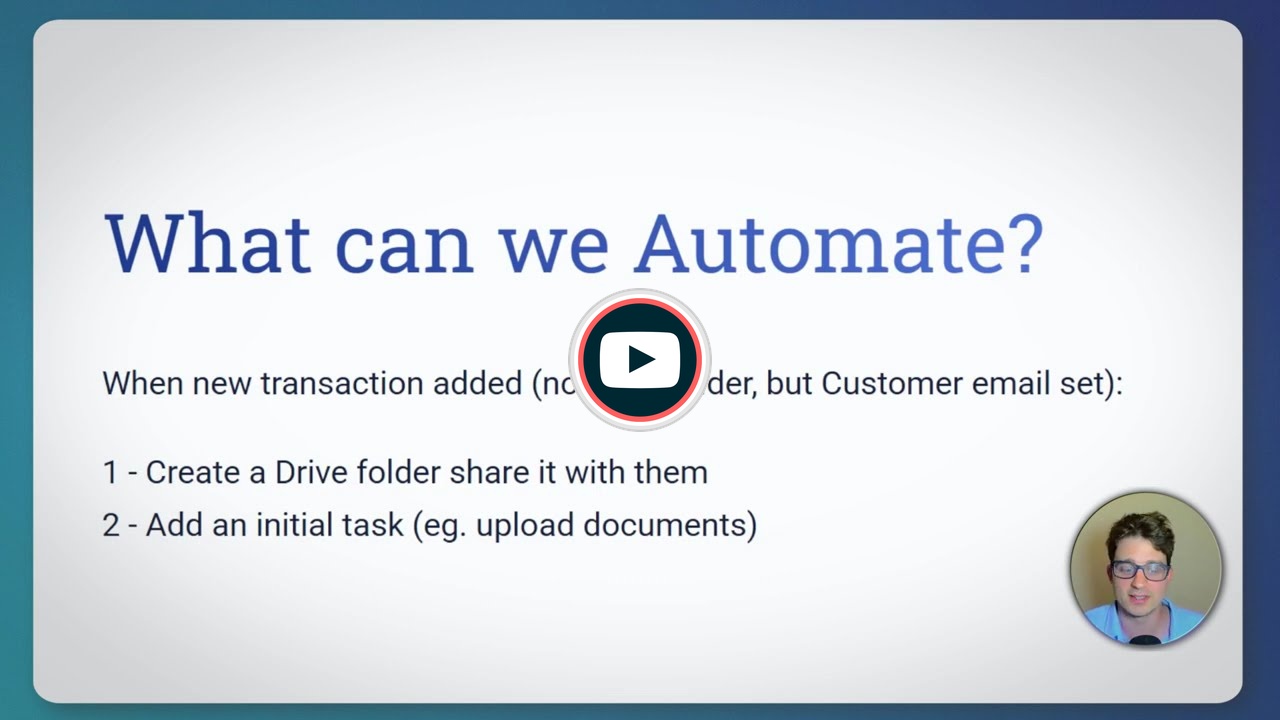](https://youtu.be/Ft3c_NPRlI8)"
},
"typeVersion": 1
}
],
"connections": {
"New Transaction Trigger": {
"main": [
[
{
"node": "Filter Missing Folder & Email",
"type": "main",
"index": 0
}
]
]
},
"Filter Missing Folder & Email": {
"main": [
[
{
"node": "Create Client Documents Folder",
"type": "main",
"index": 0
}
]
]
},
"Create Client Documents Folder": {
"main": [
[
{
"node": "Update Transaction With Folder URL",
"type": "main",
"index": 0
}
]
]
},
"Update Transaction With Folder URL": {
"main": [
[
{
"node": "Add Initial Upload Task",
"type": "main",
"index": 0
}
]
]
}
}
}
Credentials you'll need
Each integration node will prompt for credentials when you import. We strip credential IDs before publishing — you'll add your own.
googleDriveOAuth2ApigoogleSheetsOAuth2ApigoogleSheetsTriggerOAuth2Api
For the full experience including quality scoring and batch install features for each workflow upgrade to Pro
About this workflow
[](https://youtu.be/Ft3c_NPRlI8)
Source: https://n8n.io/workflows/11186/ — original creator credit. Request a take-down →
Related workflows
Workflows that share integrations, category, or trigger type with this one. All free to copy and import.
Stickynote Workflow. Uses googleTranslate, googleSheetsTrigger, googleDrive, httpRequest. Event-driven trigger; 22 nodes.
This workflow watches a Google Sheet for listings marked ready, finds the matching photo in Google Drive, uploads it to Canva, and uses Canva Data Autofill to generate a listing flyer from a brand tem
This workflow watches a Google Sheets worksheet for new client rows, creates (or reuses) a matching client folder structure in Google Drive, shares the folder with one or more client email addresses,
This workflow automatically generates a branded PDF invoice from data in Google Sheets and saves it to Google Drive. No manual document editing required.
PCN. Uses googleSheets, httpRequest, @n-octo-n/n8n-nodes-json-database, itemLists. Event-driven trigger; 60 nodes.