 Vyrazu Labs
 This workflow corresponds to n8n.io template #16738 — we link there as the canonical source.
This workflow follows the Google Drive → HTTP Request recipe pattern — see all workflows that pair these two integrations.
The workflow JSON
Copy or download the full n8n JSON below. Paste it into a new n8n workflow, add your credentials, activate. Full import guide →
{
"nodes": [
{
"id": "manual-trigger",
"name": "On clicking 'execute'",
"type": "n8n-nodes-base.manualTrigger",
"notes": "Triggers the workflow manually.",
"position": [
0,
304
],
"parameters": {},
"notesInFlow": true,
"typeVersion": 1
},
{
"id": "list-car-images",
"name": "List Car Images",
"type": "n8n-nodes-base.googleDrive",
"notes": "Fetches the raw car photos from the Input Google Drive folder.",
"position": [
208,
304
],
"parameters": {
"options": {
"fields": [
"id",
"name",
"mimeType"
]
},
"operation": "list",
"queryString": "'1klDVIeSQDlWVaqgtPcPPYVhizgFokYkk' in parents and mimeType contains 'image/' and trashed=false",
"useQueryString": true
},
"credentials": {
"googleDriveOAuth2Api": {
"name": "<your credential>"
}
},
"notesInFlow": true,
"typeVersion": 2
},
{
"id": "loop",
"name": "Loop",
"type": "n8n-nodes-base.splitInBatches",
"notes": "Iterates over each car image one by one.",
"position": [
432,
304
],
"parameters": {
"options": {},
"batchSize": 1
},
"notesInFlow": true,
"typeVersion": 2
},
{
"id": "download-car",
"name": "Download Car Image",
"type": "n8n-nodes-base.googleDrive",
"notes": "Downloads the binary data of the current car image.",
"position": [
624,
160
],
"parameters": {
"fileId": "={{$json[\"id\"]}}",
"options": {},
"operation": "download"
},
"credentials": {
"googleDriveOAuth2Api": {
"name": "<your credential>"
}
},
"notesInFlow": true,
"typeVersion": 2
},
{
"id": "list-studio",
"name": "List Studio Image",
"type": "n8n-nodes-base.googleDrive",
"notes": "Fetches the reference images (Virtual Studio background and Business Logo) from the Studio Google Drive folder.",
"position": [
992,
304
],
"parameters": {
"options": {
"fields": [
"id",
"name",
"mimeType"
]
},
"operation": "list",
"queryString": "'18FVLi_J5UBrZVEULYktPtyGorCOZBfHB' in parents and mimeType contains 'image/' and trashed=false",
"useQueryString": true
},
"credentials": {
"googleDriveOAuth2Api": {
"name": "<your credential>"
}
},
"notesInFlow": true,
"typeVersion": 2
},
{
"id": "download-studio",
"name": "Download Studio Image",
"type": "n8n-nodes-base.googleDrive",
"notes": "Downloads the binary data of the reference images.",
"position": [
1312,
304
],
"parameters": {
"fileId": "={{$json[\"id\"]}}",
"options": {},
"operation": "download"
},
"credentials": {
"googleDriveOAuth2Api": {
"name": "<your credential>"
}
},
"notesInFlow": true,
"typeVersion": 2
},
{
"id": "bundle-data",
"name": "Bundle Data",
"type": "n8n-nodes-base.code",
"notes": "Organizes the car image, studio background, and logo into a single object for the API request.",
"position": [
1616,
304
],
"parameters": {
"jsCode": "const carBinary = $(\"Download Car Image\").first().binary.data;\nconst downloadedStudioItems = $(\"Download Studio Image\").all();\n\nlet studioBinary = null;\nlet logoBinary = null;\n\nfor (const item of downloadedStudioItems) {\n const name = item.json.name ? item.json.name.toLowerCase() : \"\";\n if (name === \"virtual_studio.png\") {\n studioBinary = item.binary.data;\n } else if (name === \"logo.png\") {\n logoBinary = item.binary.data;\n }\n}\n\nif (!studioBinary && downloadedStudioItems.length > 0) {\n studioBinary = downloadedStudioItems[0].binary.data;\n}\n\nlet carJson = {};\ntry { carJson = $(\"Loop\").item.json; } catch(e) { carJson = $(\"List Car Images\").first().json; }\n\nreturn {\n json: { ...carJson },\n binary: {\n car: carBinary,\n ...(studioBinary ? { studio: studioBinary } : {}),\n ...(logoBinary ? { logo: logoBinary } : {})\n }\n};"
},
"notesInFlow": true,
"typeVersion": 2
},
{
"id": "prepare-gemini",
"name": "Prepare Gemini Request",
"type": "n8n-nodes-base.code",
"notes": "Constructs the intelligent prompt and attaches the images to send to the Gemini Pro Vision API.",
"position": [
1792,
304
],
"parameters": {
"jsCode": "const items = $input.all();\nconst results = [];\n\nfor (let i = 0; i < items.length; i++) {\n const item = items[i];\n const binary = item.binary || {};\n \n const parts = [\n { \n text: \"Analyze the provided car image and determine its type: Exterior, Interior, or Engine/Detail.\\n\\n1. If Exterior: Remove the original background and place the car seamlessly into the provided virtual studio background image. Ensure realistic lighting and shadows.\\n2. If Interior or Engine/Detail: Do NOT use the provided virtual studio background. Instead, cleanly mask out the messy outside background (e.g., the view out of the windows or the surrounding area outside the engine bay) and replace it with a clean, solid light green background (matching the branding of the studio).\\n3. License Plate Replacement: If the front or back of the car is visible and a license plate is present, replace the license plate entirely with the provided business logo image.\\n\\nIMPORTANT NEGATIVE INSTRUCTIONS:\\n- Do NOT add reflections under the car.\\n- Do NOT alter the car's original shape, color, or details.\\n\\nMaintain the original aspect ratio and generate a high-quality 4k image. Output ONLY the generated image.\"\n }\n ];\n\n if (binary.car) {\n const buffer = await this.helpers.getBinaryDataBuffer(i, 'car');\n parts.push({\n inlineData: {\n mimeType: binary.car.mimeType,\n data: buffer.toString('base64')\n }\n });\n }\n\n if (binary.studio) {\n const buffer = await this.helpers.getBinaryDataBuffer(i, 'studio');\n parts.push({\n inlineData: {\n mimeType: binary.studio.mimeType,\n data: buffer.toString('base64')\n }\n });\n }\n\n if (binary.logo) {\n const buffer = await this.helpers.getBinaryDataBuffer(i, 'logo');\n parts.push({\n inlineData: {\n mimeType: binary.logo.mimeType,\n data: buffer.toString('base64')\n }\n });\n }\n\n const reqBody = {\n contents: [\n {\n parts: parts\n }\n ],\n generationConfig: {\n responseModalities: [\"IMAGE\"]\n }\n };\n\n results.push({\n json: {\n reqBody: reqBody,\n ...item.json\n },\n binary: item.binary\n });\n}\n\nreturn results;"
},
"notesInFlow": true,
"typeVersion": 2
},
{
"id": "call-gemini",
"name": "Call Gemini API",
"type": "n8n-nodes-base.httpRequest",
"notes": "Sends the prepared request to the Gemini API to process the images.",
"position": [
1984,
304
],
"parameters": {
"url": "https://generativelanguage.googleapis.com/v1beta/models/gemini-2.5-flash-image:generateContent",
"method": "POST",
"options": {},
"jsonBody": "={{ $json.reqBody }}",
"sendBody": true,
"sendHeaders": true,
"specifyBody": "json",
"authentication": "predefinedCredentialType",
"headerParameters": {
"parameters": [
{
"name": "Content-Type",
"value": "application/json"
}
]
},
"nodeCredentialType": "httpHeaderAuth"
},
"credentials": {
"httpHeaderAuth": {
"name": "<your credential>"
}
},
"notesInFlow": true,
"typeVersion": 4.1
},
{
"id": "extract-gemini",
"name": "Extract Gemini Image",
"type": "n8n-nodes-base.code",
"notes": "Extracts the generated image from Gemini's response and dynamically assigns the correct output filename.",
"position": [
2288,
304
],
"parameters": {
"jsCode": "const items = $input.all();\nconst output = [];\n\nfor (let i = 0; i < items.length; i++) {\n const item = items[i];\n const parts = item.json.candidates && item.json.candidates[0] && item.json.candidates[0].content && item.json.candidates[0].content.parts;\n \n if (!parts) {\n throw new Error(\"Invalid Gemini response: \" + JSON.stringify(item.json));\n }\n\n const imagePart = parts.find(p => p.inlineData || p.inline_data);\n\n if (!imagePart) {\n throw new Error(\"No image data found in Gemini response\");\n }\n\n const inline = imagePart.inlineData || imagePart.inline_data;\n const base64Data = inline.data;\n const mimeType = inline.mimeType || inline.mime_type || \"image/jpeg\";\n\n const buffer = Buffer.from(base64Data, 'base64');\n \n let carJson = {};\n try { carJson = $(\"Loop\").item.json; } catch(e) { carJson = $(\"List Car Images\").first().json; }\n const originalName = carJson.name || \"car.jpg\";\n\n const fileName = originalName.replace(/\\.[^/.]+$/, \"\") + \"_studio.jpg\";\n const binaryData = await this.helpers.prepareBinaryData(buffer, fileName, mimeType);\n\n output.push({\n json: { mimeType, originalName, ...item.json },\n binary: {\n data: binaryData\n }\n });\n}\n\nreturn output;"
},
"notesInFlow": true,
"typeVersion": 2
},
{
"id": "upload-image",
"name": "Upload Image to Drive",
"type": "n8n-nodes-base.googleDrive",
"notes": "Uploads the final processed image to the Output Google Drive folder.",
"position": [
2656,
304
],
"parameters": {
"name": "={{ $json[\"originalName\"] ? $json[\"originalName\"].replace(/\\.[^/.]+$/, \"\") + \"_studio.jpg\" : \"car_studio.jpg\" }}",
"options": {},
"parents": [
"1dyibNQ8CEYpqWcnKbL_v7w3nngKdNo55"
],
"binaryData": true
},
"credentials": {
"googleDriveOAuth2Api": {
"name": "<your credential>"
}
},
"notesInFlow": true,
"typeVersion": 2
},
{
"id": "689e4744-01e9-4191-8bca-a35be98c96cd",
"name": "Sticky Note",
"type": "n8n-nodes-base.stickyNote",
"position": [
-784,
-32
],
"parameters": {
"width": 640,
"height": 872,
"content": "## \ud83d\ude97 Virtual Car Photography Studio (Gemini 2.5 Flash Image)\n\n**Who it's for:**\nDealers, auction houses, and fleet operators who shoot car photos on the lot and want studio-quality, on-brand listing images without hiring a photographer.\n\n**What this does:**\n1. Pulls raw car photos from an Input Drive folder, one at a time\n2. Pulls your studio backdrop + logo from a Studio Assets folder\n3. Gemini classifies each shot as Exterior / Interior / Engine-Detail and treats each differently\n4. Exterior shots get composited into your studio backdrop with realistic lighting and shadows\n5. Interior/engine shots get a clean solid-color background instead (a studio backdrop wouldn't make sense from these angles)\n6. Any visible license plate is replaced with your business logo\n7. Final image is uploaded to the Output Drive folder, then the loop moves to the next photo\n\n**Setup required:**\n- Connect Google Drive credentials (used by 4 nodes)\n- Add your Gemini API key as an n8n Header Auth credential (Name: `x-goog-api-key`) on the \"Call Gemini API\" node \u2014 never paste it directly into the node\n- Set your Input, Studio Assets, and Output folder IDs in the Google Drive nodes\n- Studio Assets folder must contain exactly two files: `virtual_studio.png` and `logo.png`\n\n**Why the prompt has explicit negative instructions:**\nImage models tend to over-embellish \u2014 adding reflections under the car or subtly altering its shape/color while re-lighting it. The prompt explicitly forbids both, keeping the output faithful to the real vehicle rather than a \"reimagined\" one \u2014 important for buyer trust in a listing photo."
},
"typeVersion": 1
},
{
"id": "d7bc81fe-b9fa-422d-a478-b8e2ab83b369",
"name": "Sticky Note - Fetch Car Photo",
"type": "n8n-nodes-base.stickyNote",
"position": [
-48,
592
],
"parameters": {
"width": 560,
"height": 220,
"content": "### \u2460 Grab the Next Car Photo\nLists every image in the Input Drive folder, then processes them one at a time (Loop, batch size 1) so a failure on one photo doesn't break the whole batch. Downloads the binary for the current photo before moving on."
},
"typeVersion": 1
},
{
"id": "dd4dc423-3500-41d4-bee7-f98acf5d093b",
"name": "Sticky Note - Fetch Studio Assets",
"type": "n8n-nodes-base.stickyNote",
"position": [
608,
592
],
"parameters": {
"width": 600,
"height": 220,
"content": "### \u2461 Load Studio Backdrop + Logo\nLists and downloads the two reference images from the Studio Assets folder (virtual_studio.png, logo.png), then bundles them together with the current car photo into a single item the AI step can work with."
},
"typeVersion": 1
},
{
"id": "f84ee12a-ce46-436f-864a-5e7d7b1ab2be",
"name": "Sticky Note - AI Compositing",
"type": "n8n-nodes-base.stickyNote",
"position": [
1264,
592
],
"parameters": {
"width": 580,
"height": 220,
"content": "### \u2462 AI Studio Compositing (Gemini 2.5 Flash Image)\nBuilds a single multimodal prompt with all three images attached, sends it to Gemini, then extracts the generated image from the response. This is where the shot classification (Exterior / Interior / Engine), background swap, and license-plate-to-logo replacement all happen in one model call."
},
"typeVersion": 1
},
{
"id": "30acc1d9-882e-47f5-a389-d008e8faadc7",
"name": "Sticky Note - Save Result",
"type": "n8n-nodes-base.stickyNote",
"position": [
1904,
592
],
"parameters": {
"width": 380,
"height": 220,
"content": "### \u2463 Save & Continue\nUploads the finished photo to the Output folder, named `<original-filename>_studio.jpg`, then loops back to process the next car photo."
},
"typeVersion": 1
},
{
"id": "note-before",
"name": "Sticky Note - Input Photo",
"type": "n8n-nodes-base.stickyNote",
"position": [
480,
-336
],
"parameters": {
"width": 376,
"height": 464,
"content": "### Input \u2014 Raw Lot Photo\n\n*This is the original car photo, taken directly on the lot or at an auction \u2014 no studio, no staging.*\n\n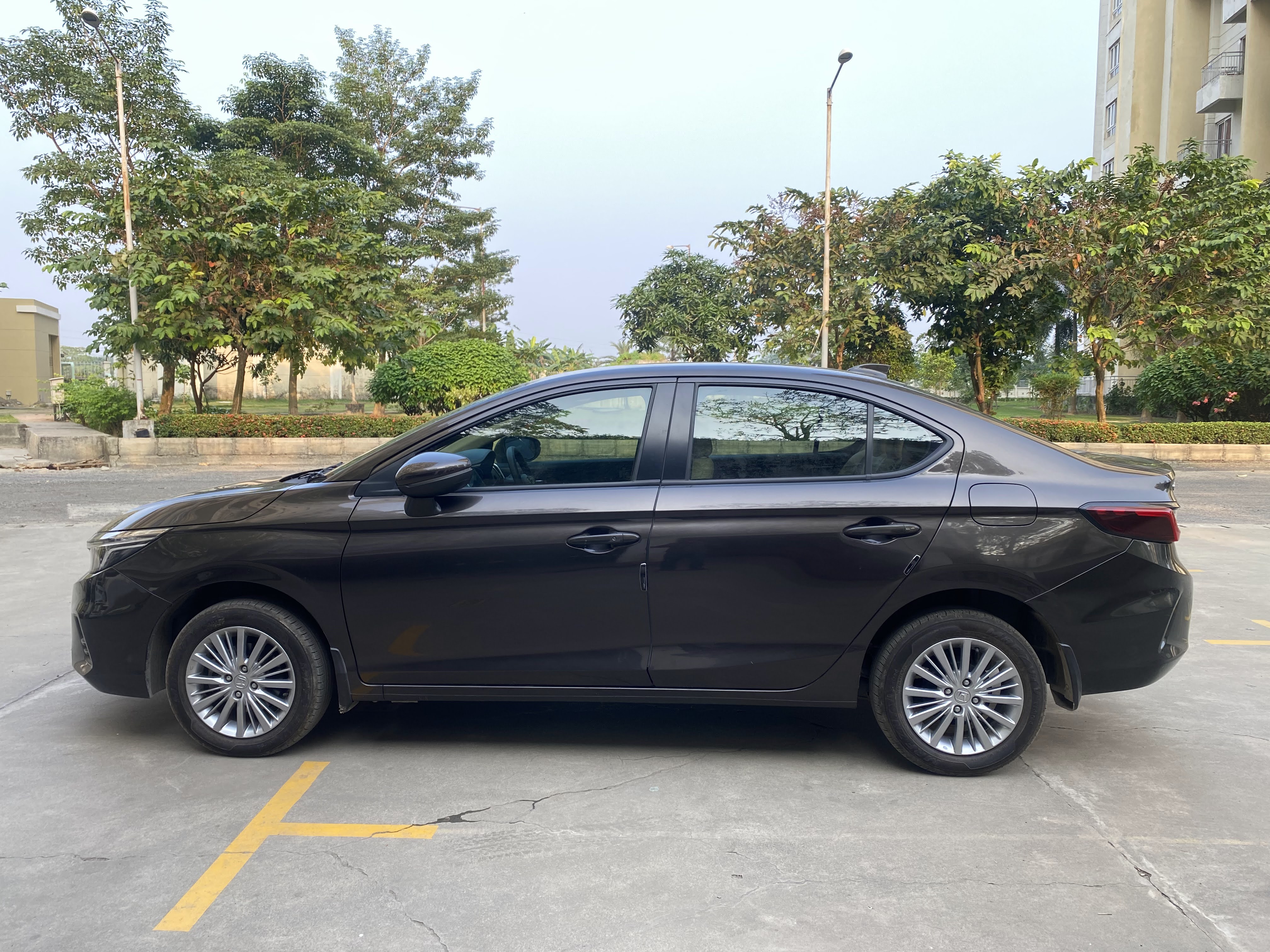"
},
"typeVersion": 1
},
{
"id": "note-after",
"name": "Sticky Note - Output Photo",
"type": "n8n-nodes-base.stickyNote",
"position": [
2096,
-176
],
"parameters": {
"width": 520,
"height": 464,
"content": "### Output \u2014 Studio-Quality Result\n\n*Gemini composites the car into the branded showroom backdrop with realistic lighting and reflections.*\n\n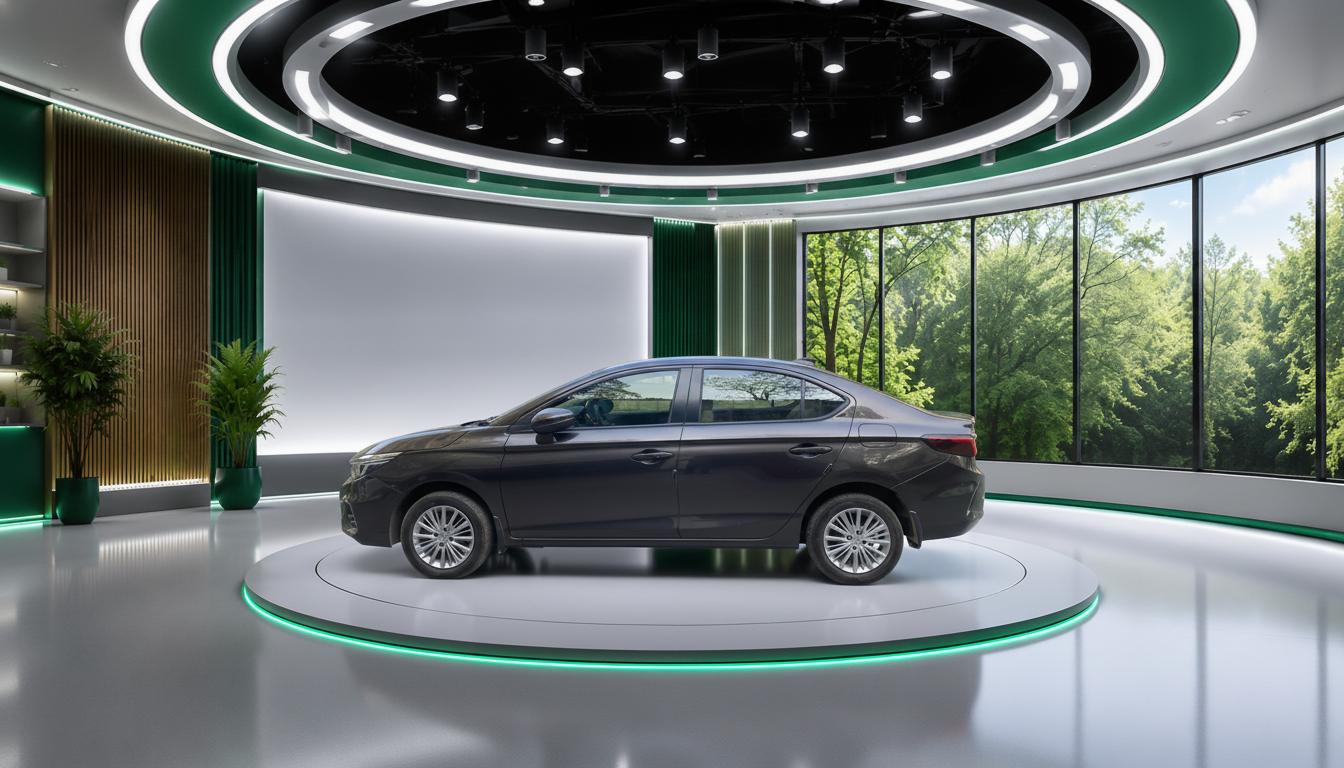"
},
"typeVersion": 1
},
{
"id": "note-studio",
"name": "Sticky Note - Studio Backdrop",
"type": "n8n-nodes-base.stickyNote",
"position": [
1120,
-160
],
"parameters": {
"width": 440,
"height": 432,
"content": "### Studio Backdrop Reference\n\n*Place your own `virtual_studio.png` in the Studio Assets folder. Gemini uses this as the compositing background. Any branded showroom image works.*\n\n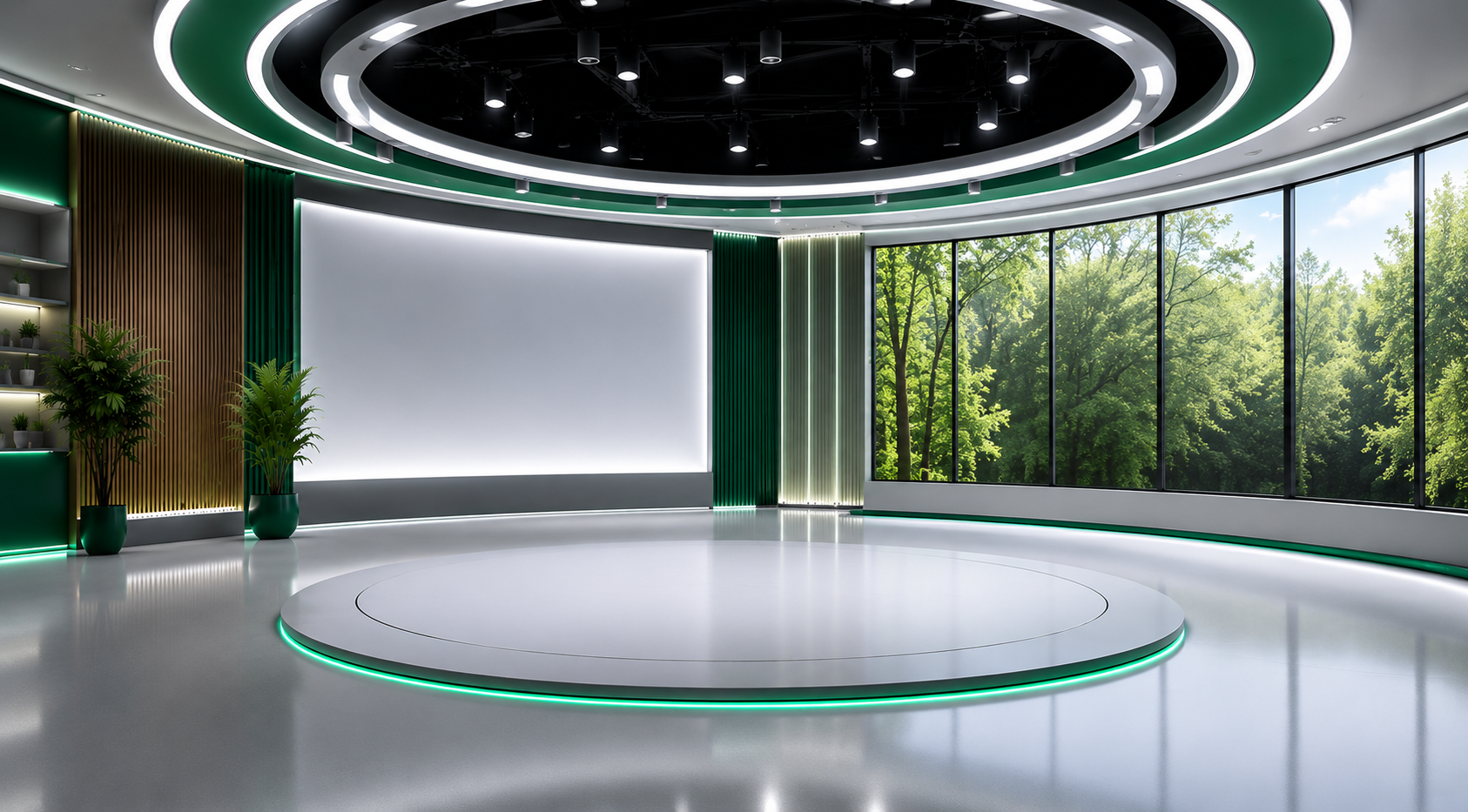"
},
"typeVersion": 1
},
{
"id": "note-video",
"name": "Sticky Note - Demo Video",
"type": "n8n-nodes-base.stickyNote",
"position": [
-112,
-336
],
"parameters": {
"width": 584,
"height": 472,
"content": "### \ud83c\udfac Demo Walkthrough\n\n*Watch the full end-to-end demo \u2014 from raw lot photo to studio-ready listing image in one automated run.*\n\n*@[youtube](Sde4_BZDVPU)*"
},
"typeVersion": 1
}
],
"connections": {
"Loop": {
"main": [
[
{
"node": "Download Car Image",
"type": "main",
"index": 0
}
]
]
},
"Bundle Data": {
"main": [
[
{
"node": "Prepare Gemini Request",
"type": "main",
"index": 0
}
]
]
},
"Call Gemini API": {
"main": [
[
{
"node": "Extract Gemini Image",
"type": "main",
"index": 0
}
]
]
},
"List Car Images": {
"main": [
[
{
"node": "Loop",
"type": "main",
"index": 0
}
]
]
},
"List Studio Image": {
"main": [
[
{
"node": "Download Studio Image",
"type": "main",
"index": 0
}
]
]
},
"Download Car Image": {
"main": [
[
{
"node": "List Studio Image",
"type": "main",
"index": 0
}
]
]
},
"Extract Gemini Image": {
"main": [
[
{
"node": "Upload Image to Drive",
"type": "main",
"index": 0
}
]
]
},
"Download Studio Image": {
"main": [
[
{
"node": "Bundle Data",
"type": "main",
"index": 0
}
]
]
},
"On clicking 'execute'": {
"main": [
[
{
"node": "List Car Images",
"type": "main",
"index": 0
}
]
]
},
"Upload Image to Drive": {
"main": [
[
{
"node": "Loop",
"type": "main",
"index": 0
}
]
]
},
"Prepare Gemini Request": {
"main": [
[
{
"node": "Call Gemini API",
"type": "main",
"index": 0
}
]
]
}
}
}
Credentials you'll need
Each integration node will prompt for credentials when you import. We strip credential IDs before publishing — you'll add your own.
googleDriveOAuth2ApihttpHeaderAuth
For the full experience including quality scoring and batch install features for each workflow upgrade to Pro
About this workflow
This workflow manually processes car photos from Google Drive, sends each image plus a studio backdrop and logo to the Google Gemini Image API for background replacement and license-plate branding, and uploads the generated studio-style images back to an output Google Drive…
Source: https://n8n.io/workflows/16738/ — original creator credit. Request a take-down →
Related workflows
Workflows that share integrations, category, or trigger type with this one. All free to copy and import.
3D Listing — covers (platforms split). Uses googleDrive, httpRequest. Event-driven trigger; 12 nodes.
3D Listing — covers (all formats). Uses googleDrive, httpRequest. Event-driven trigger; 10 nodes.
This workflow runs manually or daily to audit a public Etsy shop via the Etsy API, summarize active listing metrics, and store a snapshot in n8n to detect newly added or removed listings between runs.
This workflow runs on a schedule (or manually) to fetch public Etsy listing details in a single batch request, stores a baseline snapshot in n8n, and alerts you when listing prices change beyond a con
This automation organizes your n8n workflows files into categorizes (Active, Template, Done, Archived) and uploads them directly to a categorized Google Drive folders. It is designed to help users man