 Adrian
 This workflow corresponds to n8n.io template #9356 — we link there as the canonical source.
This workflow follows the HTTP Request → Stopanderror recipe pattern — see all workflows that pair these two integrations.
The workflow JSON
Copy or download the full n8n JSON below. Paste it into a new n8n workflow, add your credentials, activate. Full import guide →
{
"nodes": [
{
"id": "d2f41656-6425-45f7-a1aa-3e175532a255",
"name": "Get APOD",
"type": "n8n-nodes-base.httpRequest",
"position": [
-1280,
176
],
"parameters": {
"url": "https://api.nasa.gov/planetary/apod",
"options": {},
"authentication": "queryAuth"
},
"credentials": {
"httpQueryAuth": {
"name": "<your credential>"
}
},
"typeVersion": 1
},
{
"id": "9c13d0eb-b77d-41b0-a581-361ebfc91f28",
"name": "Prepare Caption",
"type": "n8n-nodes-base.set",
"position": [
-1088,
176
],
"parameters": {
"values": {
"string": [
{
"name": "caption",
"value": "{{ $json.title }} - {{ $json.explanation }}"
},
{
"name": "imageUrl",
"value": "{{ $json.url }}"
}
]
},
"options": {}
},
"typeVersion": 2
},
{
"id": "e3014cef-b638-42fb-98c2-6b5e1b8730ef",
"name": "Prepare IG Post",
"type": "n8n-nodes-base.httpRequest",
"position": [
-896,
176
],
"parameters": {
"url": "https://graph.facebook.com/v23.0/{YOUR_APP_ID}/media",
"method": "POST",
"options": {},
"sendQuery": true,
"authentication": "predefinedCredentialType",
"queryParameters": {
"parameters": [
{
"name": "image_url",
"value": "={{ $json.url }}"
},
{
"name": "caption",
"value": "={{ $json.explanation }}"
}
]
},
"nodeCredentialType": "facebookGraphApi"
},
"credentials": {
"httpHeaderAuth": {
"name": "<your credential>"
},
"facebookGraphApi": {
"name": "<your credential>"
}
},
"typeVersion": 4.2
},
{
"id": "6bb50415-7e55-409b-a66d-49a1b8072600",
"name": "Get Status For Publish",
"type": "n8n-nodes-base.httpRequest",
"position": [
-512,
176
],
"parameters": {
"url": "=https://graph.facebook.com/v23.0/{{ $('Prepare IG Post').item.json.id }}",
"options": {},
"sendQuery": true,
"authentication": "predefinedCredentialType",
"queryParameters": {
"parameters": [
{
"name": "fields",
"value": "status_code,status"
}
]
},
"nodeCredentialType": "facebookGraphApi"
},
"credentials": {
"facebookGraphApi": {
"name": "<your credential>"
}
},
"typeVersion": 4.2
},
{
"id": "bd070f50-08d5-4016-82f7-57b4fbbb789c",
"name": "Wait for the preparation of the post",
"type": "n8n-nodes-base.wait",
"position": [
-704,
176
],
"parameters": {},
"typeVersion": 1.1
},
{
"id": "27680fa6-5d6d-4dd7-bcf3-3942b5cb8e90",
"name": "Publish Post",
"type": "n8n-nodes-base.httpRequest",
"position": [
-160,
96
],
"parameters": {
"url": "https://graph.facebook.com/v23.0/{YOUR_APP_ID}/media_publish",
"method": "POST",
"options": {},
"sendQuery": true,
"authentication": "predefinedCredentialType",
"queryParameters": {
"parameters": [
{
"name": "creation_id",
"value": "={{ $json.id }}"
}
]
},
"nodeCredentialType": "facebookGraphApi"
},
"credentials": {
"facebookGraphApi": {
"name": "<your credential>"
}
},
"typeVersion": 4.2
},
{
"id": "a08c9132-ec6a-4b69-ad80-7b45da247fdc",
"name": "If",
"type": "n8n-nodes-base.if",
"position": [
-336,
176
],
"parameters": {
"options": {},
"conditions": {
"options": {
"version": 2,
"leftValue": "",
"caseSensitive": true,
"typeValidation": "strict"
},
"combinator": "and",
"conditions": [
{
"id": "c87f4367-7fd4-4862-bfb0-ac8546999ef1",
"operator": {
"name": "filter.operator.equals",
"type": "string",
"operation": "equals"
},
"leftValue": "={{ $json.status_code }}",
"rightValue": "FINISHED"
}
]
}
},
"typeVersion": 2.2
},
{
"id": "76a2952b-d0d6-4663-8abb-c635a62280cb",
"name": "Send Finish Message",
"type": "n8n-nodes-base.telegram",
"position": [
32,
96
],
"parameters": {
"text": "=PUBLISH STATUS: {{ $('If').item.json.status_code }}",
"chatId": "{YOUR_CHAT_ID}",
"forceReply": {},
"replyMarkup": "=",
"additionalFields": {},
"replyKeyboardRemove": {},
"replyKeyboardOptions": {}
},
"credentials": {
"telegramApi": {
"name": "<your credential>"
}
},
"typeVersion": 1.2
},
{
"id": "f2220578-15ed-46b7-b5ad-3da9ed9a5a70",
"name": "Send Fail Message",
"type": "n8n-nodes-base.telegram",
"position": [
-160,
256
],
"parameters": {
"text": "The upload of the publication has failed, check logs.",
"chatId": "{YOUR_CHAT_ID}",
"additionalFields": {}
},
"credentials": {
"telegramApi": {
"name": "<your credential>"
}
},
"typeVersion": 1.2
},
{
"id": "fd826a78-2450-4516-96a8-e90d31f078f5",
"name": "Stop and Error",
"type": "n8n-nodes-base.stopAndError",
"position": [
32,
256
],
"parameters": {
"errorMessage": "Status Code of Publish Api Call Isn't Finished"
},
"typeVersion": 1
},
{
"id": "03e4b3dd-3d10-4283-a984-fbb7f5d3b219",
"name": "Schedule Trigger",
"type": "n8n-nodes-base.scheduleTrigger",
"position": [
-1456,
176
],
"parameters": {
"rule": {
"interval": [
{
"triggerAtHour": 18
}
]
}
},
"typeVersion": 1.2
},
{
"id": "812d1d81-4871-4e3f-b408-5ea9e59e793c",
"name": "Sticky Note1",
"type": "n8n-nodes-base.stickyNote",
"position": [
-1440,
-384
],
"parameters": {
"width": 604,
"height": 456,
"content": "## Nasa Astronomy Picture of the Day (APOD) Image\n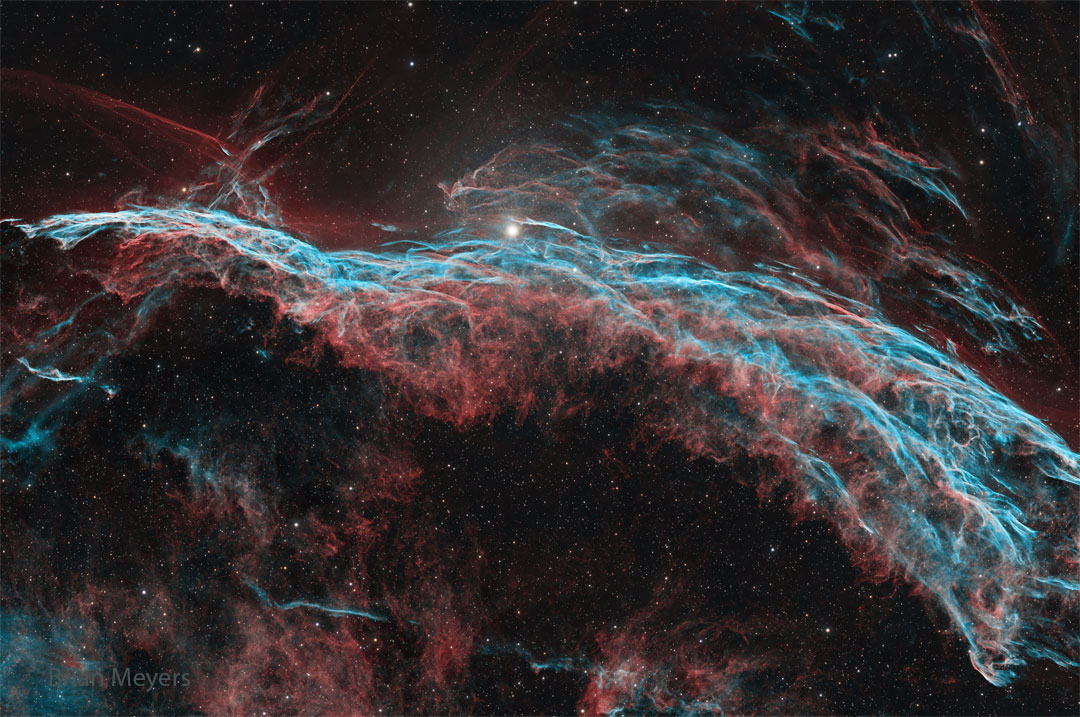"
},
"typeVersion": 1
},
{
"id": "a299e6ae-bf95-4e13-ac44-3219fec0a4cd",
"name": "Sticky Note7",
"type": "n8n-nodes-base.stickyNote",
"position": [
-2048,
-608
],
"parameters": {
"width": 460,
"height": 1552,
"content": "\nThis workflow fetches NASA\u2019s Astronomical Picture of the Day (APOD), prepares a caption combining the title and explanation, publishes the image to Instagram and sends you a Telegram notification with the result. \n\nIt runs on a schedule so you can share inspiring space images without manual effort.\n\n## Who is it for?\nDesigned for science communicators, educators, astronomy fans and social media managers who want to share the APOD each day without searching for content. It\u2019s also helpful for anyone looking to automate daily posts while receiving clear success or failure notifications.\n\n## How it works\n1.\tA Schedule Trigger fires every day at 18:00 (adjustable) to start the workflow.\n2.\tThe Get APOD HTTP request node calls https://api.nasa.gov/planetary/apod using your NASA API key and retrieves the image URL, title and explanation.\n3.\tThe Prepare Caption node builds a caption by concatenating the title and explanation, and extracts the image URL.\n4.\tPrepare IG Post node sends a POST request to https://graph.facebook.com/v23.0/{YOUR_APP_ID}/media with the image URL and caption to create a media container on Instagram.\n5.\tA Wait node pauses the workflow while Instagram processes the media.\n6.\tThe Get Status for Publish request checks the status of the media; the If node proceeds only when the status_code equals FINISHED.\n7.\tWhen ready, the Publish Post node calls to https://graph.facebook.com/v23.0/{YOUR_APP_ID}/media_publish endpoint with the creation_id to publish the photo on Instagram.\n8.\tOn success, a Telegram node sends a message such as \u201cPUBLISH STATUS: FINISHED\u201d to your chat; on failure, another Telegram node notifies you that the upload failed and the workflow stops with an error.\n## Setup steps\n1.\tNode Get APOD: Configure Query Auth with your own Nasa credential.\n2.\tNode: Prepare IG Post: Create a Facebook app and generate an access token with instagram_basic and pages_manage_posts permissions; Configure the url with you ID from you Meta Graph {YOUR_APP_ID}. Configure Facebook Graph API Credential Type with your token, you can generate in your API Graph Explorer\n3.\tNode Get Status For Publish: Configure your Facebook Graph API token like before.\n4.\tNode Publish Post: Configure your Facebook Graph API token like before and configure the url with you ID from you Meta Graph {YOUR_APP_ID}.\n5.\tNode Send Finish Message: Configure your token from Telegram API and your Telegram Chat ID {YOUR_CHAT_ID}.\n6.\tNode Send Fail Message: Configure your token from Telegram API and your Telegram Chat ID {YOUR_CHAT_ID}.\n6.\tTest the workflow to ensure the image posts correctly and that the Telegram notifications reflect the status.\n## Requirements\n\u00b7\tNASA APOD API key from api.nasa.gov.\n\u00b7\tInstagram account linked to a Facebook page and a valid Facebook Graph API token with the appropriate permissions.\n\u00b7\tTelegram bot token and chat ID.\n## How to customise it\nYou can change the posting time or frequency, edit the caption template to include hashtags or links, or send success/failure notifications via email or Slack instead of Telegram. You might also save the images to cloud storage or cross\u2011post to other platforms, and adjust the error handling logic based on your needs.\n\n"
},
"typeVersion": 1
}
],
"connections": {
"If": {
"main": [
[
{
"node": "Publish Post",
"type": "main",
"index": 0
}
],
[
{
"node": "Send Fail Message",
"type": "main",
"index": 0
}
]
]
},
"Get APOD": {
"main": [
[
{
"node": "Prepare Caption",
"type": "main",
"index": 0
}
]
]
},
"Publish Post": {
"main": [
[
{
"node": "Send Finish Message",
"type": "main",
"index": 0
}
]
]
},
"Prepare Caption": {
"main": [
[
{
"node": "Prepare IG Post",
"type": "main",
"index": 0
}
]
]
},
"Prepare IG Post": {
"main": [
[
{
"node": "Wait for the preparation of the post",
"type": "main",
"index": 0
}
]
]
},
"Schedule Trigger": {
"main": [
[
{
"node": "Get APOD",
"type": "main",
"index": 0
}
]
]
},
"Send Fail Message": {
"main": [
[
{
"node": "Stop and Error",
"type": "main",
"index": 0
}
]
]
},
"Get Status For Publish": {
"main": [
[
{
"node": "If",
"type": "main",
"index": 0
}
]
]
},
"Wait for the preparation of the post": {
"main": [
[
{
"node": "Get Status For Publish",
"type": "main",
"index": 0
}
]
]
}
}
}
Credentials you'll need
Each integration node will prompt for credentials when you import. We strip credential IDs before publishing — you'll add your own.
facebookGraphApihttpHeaderAuthhttpQueryAuthtelegramApi
For the full experience including quality scoring and batch install features for each workflow upgrade to Pro
About this workflow
This workflow fetches NASA’s Astronomical Picture of the Day (APOD), prepares a caption combining the title and explanation, publishes the image to Instagram and sends you a Telegram notification with the result.
Source: https://n8n.io/workflows/9356/ — original creator credit. Request a take-down →
Related workflows
Workflows that share integrations, category, or trigger type with this one. All free to copy and import.
MindFrame Psychology - Daily YouTube Shorts (Complete). Uses httpRequest, googleDrive, youtube, telegram. Scheduled trigger; 26 nodes.
MindFrame Psychology - Daily YouTube Shorts (FIXED). Uses httpRequest, googleDrive, youtube, telegram. Scheduled trigger; 25 nodes.
Are you a cord-cutter? Do you find yourself looking through the many titles of videos uploaded to Youtube, just to find the ones you want to watch? Even when you subscribe to the channels you like, do
This workflow automatically monitors Reddit subreddits for new image posts and downloads them to Google Drive. It's perfect for content creators, meme collectors, or anyone who wants to automatically
This n8n workflow monitors Reddit for freelance job posts related to n8n and sends alerts via Telegram while logging relevant data in Google Sheets. It filters out duplicates and only stores unique, p