 InfraNodus
 This workflow corresponds to n8n.io template #11570 — we link there as the canonical source.
The workflow JSON
Copy or download the full n8n JSON below. Paste it into a new n8n workflow, add your credentials, activate. Full import guide →
{
"id": "QUwG4gOKIZKXJt3C",
"meta": {
"templateCredsSetupCompleted": true
},
"name": "Basic AI Chatbot using GraphRAG",
"tags": [
{
"id": "66wgFoDi9Xjl74M3",
"name": "Support",
"createdAt": "2025-05-21T17:06:32.355Z",
"updatedAt": "2025-05-21T17:06:32.355Z"
},
{
"id": "E52i6BJ7Ht6yF3OB",
"name": "Productivity",
"createdAt": "2025-06-04T10:29:27.533Z",
"updatedAt": "2025-06-04T10:29:27.533Z"
},
{
"id": "ciIq4giMNXaJiyiQ",
"name": "Thinking Tools",
"createdAt": "2025-05-20T14:53:17.515Z",
"updatedAt": "2025-05-20T14:53:17.515Z"
},
{
"id": "kRM0hQV2zw7VxrON",
"name": "Research",
"createdAt": "2025-05-21T19:44:19.136Z",
"updatedAt": "2025-05-21T19:44:19.136Z"
},
{
"id": "sJk9cUvmMU8FkJXv",
"name": "AI",
"createdAt": "2025-05-20T13:16:15.636Z",
"updatedAt": "2025-05-20T13:16:15.636Z"
}
],
"nodes": [
{
"id": "27560407-0866-44b2-9605-3841fc0c85d7",
"name": "Get a response from knowledge base",
"type": "n8n-nodes-infranodus.infranodus",
"position": [
-32,
96
],
"parameters": {
"name": "infranodus_support",
"prompt": "={{ $json.chatInput }}",
"requestOptions": {}
},
"credentials": {
"infranodusApi": {
"name": "<your credential>"
}
},
"typeVersion": 1
},
{
"id": "170242b2-c5ba-4963-9b2a-87855bb625b9",
"name": "When chat message received",
"type": "@n8n/n8n-nodes-langchain.chatTrigger",
"position": [
-368,
-32
],
"parameters": {
"public": true,
"options": {
"responseMode": "responseNodes"
},
"initialMessages": "What would you like to know?"
},
"typeVersion": 1.3
},
{
"id": "665b35c5-2c21-402b-8e96-bd6be2147707",
"name": "Respond to Chat",
"type": "@n8n/n8n-nodes-langchain.chat",
"position": [
336,
-32
],
"parameters": {
"message": "={{ $json.aiAdvice[0].text }}",
"options": {},
"waitUserReply": false
},
"typeVersion": 1
},
{
"id": "b3450782-cf52-4166-9a41-c2175dbe3cc9",
"name": "Webhook",
"type": "n8n-nodes-base.webhook",
"disabled": true,
"position": [
-368,
176
],
"parameters": {
"path": "eaff3dbc-70dd-4f57-9432-24f503b2852f",
"options": {},
"responseMode": "responseNode"
},
"typeVersion": 2.1
},
{
"id": "ad77cb77-69b6-44f3-9ec6-00ee0cc78a0b",
"name": "Respond to Webhook",
"type": "n8n-nodes-base.respondToWebhook",
"disabled": true,
"position": [
336,
192
],
"parameters": {
"options": {},
"respondWith": "text",
"responseBody": "={{ $json.aiAdvice[0].text }}"
},
"typeVersion": 1.4
},
{
"id": "d268d3e7-6377-4dcc-9857-5d5285518947",
"name": "Sticky Note2",
"type": "n8n-nodes-base.stickyNote",
"position": [
240,
-256
],
"parameters": {
"width": 288,
"height": 640,
"content": "## 3. Show response to the user\n\nThe response obtained using InfraNodus GraphRAG is then shown to the user.\n"
},
"typeVersion": 1
},
{
"id": "19ef0e02-4d95-442e-b271-8fa35c4e80a2",
"name": "Sticky Note1",
"type": "n8n-nodes-base.stickyNote",
"position": [
-128,
-256
],
"parameters": {
"width": 288,
"height": 624,
"content": "## 2. Query the Knowledge Base\n\nUse the [InfraNodus GraphRAG node](https://n8n.io/integrations/infranodus-graph-rag/) to generate an answer to your query. No need to add vector store or additional model connectors.\n\nTo set up, you need to provide:\n- Your [InfraNodus API key](https://infranodus.com/api-access)\n- The name of the graph you'll query. Learn how to [create the graph in InfraNodus](.\n\nRead more about [GraphRAG](https://infranodus.com/docs/graph-rag-knowledge-graph)\n"
},
"typeVersion": 1
},
{
"id": "b85b7a9a-1ca1-4890-9b71-14b3b27400ed",
"name": "Sticky Note",
"type": "n8n-nodes-base.stickyNote",
"position": [
-448,
-256
],
"parameters": {
"width": 256,
"height": 624,
"content": "## 1. AI Chat Trigger\n\nUse the n8n built-in chat for testing and then replace this node with a Webhook node and expose to your users via the embeddable [n8n Chat Widget](https://n8n-chat-widget.com)."
},
"typeVersion": 1
},
{
"id": "cc846e41-2088-4c48-9657-a8eb2019f185",
"name": "Sticky Note3",
"type": "n8n-nodes-base.stickyNote",
"position": [
-1120,
-256
],
"parameters": {
"color": 6,
"width": 624,
"height": 624,
"content": "## Basic AI Chatbot Tutorial\n\n- No vector store needed\n- Uses GraphRAG and custom ontology for responses\n\n### Learn how to set up a simple AI chatbot without vector store and complex AI agent setups in this [support article](https://support.noduslabs.com/hc/en-us/articles/24079266183196-Building-Expert-Ontology-for-InfraNodus-GraphRAG-n8n-Expert-Node) and this video tutorial: \n\n[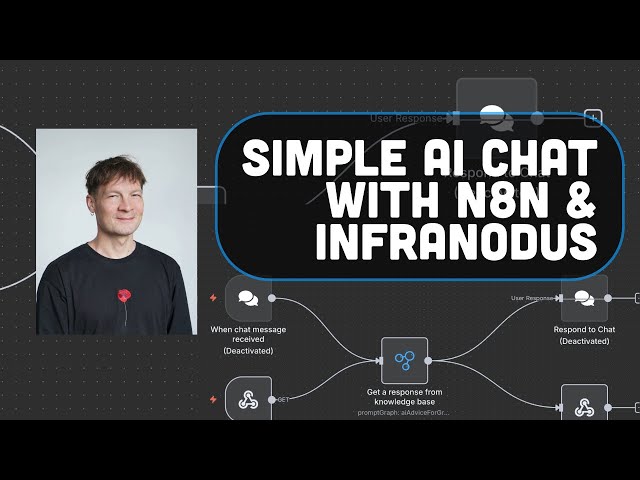](https://www.youtube.com/watch?v=qP4KTLBzoWQ)"
},
"typeVersion": 1
}
],
"active": true,
"settings": {
"executionOrder": "v1"
},
"versionId": "71c40b3b-f30b-41b1-a987-4e58e5963b84",
"connections": {
"Webhook": {
"main": [
[
{
"node": "Get a response from knowledge base",
"type": "main",
"index": 0
}
]
]
},
"When chat message received": {
"main": [
[
{
"node": "Get a response from knowledge base",
"type": "main",
"index": 0
}
]
]
},
"Get a response from knowledge base": {
"main": [
[
{
"node": "Respond to Chat",
"type": "main",
"index": 0
},
{
"node": "Respond to Webhook",
"type": "main",
"index": 0
}
]
]
}
}
}
Credentials you'll need
Each integration node will prompt for credentials when you import. We strip credential IDs before publishing — you'll add your own.
infranodusApi
For the full experience including quality scoring and batch install features for each workflow upgrade to Pro
About this workflow
In this workflow, user sends a request to the InfraNodus GraphRAG system that will extract a reasoning ontology from a graph that you create (or that you can copy from our repository of public graphs) and generate a response directly to the user. Receives a request from a user…
Source: https://n8n.io/workflows/11570/ — original creator credit. Request a take-down →
Related workflows
Workflows that share integrations, category, or trigger type with this one. All free to copy and import.
This workflow is for: People who want to quickly launch simple landing pages without paying monthly fees to landing page creators. It’s ideal for rapid prototyping, generation of large amounts of land
Most career advice is generic. This workflow builds a fully personalized AI coaching system that remembers every user, adapts to their career stage and goals, detects what kind of help they need, and
Evaluating and comparing responses from multiple LLMs (OpenAI, Claude, Gemini) can be challenging when done manually. Each model produces outputs that differ in clarity, tone, and reasoning structure.
n8n-RAG. Uses chatTrigger, chat, httpRequest. Chat trigger; 18 nodes.
This n8n template demonstrates how to automatically download an Instagram Reel, analyze its content using AI video understanding, and regenerate a similar video using AI video generation models. The w