 Kristian Ekachandra
 This workflow corresponds to n8n.io template #12937 — we link there as the canonical source.
This workflow follows the Form Trigger → Google Sheets recipe pattern — see all workflows that pair these two integrations.
The workflow JSON
Copy or download the full n8n JSON below. Paste it into a new n8n workflow, add your credentials, activate. Full import guide →
{
"meta": {
"templateCredsSetupCompleted": true
},
"nodes": [
{
"id": "db20db9a-40b7-4916-bc97-935ec22339f1",
"name": "On form submission",
"type": "n8n-nodes-base.formTrigger",
"position": [
0,
0
],
"parameters": {
"options": {},
"formTitle": "Scrapping Maps",
"formFields": {
"values": [
{
"fieldName": "Location",
"fieldLabel": "Lokasi",
"placeholder": "Jakarta",
"requiredField": true
},
{
"fieldName": "Business_Category",
"fieldLabel": "Kategori Bisnis",
"placeholder": "Restaurant",
"requiredField": true
}
]
}
},
"typeVersion": 2.5
},
{
"id": "e8f61c7a-29ca-425e-be1b-1d87379d3e98",
"name": "Run a workflow and wait for its result",
"type": "n8n-nodes-browseract-workflows.browserAct",
"position": [
224,
0
],
"parameters": {
"workflowId": "75450516286513963",
"runMaxWaitTime": 900,
"inputParameters": {
"parameters": [
{
"name": "Location",
"value": "={{ $json.Location }}"
},
{
"name": "Business_Category",
"value": "={{ $json.Business_Category }}"
}
]
},
"additionalFields": {}
},
"credentials": {
"browserActApi": {
"name": "<your credential>"
}
},
"typeVersion": 1
},
{
"id": "df52dc2c-a3ee-4949-aeb7-cce58330461b",
"name": "Extract from File",
"type": "n8n-nodes-base.extractFromFile",
"position": [
672,
0
],
"parameters": {
"options": {}
},
"typeVersion": 1.1
},
{
"id": "0d53f558-1431-40ee-b954-5856139bf0ed",
"name": "Append or update row in sheet",
"type": "n8n-nodes-base.googleSheets",
"position": [
896,
0
],
"parameters": {
"columns": {
"value": {
"Nama": "={{ $json['\ufeffName'] }}",
"Alamat": "={{ $json.Address }}",
"Rating": "={{ $json.Rating }}",
"Telepon": "='{{ $json.Phone }}",
"Website": "={{ $json.Website }}",
"Kategori": "={{ $json.Category }}",
"Ulasan Terakhir": "={{ $json.LastSummary }}"
},
"schema": [
{
"id": "Nama",
"type": "string",
"display": true,
"removed": false,
"required": false,
"displayName": "Nama",
"defaultMatch": false,
"canBeUsedToMatch": true
},
{
"id": "Telepon",
"type": "string",
"display": true,
"required": false,
"displayName": "Telepon",
"defaultMatch": false,
"canBeUsedToMatch": true
},
{
"id": "Kategori",
"type": "string",
"display": true,
"required": false,
"displayName": "Kategori",
"defaultMatch": false,
"canBeUsedToMatch": true
},
{
"id": "Rating",
"type": "string",
"display": true,
"required": false,
"displayName": "Rating",
"defaultMatch": false,
"canBeUsedToMatch": true
},
{
"id": "Alamat",
"type": "string",
"display": true,
"required": false,
"displayName": "Alamat",
"defaultMatch": false,
"canBeUsedToMatch": true
},
{
"id": "Website",
"type": "string",
"display": true,
"required": false,
"displayName": "Website",
"defaultMatch": false,
"canBeUsedToMatch": true
},
{
"id": "Ulasan Terakhir",
"type": "string",
"display": true,
"required": false,
"displayName": "Ulasan Terakhir",
"defaultMatch": false,
"canBeUsedToMatch": true
}
],
"mappingMode": "defineBelow",
"matchingColumns": [
"Nama"
],
"attemptToConvertTypes": false,
"convertFieldsToString": false
},
"options": {},
"operation": "appendOrUpdate",
"sheetName": {
"__rl": true,
"mode": "list",
"value": "gid=0",
"cachedResultUrl": "https://docs.google.com/spreadsheets/d/1_B3-9dUA0XNCirVcA9qr-zeSXK_zkZRoW8xXt7vQflA/edit#gid=0",
"cachedResultName": "Task"
},
"documentId": {
"__rl": true,
"mode": "url",
"value": "https://docs.google.com/spreadsheets/d/1_B3-9dUA0XNCirVcA9qr-zeSXK_zkZRoW8xXt7vQflA/edit?usp=sharing"
}
},
"credentials": {
"googleSheetsOAuth2Api": {
"name": "<your credential>"
}
},
"typeVersion": 4.7
},
{
"id": "3117bdd9-6aba-4b0a-a720-eadc007c9083",
"name": "Get Data",
"type": "n8n-nodes-base.httpRequest",
"position": [
448,
0
],
"parameters": {
"url": "={{ $json.output.files[0] }}",
"options": {}
},
"typeVersion": 4.3
},
{
"id": "a8c3cad8-e55f-4b97-96bd-8d7848ec87c1",
"name": "Sticky Note",
"type": "n8n-nodes-base.stickyNote",
"position": [
-48,
-592
],
"parameters": {
"width": 416,
"height": 512,
"content": "## \ud83d\udd25 Follow My Channels\nDon't miss out on **AI and Automation** content! Follow me on:\n\ud83c\udfa5 **YouTube:** [@aichandre](https://www.youtube.com/@aichandre) \n\ud83d\udcf8 **Instagram:** [@aichandre](https://www.instagram.com/aichandre) \n\ud83c\udfb5 **TikTok:** [@aichandre](https://www.tiktok.com/@aichandre)\n***\n## \ud83d\udcfa Full Tutorial\n[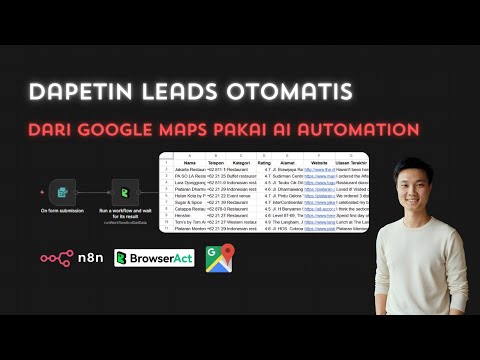](https://youtu.be/6M3HyfOYzVI)\n***"
},
"typeVersion": 1
},
{
"id": "5d6036a0-dde3-4d55-ae52-36a63e99bff7",
"name": "Sticky Note1",
"type": "n8n-nodes-base.stickyNote",
"position": [
-528,
-592
],
"parameters": {
"color": 7,
"width": 480,
"height": 1120,
"content": "## \ud83d\udee0\ufe0f Quick Setup Guide\n**Created by:** [Kristian Ekachandra](https://yapp.ink/aichandre)\n\n### \u2705 Step 1: Install BrowserAct Community Node\nInstall [n8n BrowserAct Community Node](https://www.npmjs.com/package/n8n-nodes-browseract-workflows) in your n8n instance.\n\n### \u2705 Step 2: Add BrowserAct Credentials\nSet up your [BrowserAct](https://browseract.ai/kristian) API credentials in n8n.\n\n### \u2705 Step 3: Import BrowserAct Workflow Template\nImport the [Google Maps Detail Scraper Template](https://www.browseract.com/template-share/template-of-googlemaps-detail-scraper-2026-01-20/626dfc97051f46dc9ee0d0f33642387a) to your BrowserAct account.\n\n### \u2705 Step 4: Add Google Sheets Credentials\nSet up OAuth2 credentials from [Google Cloud Console](https://console.cloud.google.com/) in n8n.\n\n### \u2705 Step 5: Duplicate Template & Update Links\n1. [Duplicate this Google Sheets template](https://docs.google.com/spreadsheets/d/1_B3-9dUA0XNCirVcA9qr-zeSXK_zkZRoW8xXt7vQflA/copy)\n2. Update the Google Sheets node URL to your cloned spreadsheet\n\n### \u2705 Step 6: Configure BrowserAct Workflow ID\nUpdate the workflow ID in the \"Run a workflow and wait for its result\" node to match your imported BrowserAct workflow.\n\n### \ud83d\udca1 Step 7: Test It!\n1. Open the form URL (from \"On form submission\" node)\n2. Enter Location (e.g., \"Jakarta\") and Business Category (e.g., \"Restaurant\")\n3. Submit the form\n4. Check your Google Sheets for scraped results\n\n***\n## \ud83d\ude80 What This Does\n**Scrapes Google Maps** business data based on location and category, then **automatically saves** to Google Sheets.\n\n**Perfect for:** Lead generation, market research, competitor analysis, business directories.\n\n**Extracted Data:**\n- \u2705 Business Name\n- \u2705 Phone Number\n- \u2705 Category\n- \u2705 Rating\n- \u2705 Address\n- \u2705 Website\n- \u2705 Latest Review Summary\n***"
},
"typeVersion": 1
}
],
"connections": {
"Get Data": {
"main": [
[
{
"node": "Extract from File",
"type": "main",
"index": 0
}
]
]
},
"Extract from File": {
"main": [
[
{
"node": "Append or update row in sheet",
"type": "main",
"index": 0
}
]
]
},
"On form submission": {
"main": [
[
{
"node": "Run a workflow and wait for its result",
"type": "main",
"index": 0
}
]
]
},
"Run a workflow and wait for its result": {
"main": [
[
{
"node": "Get Data",
"type": "main",
"index": 0
}
]
]
}
}
}
Credentials you'll need
Each integration node will prompt for credentials when you import. We strip credential IDs before publishing — you'll add your own.
browserActApigoogleSheetsOAuth2Api
For the full experience including quality scoring and batch install features for each workflow upgrade to Pro
About this workflow
Automatically scrape Google Maps business data using BrowserAct AI automation and save results directly to Google Sheets.
Source: https://n8n.io/workflows/12937/ — original creator credit. Request a take-down →
Related workflows
Workflows that share integrations, category, or trigger type with this one. All free to copy and import.
Overview 🌐
Splitout Code. Uses splitOut, httpRequest, googleSheets, stickyNote. Event-driven trigger; 36 nodes.
This n8n workflow is designed for Customer Success Managers (CSM), marketers, sales teams, and data administrators who need to automate the process of uploading and processing CSV data in HubSpot. It
The SEO On Page API is a powerful tool for keyword research, competitor analysis, backlink insights, and overall SEO optimization. With multiple endpoints, you can instantly gather actionable SEO data
Demonstration video