 Nasser
 This workflow corresponds to n8n.io template #8644 — we link there as the canonical source.
This workflow follows the Chainllm → Google Drive recipe pattern — see all workflows that pair these two integrations.
The workflow JSON
Copy or download the full n8n JSON below. Paste it into a new n8n workflow, add your credentials, activate. Full import guide →
{
"id": "",
"meta": {
"templateCredsSetupCompleted": true
},
"name": "UGC Nano Banana",
"tags": [],
"nodes": [
{
"id": "",
"name": "Mistral Cloud Chat Model",
"type": "@n8n/n8n-nodes-langchain.lmChatMistralCloud",
"position": [
-192,
192
],
"parameters": {
"model": "mistral-large-latest",
"options": {}
},
"credentials": {
"mistralCloudApi": {
"name": "<your credential>"
}
},
"typeVersion": 1
},
{
"id": "",
"name": "Generate Image",
"type": "n8n-nodes-base.httpRequest",
"onError": "continueRegularOutput",
"position": [
496,
128
],
"parameters": {
"url": "https://fal.run/fal-ai/gemini-25-flash-image/edit",
"method": "POST",
"options": {},
"jsonBody": "={\n \"prompt\": \"{{ $json.prompt }}\",\n \"image_urls\": [\n\"https://drive.google.com/uc?export=view&id={{ $('Google Drive Trigger').first().json.id }}\"\n ],\n \"num_images\": 1,\n \"output_format\": \"jpeg\",\n \"sync_mode\": false\n} ",
"sendBody": true,
"sendHeaders": true,
"specifyBody": "json",
"headerParameters": {
"parameters": [
{
"name": "Authorization",
"value": "=Key {{ $('Setup').first().json.FalAPIKey }}"
},
{
"name": "Content-Type",
"value": "application/json"
}
]
}
},
"retryOnFail": false,
"typeVersion": 4.2
},
{
"id": "",
"name": "Google Drive Trigger",
"type": "n8n-nodes-base.googleDriveTrigger",
"position": [
-592,
-16
],
"parameters": {
"event": "fileCreated",
"options": {},
"pollTimes": {
"item": [
{
"mode": "everyMinute"
}
]
},
"triggerOn": "specificFolder",
"folderToWatch": {
"__rl": true,
"mode": "list",
"value": "",
"cachedResultUrl": "https://drive.google.com/drive/folders/",
"cachedResultName": "UGC"
}
},
"credentials": {
"googleDriveOAuth2Api": {
"name": "<your credential>"
}
},
"typeVersion": 1
},
{
"id": "",
"name": "Loop Over Items",
"type": "n8n-nodes-base.splitInBatches",
"position": [
352,
-16
],
"parameters": {
"options": {}
},
"typeVersion": 3
},
{
"id": "",
"name": "Upload file",
"type": "n8n-nodes-base.googleDrive",
"position": [
864,
128
],
"parameters": {
"name": "={{ $('Google Drive Trigger').first().json.name.match(/^[^.]+/)[0].concat($('Loop Over Items').item.json.prompt_number) }}",
"driveId": {
"__rl": true,
"mode": "list",
"value": "My Drive"
},
"options": {},
"folderId": {
"__rl": true,
"mode": "list",
"value": "",
"cachedResultUrl": "https://drive.google.com/drive/folders/",
"cachedResultName": "UGC"
}
},
"credentials": {
"googleDriveOAuth2Api": {
"name": "<your credential>"
}
},
"typeVersion": 3
},
{
"id": "",
"name": "Structured Output Parser",
"type": "@n8n/n8n-nodes-langchain.outputParserStructured",
"position": [
-16,
192
],
"parameters": {
"jsonSchemaExample": "{\n \"ugc_prompts\": [\n {\n \"prompt_number\": \"integer\",\n \"prompt\": \"string\"\n }\n ]\n}\n"
},
"typeVersion": 1.3
},
{
"id": "",
"name": "No Operation, do nothing",
"type": "n8n-nodes-base.noOp",
"position": [
560,
-32
],
"parameters": {},
"typeVersion": 1
},
{
"id": "",
"name": "Retrieve Image",
"type": "n8n-nodes-base.httpRequest",
"position": [
672,
128
],
"parameters": {
"url": "={{ $json.images[0].url }}",
"options": {}
},
"typeVersion": 4.2
},
{
"id": "",
"name": "Setup",
"type": "n8n-nodes-base.set",
"position": [
-384,
-16
],
"parameters": {
"options": {},
"assignments": {
"assignments": [
{
"id": "",
"name": "FalAPIKey",
"type": "string",
"value": "[YOUR_API_KEY]"
}
]
}
},
"typeVersion": 3.4
},
{
"id": "",
"name": "Generate Prompts",
"type": "@n8n/n8n-nodes-langchain.chainLlm",
"position": [
-176,
-16
],
"parameters": {
"text": "You are an expert content creator specializing in UGC (User-Generated Content) style marketing images. ",
"batching": {},
"messages": {
"messageValues": [
{
"type": "HumanMessagePromptTemplate",
"message": "=The product the Promote is a {{ $('Google Drive Trigger').item.json.name.match(/^[^.]+/)[0] }}\n\nYour task is to generate 50 creative, diverse, and realistic situations prompts for an image-to-image generation model. Each prompt should describe a different situation or scenario where the product is being used. \n\nRequirements for each prompt:\n1. Specify the environment or setting (e.g., home, office, kitchen). \n2. Include a human or realistic context interacting with the product (e.g., holding it, using it, displaying it). \n3. Highlight at least one functionality or feature of the product in the scene. \n4. Keep the prompts concise (1\u20132 sentences), vivid, and visually descriptive. \n5. Maintain diversity: do not repeat the same type of scene. Include different times of day, moods, activities, or locations.\n\nOutput format (JSON array):\n{\n \"ugc_prompts\": [\n {\"prompt\": \"First prompt here...\"},\n {\"prompt\": \"Second prompt here...\"},\n ...\n {\"prompt\": \"Fiftieth prompt here...\"}\n ]\n}\n\nExample input: \nProduct: \"Smart Water Bottle\" \n\nExample output:\n{\n \"ugc_prompts\": [\n {\"prompt\": \"A young woman jogging in a park, drinking from the Smart Water Bottle, enjoying cold water on a sunny morning.\"},\n {\"prompt\": \"A man sitting at his office desk, checking water intake on his Smart Water Bottle synced with his phone.\"},\n {\"prompt\": \"A family hiking on a trail, each carrying a Smart Water Bottle to stay hydrated.\"},...\n ]\n}\n\nDON'T RETURN ANYTHING ELSE THAN THE JSON!"
}
]
},
"promptType": "define",
"hasOutputParser": true
},
"typeVersion": 1.7
},
{
"id": "",
"name": "Split Out",
"type": "n8n-nodes-base.splitOut",
"position": [
144,
-16
],
"parameters": {
"options": {},
"fieldToSplitOut": "output.ugc_prompts"
},
"typeVersion": 1
},
{
"id": "",
"name": "Sticky Note6",
"type": "n8n-nodes-base.stickyNote",
"position": [
128,
-608
],
"parameters": {
"width": 700,
"height": 512,
"content": "## How to set up?\n### 1. Accounts & APIs\nIn the **Edit Field \"Setup\" Node** replace all **[YOUR_API_TOKEN]** with your API Token :\n- Fal.ai (gemini-25-flash-image/edit): https://fal.ai/models/fal-ai/gemini-25-flash-image/edit/api\n\nIn **Credentials** on your n8n Dashboard, connect the following accounts using **Client ID / Secret**: \n- Google Drive: https://docs.n8n.io/integrations/builtin/credentials/google/\n\n### 2. Requirements\n- Base Image of your Product preferably have a **White Background**\n- Your Google Drive Folder and every Files it contains should be **publicly available**\n\n### 3. Customizations\n- Change the amount of total UGC Generated: In Generate Prompts \u2192 Message \u2192 \"Your task is to generate 50\"\n- Modify the instructions to generate the UGC Prompts: In Generate Prompts \u2192 Message\n- Change the amount of Base Image: In Generate Image \u2192 Body Parameters \u2192 JSON \u2192 image_urls\n- Change the amount of UGC Generated per prompt: In Generate Image \u2192 Body Parameters \u2192 JSON \u2192 num_images\n- Modify the Folder where UGC Generated are stored: In Upload File \u2192 Parent Folder"
},
"typeVersion": 1
},
{
"id": "",
"name": "Sticky Note5",
"type": "n8n-nodes-base.stickyNote",
"position": [
-400,
-608
],
"parameters": {
"width": 516,
"height": 512,
"content": "## How it works?\n**1 -** Trigger: Upload a new Product Image (with white background) to a Folder in your Google Drive\n**2 -** Generate 50 different Image Prompts for your Product\n**3 -** Loop over each Prompt Generated\n**4 -** Generate UGC Content thanks to Fal.ai (Nano Banana)\n**5 -** Upload UGC Content on the initial Google Drive Folder\n\n**\ud83d\udcfa Youtube Video Tutorial :**\n[](https://www.youtube.com/watch?v=b6tb5mnYU48)"
},
"typeVersion": 1
},
{
"id": "",
"name": "Sticky Note",
"type": "n8n-nodes-base.stickyNote",
"position": [
-656,
-80
],
"parameters": {
"color": 7,
"width": 908,
"height": 432,
"content": "## **Prompts Generation**"
},
"typeVersion": 1
},
{
"id": "",
"name": "Sticky Note1",
"type": "n8n-nodes-base.stickyNote",
"position": [
272,
-80
],
"parameters": {
"color": 7,
"width": 780,
"height": 432,
"content": "## **UGC Production**\n"
},
"typeVersion": 1
},
{
"id": "",
"name": "Sticky Note7",
"type": "n8n-nodes-base.stickyNote",
"position": [
848,
-608
],
"parameters": {
"width": 204,
"height": 512,
"content": "## BASE IMAGE\n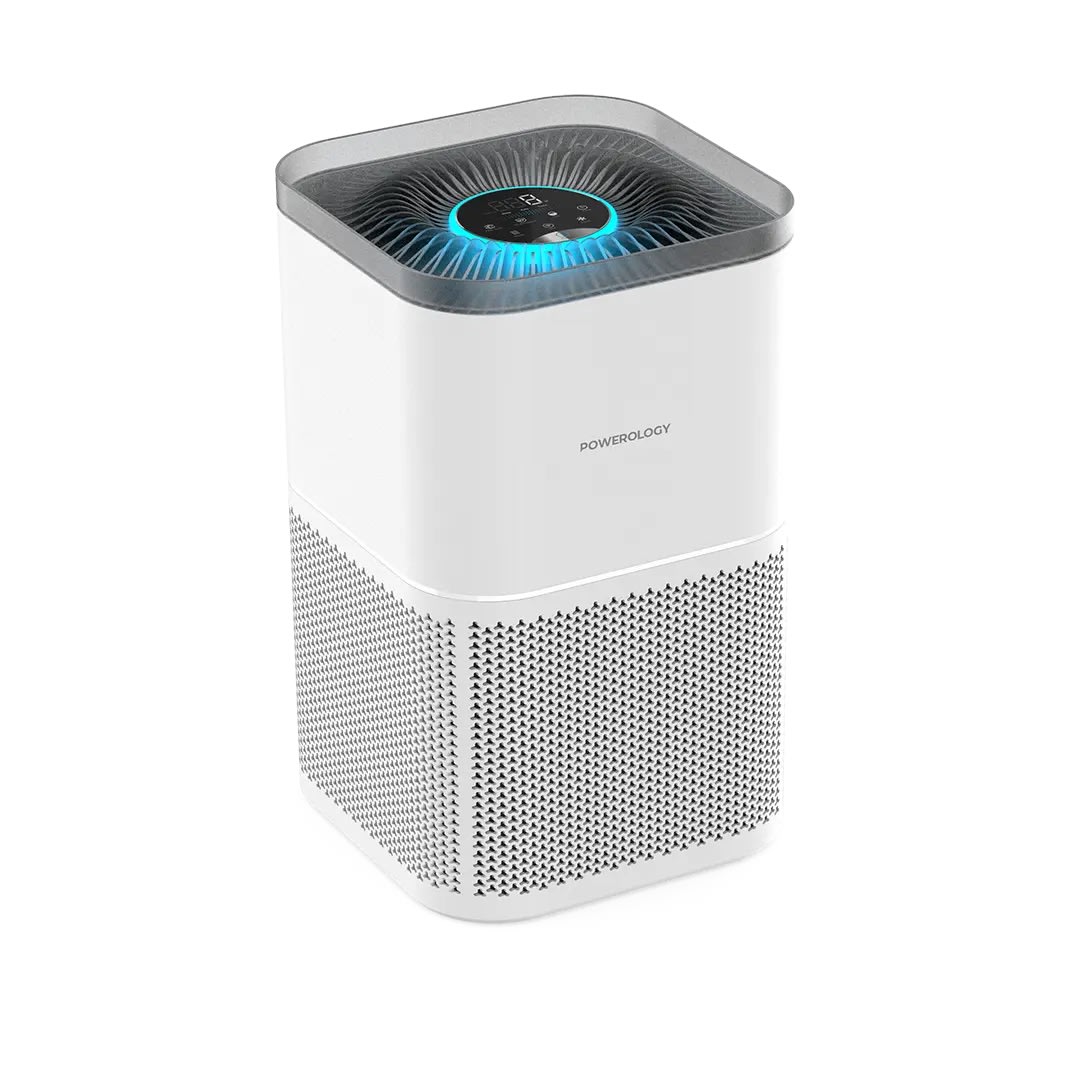\n## OUTPUT \n"
},
"typeVersion": 1
},
{
"id": "",
"name": "Sticky Note9",
"type": "n8n-nodes-base.stickyNote",
"position": [
-656,
-608
],
"parameters": {
"width": 244,
"height": 512,
"content": "## Who\u2019s it for?\n- Content Creators\n- E-commerce Stores\n- Marketing Team\n\n**Description**: Generate unique UGC images for your products. Simply upload a product image into a Google Drive folder, and the workflow will instantly generate 50 unique, high-quality AI UGC images using **Nano Banana** via Fal.ai. \nAll results are automatically saved back into the same folder, **ready to use** across social media, e-commerce stores, and marketing campaigns.\n\n**Cost: 0.039$ / image**"
},
"typeVersion": 1
}
],
"active": false,
"settings": {
"executionOrder": "v1"
},
"versionId": "",
"connections": {
"Setup": {
"main": [
[
{
"node": "Generate Prompts",
"type": "main",
"index": 0
}
]
]
},
"Split Out": {
"main": [
[
{
"node": "Loop Over Items",
"type": "main",
"index": 0
}
]
]
},
"Upload file": {
"main": [
[
{
"node": "Loop Over Items",
"type": "main",
"index": 0
}
]
]
},
"Generate Image": {
"main": [
[
{
"node": "Retrieve Image",
"type": "main",
"index": 0
}
]
]
},
"Retrieve Image": {
"main": [
[
{
"node": "Upload file",
"type": "main",
"index": 0
}
]
]
},
"Loop Over Items": {
"main": [
[
{
"node": "No Operation, do nothing",
"type": "main",
"index": 0
}
],
[
{
"node": "Generate Image",
"type": "main",
"index": 0
}
]
]
},
"Generate Prompts": {
"main": [
[
{
"node": "Split Out",
"type": "main",
"index": 0
}
]
]
},
"Google Drive Trigger": {
"main": [
[
{
"node": "Setup",
"type": "main",
"index": 0
}
]
]
},
"Mistral Cloud Chat Model": {
"ai_languageModel": [
[
{
"node": "Generate Prompts",
"type": "ai_languageModel",
"index": 0
}
]
]
},
"Structured Output Parser": {
"ai_outputParser": [
[
{
"node": "Generate Prompts",
"type": "ai_outputParser",
"index": 0
}
]
]
}
}
}
Credentials you'll need
Each integration node will prompt for credentials when you import. We strip credential IDs before publishing — you'll add your own.
googleDriveOAuth2ApimistralCloudApi
For the full experience including quality scoring and batch install features for each workflow upgrade to Pro
About this workflow
Content Creators E-commerce Stores Marketing Team
Source: https://n8n.io/workflows/8644/ — original creator credit. Request a take-down →
Related workflows
Workflows that share integrations, category, or trigger type with this one. All free to copy and import.
Awesome N8N Templates. Uses notion, lmChatOpenAi, outputParserStructured, chainLlm. Event-driven trigger; 36 nodes.
This workflow contains community nodes that are only compatible with the self-hosted version of n8n.
The best content automation template in the market is now even better—with “deep research” on time-sensitive topics\! Unlike most n8n content automation templates that are mainly for “demo purposes,”
This comprehensive workflow automates the complete financial document processing pipeline using AI. Upload invoices via chat, drop expense receipts into a folder, or add bank statements - the system a
My workflow 53. Uses formTrigger, httpRequest, lmChatOpenAi, form. Event-driven trigger; 74 nodes.