This workflow follows the Agent → Gmail Trigger recipe pattern — see all workflows that pair these two integrations.
The workflow JSON
Copy or download the full n8n JSON below. Paste it into a new n8n workflow, add your credentials, activate. Full import guide →
{
"meta": {
"templateCredsSetupCompleted": true
},
"nodes": [
{
"id": "bc49829b-45f2-4910-9c37-907271982f14",
"name": "Sticky Note3",
"type": "n8n-nodes-base.stickyNote",
"position": [
-140,
320
],
"parameters": {
"width": 780,
"height": 540,
"content": "### 4. Do you need more details?\nFind a step-by-step guide in this tutorial\n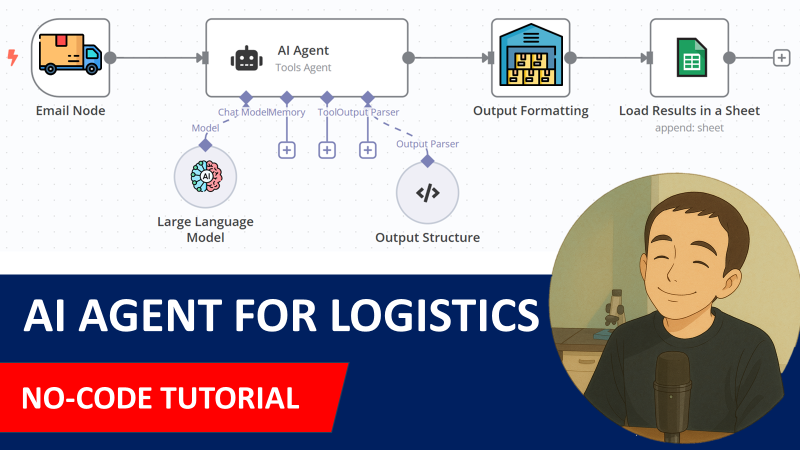\n[\ud83c\udfa5 Watch My Tutorial](https://www.youtube.com/watch?v=kQ8dO_30SB0)"
},
"typeVersion": 1
},
{
"id": "40c6e16a-3b4f-4e28-b0a1-7066e0efab5d",
"name": "AI Agent",
"type": "@n8n/n8n-nodes-langchain.agent",
"position": [
-460,
-80
],
"parameters": {
"text": "=Email Subject: {{ $json.subject }}\nEmail Body: \n{{ $json.text }}",
"options": {
"systemMessage": "=You are an assistant that processes emails related to inbound orders from Hermas.\n\nEach email has the subject line containing a purchase order reference (e.g., \"PO45231\").\nIn the email body, you will find:\n\nAn expected delivery date, typically in formats like 27/03/2025 or 2025-03-27.\n\nOne or more order lines, where each line contains:\n\nAn SKU (e.g., HERM-SHOE-001)\n\nA quantity (e.g., 120)\n\nYour goal is to extract the following fields:\n\npurchase_order: The PO number from the subject line (e.g., PO45231)\n\nexpected_delivery_date: In ISO format (e.g., 2025-03-27)\n\nlines: A list of objects with sku and quantity for each order line\n\nReturn your output strictly as a valid JSON object using the format below."
},
"promptType": "define",
"hasOutputParser": true
},
"typeVersion": 1.8
},
{
"id": "e9cb7bb1-40e7-463e-8b3f-417602338e5c",
"name": "OpenAI Chat Model",
"type": "@n8n/n8n-nodes-langchain.lmChatOpenAi",
"position": [
-520,
120
],
"parameters": {
"model": {
"__rl": true,
"mode": "list",
"value": "gpt-4o-mini"
},
"options": {}
},
"typeVersion": 1.2
},
{
"id": "468bdb39-223f-4bae-8bdb-a72272ab57c3",
"name": "Structured Output Parser",
"type": "@n8n/n8n-nodes-langchain.outputParserStructured",
"position": [
-180,
120
],
"parameters": {
"jsonSchemaExample": "{\n \"purchase_order\": \"PO45231\",\n \"expected_delivery_date\": \"2025-03-27\",\n \"lines\": [\n { \"sku\": \"HERM-SHOE-001\", \"quantity\": 120 },\n { \"sku\": \"HERM-BAG-032\", \"quantity\": 45 },\n { \"sku\": \"HERM-WATCH-105\", \"quantity\": 30 },\n { \"sku\": \"HERM-SCARF-018\", \"quantity\": 80 }\n ]\n}\n"
},
"typeVersion": 1.2
},
{
"id": "667a8d43-1ce5-4ec8-871a-26007356a89e",
"name": "Sticky Note1",
"type": "n8n-nodes-base.stickyNote",
"position": [
-1000,
-460
],
"parameters": {
"color": 7,
"width": 380,
"height": 720,
"content": "### 1. Workflow Trigger with Gmail Trigger\nThe workflow is triggered by a new email received in your Gmail mailbox. \nIf the subject includes the string \"Inbound Order\" we proceed, if not we do nothing.\n\n#### How to setup?\n- **Gmail Trigger Node:** set up your Gmail API credentials\n[Learn more about the Gmail Trigger Node](https://docs.n8n.io/integrations/builtin/trigger-nodes/n8n-nodes-base.gmailtrigger)\n"
},
"typeVersion": 1
},
{
"id": "e1e2d95a-9bbd-4bd5-92ec-7a4835db21a2",
"name": "Sticky Note2",
"type": "n8n-nodes-base.stickyNote",
"position": [
-600,
-460
],
"parameters": {
"color": 7,
"width": 660,
"height": 720,
"content": "### 2. AI Agent equipped with the query tool\nThe email body and subject are sent to the AI agent for parsing. The results include the **PO Number**, **expected delivery date** and all the order lines with **SKU ID** and **order quantity**. Outputs are formatted by the code node to fit in a Google Sheet.\n\n#### How to setup?\n- **AI Agent with the Chat Model**:\n 1. Add a **chat model** with the required credentials *(Example: Open AI 4o-mini)*\n 2. Adapt the system prompt to the format of your emails\n [Learn more about the AI Agent Node](https://docs.n8n.io/integrations/builtin/cluster-nodes/root-nodes/n8n-nodes-langchain.agent)"
},
"typeVersion": 1
},
{
"id": "53375c17-a36c-431e-9ba6-07a9a84fc4c9",
"name": "Sticky Note4",
"type": "n8n-nodes-base.stickyNote",
"position": [
80,
-460
],
"parameters": {
"color": 7,
"width": 460,
"height": 540,
"content": "### 3. Store the orderlines in a Google Sheet\nThe table generated by the **code node** includes all the order lines with the **PO Number** and the **expected delivery date**. This **Google Sheet Node** loads the content in a Google Sheet.\n\n#### How to setup?\n- **Add Results in Google Sheets**:\n 1. Add your Google Sheet API credentials to access the Google Sheet file\n 2. Select the file using the list, an URL or an ID\n 3. Select the sheet in which the vocabulary list is stored\n 4. Create the columns: **PO_NUMBER, EXPECTED_DELIVERY DATE, SKU_ID, QUANTITY**\n [Learn more about the Google Sheet Node](https://docs.n8n.io/integrations/builtin/app-nodes/n8n-nodes-base.googlesheets)"
},
"typeVersion": 1
},
{
"id": "776cfc0e-264b-44cc-b534-dc387b0c9fce",
"name": "Store Purchase Order Lines",
"type": "n8n-nodes-base.googleSheets",
"position": [
180,
-80
],
"parameters": {
"columns": {
"value": {
"SKU_ID": "={{ $json.sku }}",
"QUANTITY": "={{ $json.quantity }}",
"PO_NUMBER": "={{ $json.purchase_order }}",
"EXPECTED_DELIVERY DATE": "={{ $json.expected_delivery_date }}"
},
"schema": [
{
"id": "PO_NUMBER",
"type": "string",
"display": true,
"required": false,
"displayName": "PO_NUMBER",
"defaultMatch": false,
"canBeUsedToMatch": true
},
{
"id": "EXPECTED_DELIVERY DATE",
"type": "string",
"display": true,
"required": false,
"displayName": "EXPECTED_DELIVERY DATE",
"defaultMatch": false,
"canBeUsedToMatch": true
},
{
"id": "SKU_ID",
"type": "string",
"display": true,
"required": false,
"displayName": "SKU_ID",
"defaultMatch": false,
"canBeUsedToMatch": true
},
{
"id": "QUANTITY",
"type": "string",
"display": true,
"required": false,
"displayName": "QUANTITY",
"defaultMatch": false,
"canBeUsedToMatch": true
}
],
"mappingMode": "defineBelow",
"matchingColumns": [],
"attemptToConvertTypes": false,
"convertFieldsToString": false
},
"options": {},
"operation": "append",
"sheetName": {
"__rl": true,
"mode": "list",
"value": "gid=0",
"cachedResultUrl": "=",
"cachedResultName": "="
},
"documentId": {
"__rl": true,
"mode": "list",
"value": "1HnaJJ-DqzqgWJo2YwQDcgB6BgWiU6eMlnGvv4kapubg",
"cachedResultUrl": "=",
"cachedResultName": "="
}
},
"notesInFlow": true,
"typeVersion": 4.5
},
{
"id": "d5c52625-fef2-47a9-b2a4-bf005d8b9e05",
"name": "Email Received",
"type": "n8n-nodes-base.gmailTrigger",
"position": [
-980,
-80
],
"parameters": {
"simple": false,
"filters": {},
"options": {},
"pollTimes": {
"item": [
{
"mode": "everyMinute"
}
]
}
},
"typeVersion": 1.2
},
{
"id": "6dc9e5cc-9ab3-469c-ad93-e0e7817ccbf7",
"name": "Is PO?",
"type": "n8n-nodes-base.if",
"position": [
-760,
-80
],
"parameters": {
"options": {},
"conditions": {
"options": {
"version": 2,
"leftValue": "",
"caseSensitive": true,
"typeValidation": "strict"
},
"combinator": "and",
"conditions": [
{
"id": "f300ae2b-5de4-4efc-88ae-130a957588cb",
"operator": {
"type": "string",
"operation": "contains"
},
"leftValue": "={{ $json.subject }}",
"rightValue": "Inbound Order"
}
]
}
},
"typeVersion": 2.2
},
{
"id": "385db736-0867-46b9-9274-380e7c255fc4",
"name": "Format Purchase Order Lines",
"type": "n8n-nodes-base.code",
"position": [
-120,
-80
],
"parameters": {
"jsCode": "const {purchase_order, expected_delivery_date, lines} = $input.first().json.output;\n\nreturn lines.map( line => ({\n json: {\n purchase_order,\n expected_delivery_date,\n sku: line.sku,\n quantity: line.quantity\n }\n}))\n"
},
"typeVersion": 2
},
{
"id": "b2e39591-70be-4d7f-a5d4-1505741d6310",
"name": "Sticky Note",
"type": "n8n-nodes-base.stickyNote",
"position": [
-1000,
320
],
"parameters": {
"width": 780,
"height": 720,
"content": "### Test the workflow with this email!\n\n#### How?\n1. Send this email to the Gmail box you set up in your credentials.\n2. Click on Test workflow\n\n### Email\n**Email Subject:** Inbound Order PO45231 \u2013 Expected Delivery on 2025-03-27\n\n**Email Body:** \nDear LogiGreen Team,\n\nPlease find below the details of the upcoming inbound order.\n\nPurchase Order: PO45231\nExpected Delivery Date: 27/03/2025\n\nOrder Lines:\n\nSKU: HERM-SHOE-001 \u2014 Qty: 120\n\nSKU: HERM-BAG-032 \u2014 Qty: 45\n\nSKU: HERM-WATCH-105 \u2014 Qty: 30\n\nSKU: HERM-SCARF-018 \u2014 Qty: 80\n\nLet us know if you need any additional details.\n\nBest regards,\nSophie Lambert\nAdmin Assistant \u2013 Hermas Logistics\n\ud83d\udcde +33 1 23 45 67 89 78 84\n\u2709\ufe0f sophie.lambert@hermas.com\n"
},
"typeVersion": 1
}
],
"connections": {
"Is PO?": {
"main": [
[
{
"node": "AI Agent",
"type": "main",
"index": 0
}
]
]
},
"AI Agent": {
"main": [
[
{
"node": "Format Purchase Order Lines",
"type": "main",
"index": 0
}
]
]
},
"Email Received": {
"main": [
[
{
"node": "Is PO?",
"type": "main",
"index": 0
}
]
]
},
"OpenAI Chat Model": {
"ai_languageModel": [
[
{
"node": "AI Agent",
"type": "ai_languageModel",
"index": 0
}
]
]
},
"Structured Output Parser": {
"ai_outputParser": [
[
{
"node": "AI Agent",
"type": "ai_outputParser",
"index": 0
}
]
]
},
"Format Purchase Order Lines": {
"main": [
[
{
"node": "Store Purchase Order Lines",
"type": "main",
"index": 0
}
]
]
}
}
}
For the full experience including quality scoring and batch install features for each workflow upgrade to Pro
How this works
Streamline your purchase order processing by automatically extracting key details from incoming Gmail emails and populating them into Google Sheets for seamless tracking and analysis. This workflow is ideal for small business owners or procurement teams handling supplier orders via email, saving hours of manual data entry and reducing errors. The core step involves an AI agent powered by OpenAI that parses email content to structure the information before inserting it into your designated Google Sheets spreadsheet.
Use this workflow when you receive semi-structured emails like purchase confirmations that need quick logging into Sheets for inventory or finance reconciliation. Avoid it for high-volume, highly variable emails requiring custom training, or when emails lack consistent formats—opt for manual review instead. Common variations include adapting the AI prompts for invoice extraction or integrating with Slack notifications for approval workflows.
About this workflow
Googlesheets Gmail. Uses stickyNote, agent, lmChatOpenAi, outputParserStructured. Event-driven trigger; 12 nodes.
Source: https://github.com/Zie619/n8n-workflows — original creator credit. Request a take-down →
Related workflows
Workflows that share integrations, category, or trigger type with this one. All free to copy and import.
Portfolio 1: Invoice manager. Uses gmailTrigger, googleDrive, agent, lmChatOpenAi. Event-driven trigger; 54 nodes.
Enterprise-grade resume screening automation built for production environments. This workflow combines intelligent AI analysis with comprehensive error handling to ensure reliable processing of candid
This workflow generates LinkedIn post ideas and drafts with OpenAI, routes approvals through Gmail replies, tracks each content cycle in Google Sheets, and publishes the selected draft to LinkedIn as
This workflow automates invoice processing directly from your email inbox.
*Tags: AI Agent, Supply Chain, Logistics, Circular Economy, Route Planning, Transportation, GPS API*