This workflow follows the Agent → Form recipe pattern — see all workflows that pair these two integrations.
The workflow JSON
Copy or download the full n8n JSON below. Paste it into a new n8n workflow, add your credentials, activate. Full import guide →
{
"id": "TgerHOX1Lk3hIGiM",
"name": "Job Applying Agent",
"tags": [],
"nodes": [
{
"id": "edb25e44-ef64-4997-ba1f-a101c9cbbba3",
"name": "On form submission",
"type": "n8n-nodes-base.formTrigger",
"position": [
-832,
176
],
"parameters": {
"options": {
"appendAttribution": false
},
"formTitle": "Lead Agent",
"formFields": {
"values": [
{
"fieldLabel": "Target Business Website",
"requiredField": true
},
{
"fieldType": "dropdown",
"fieldLabel": "Applying As",
"fieldOptions": {
"values": [
{
"option": "Video Editor"
},
{
"option": "SEO Expert"
},
{
"option": "Full-Stack Developer"
},
{
"option": "Social Media Manager"
}
]
},
"requiredField": true
}
]
},
"responseMode": "lastNode",
"formDescription": "Give the Target Business URL"
},
"typeVersion": 2.2
},
{
"id": "b5b96cc7-730d-48bd-a03d-a592c417a422",
"name": "AI Agent",
"type": "@n8n/n8n-nodes-langchain.agent",
"position": [
800,
160
],
"parameters": {
"text": "=Business/Company Info: {{ $('Information Extractor').item.json.output.Summary }}\nEmaill Address: {{ $('Information Extractor').item.json.output['Email Address'] }}\n\nApplied Position: {{ $('On form submission').item.json['Applying As'] }}",
"options": {
"systemMessage": "=You task is to make a perfect Email based on the applied position for the Company/Business. And send the email with a perfect subject to the email address.\nMy Name is Jamal Mia. And my working experience data is given for the applied position in the google Sheet."
},
"promptType": "define"
},
"typeVersion": 2.1
},
{
"id": "f3a53306-65df-4baa-95bc-83e3b16f1b02",
"name": "OpenAI Chat Model",
"type": "@n8n/n8n-nodes-langchain.lmChatOpenAi",
"position": [
800,
384
],
"parameters": {
"model": {
"__rl": true,
"mode": "list",
"value": "gpt-5",
"cachedResultName": "gpt-5"
},
"options": {}
},
"typeVersion": 1.2
},
{
"id": "b6871b1c-92dd-4cd5-883d-a1df5eed3a05",
"name": "Send a message in Gmail",
"type": "n8n-nodes-base.gmailTool",
"position": [
1184,
432
],
"parameters": {
"sendTo": "={{ /*n8n-auto-generated-fromAI-override*/ $fromAI('To', ``, 'string') }}",
"message": "={{ /*n8n-auto-generated-fromAI-override*/ $fromAI('Message', ``, 'string') }}",
"options": {
"senderName": "Jamal Mia",
"appendAttribution": false
},
"subject": "={{ /*n8n-auto-generated-fromAI-override*/ $fromAI('Subject', ``, 'string') }}",
"emailType": "text"
},
"typeVersion": 2.1
},
{
"id": "dbe11241-a8df-497a-87c1-b3f68cf2818d",
"name": "Get row(s) in sheet in Google Sheets",
"type": "n8n-nodes-base.googleSheetsTool",
"position": [
992,
432
],
"parameters": {
"options": {},
"sheetName": {
"__rl": true,
"mode": "list",
"value": "gid=0",
"cachedResultUrl": "https://docs.google.com/spreadsheets/d/1PMZvVn239wT2EXWZ45WL5UE_12PNZOMzlH54V03DXoM/edit#gid=0",
"cachedResultName": "Sheet1"
},
"documentId": {
"__rl": true,
"mode": "list",
"value": "1PMZvVn239wT2EXWZ45WL5UE_12PNZOMzlH54V03DXoM",
"cachedResultUrl": "https://docs.google.com/spreadsheets/d/1PMZvVn239wT2EXWZ45WL5UE_12PNZOMzlH54V03DXoM/edit?usp=drivesdk",
"cachedResultName": "Working Experience Data"
}
},
"typeVersion": 4.6
},
{
"id": "d9efc3ed-4370-4440-855a-e7a2dd2b25bc",
"name": "Form",
"type": "n8n-nodes-base.form",
"position": [
1328,
160
],
"parameters": {
"options": {},
"operation": "completion",
"completionTitle": "Agent Response",
"completionMessage": "={{ $json.output }}"
},
"typeVersion": 1
},
{
"id": "a1da7bcc-2f62-4511-80b4-1eff9e446ff9",
"name": "HTTP Request",
"type": "n8n-nodes-base.httpRequest",
"position": [
-624,
176
],
"parameters": {
"url": "={{ $json[\"Target Business Website\"] }}",
"options": {}
},
"typeVersion": 4.2
},
{
"id": "32d6f5b9-f806-4984-9e43-7e4f76245e4c",
"name": "Markdown",
"type": "n8n-nodes-base.markdown",
"position": [
-416,
176
],
"parameters": {
"html": "={{ $json.data }}",
"options": {}
},
"typeVersion": 1
},
{
"id": "61fae134-469e-4991-8e98-523b99c65123",
"name": "Information Extractor",
"type": "@n8n/n8n-nodes-langchain.informationExtractor",
"position": [
-208,
176
],
"parameters": {
"text": "={{ $json.data }}",
"options": {},
"attributes": {
"attributes": [
{
"name": "Email Address",
"required": true,
"description": "only 1 email address from the data in perfect email format"
},
{
"name": "Summary",
"required": true,
"description": "a simple summary about the Company/Business"
}
]
}
},
"typeVersion": 1.2
},
{
"id": "ef4190f4-487d-4f08-97a0-853c57352535",
"name": "OpenAI Chat Model1",
"type": "@n8n/n8n-nodes-langchain.lmChatOpenAi",
"position": [
-160,
352
],
"parameters": {
"model": {
"__rl": true,
"mode": "list",
"value": "gpt-5",
"cachedResultName": "gpt-5"
},
"options": {}
},
"typeVersion": 1.2
},
{
"id": "2565ac6d-5423-4ded-ab2b-15db5025f158",
"name": "If",
"type": "n8n-nodes-base.if",
"position": [
256,
176
],
"parameters": {
"options": {},
"conditions": {
"options": {
"version": 2,
"leftValue": "",
"caseSensitive": true,
"typeValidation": "strict"
},
"combinator": "and",
"conditions": [
{
"id": "44e1e352-e6ec-43fd-b49c-23f46eba15b5",
"operator": {
"type": "string",
"operation": "contains"
},
"leftValue": "={{ $json.output[\"Email Address\"] }}",
"rightValue": "@"
}
]
}
},
"typeVersion": 2.2
},
{
"id": "43dd189f-42f0-498a-af10-1f87c5ae948b",
"name": "No Operation, do nothing",
"type": "n8n-nodes-base.noOp",
"position": [
528,
272
],
"parameters": {},
"typeVersion": 1
},
{
"id": "6bb7b6b1-04da-42f8-8f05-ed25f2cc3820",
"name": "Sticky Note",
"type": "n8n-nodes-base.stickyNote",
"position": [
0,
0
],
"parameters": {
"color": 7,
"width": 464,
"height": 80,
"content": "# Job Applier Agent - GPT 5"
},
"typeVersion": 1
},
{
"id": "1e8fdc0b-7144-4e1a-802b-e6a405fb5da2",
"name": "Sticky Note1",
"type": "n8n-nodes-base.stickyNote",
"position": [
-832,
592
],
"parameters": {
"color": 7,
"width": 768,
"height": 608,
"content": "---\n# \ud83d\udee0 Setup Guide\nFollow these steps to get started:\n1. **Set up the Job Applier Form**\n Customize the form fields (Target Business Website, Applying As) in the **Form Trigger** node. Add more job positions to the dropdown (currently Video Editor, SEO Expert, Full-Stack Developer, Social Media Manager).\n\n2. **Add your [OpenAI](https://platform.openai.com/) API credentials**\n Connect your OpenAI account in both **OpenAI Chat Model** nodes to power the GPT-5 AI for information extraction and personalized email generation.\n\n3. **Connect your [Google Sheets](https://docs.google.com/spreadsheets/) with experience data**\n Link your Google Sheet in the **Get row(s) in sheet** node. Make sure your sheet contains your skills, portfolio, experience, and achievements for each job type you're applying for.\n\n4. **Link your [Gmail](https://mail.google.com/) account**\n Connect your Gmail OAuth2 credentials in the **Send a message in Gmail** node to automatically send job application emails with your personalized sender name.\n\n5. **Update your personal information**\n Change the sender name from \"Jamal Mia\" to your actual name in the Gmail node settings, and update your experience data in the connected Google Sheet.\n\n6. **Customize AI prompts**\n Modify the system message in the **AI Agent** node to reflect your unique value proposition and application style for better personalized emails.\n\nOnce all connections are set, your workflow will **scrape business websites, extract contact info, and send personalized job applications automatically** \ud83d\ude80\n---"
},
"typeVersion": 1
},
{
"id": "7e1d3203-adbd-4e4d-a146-b39ba5fa62d8",
"name": "Sticky Note3",
"type": "n8n-nodes-base.stickyNote",
"position": [
0,
672
],
"parameters": {
"color": 7,
"width": 480,
"height": 464,
"content": "## Start here: Step-by Step Youtube Tutorial :star:\n\n[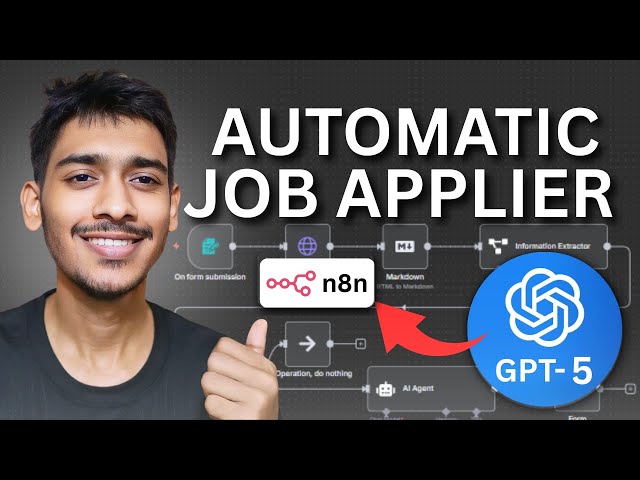](https://youtu.be/ysrBjL1aKkU)"
},
"typeVersion": 1
}
],
"active": false,
"settings": {
"executionOrder": "v1"
},
"versionId": "d71c296f-542f-40c4-92f0-ac43c291ef10",
"connections": {
"If": {
"main": [
[
{
"node": "AI Agent",
"type": "main",
"index": 0
}
],
[
{
"node": "No Operation, do nothing",
"type": "main",
"index": 0
}
]
]
},
"AI Agent": {
"main": [
[
{
"node": "Form",
"type": "main",
"index": 0
}
]
]
},
"Markdown": {
"main": [
[
{
"node": "Information Extractor",
"type": "main",
"index": 0
}
]
]
},
"HTTP Request": {
"main": [
[
{
"node": "Markdown",
"type": "main",
"index": 0
}
]
]
},
"OpenAI Chat Model": {
"ai_languageModel": [
[
{
"node": "AI Agent",
"type": "ai_languageModel",
"index": 0
}
]
]
},
"On form submission": {
"main": [
[
{
"node": "HTTP Request",
"type": "main",
"index": 0
}
]
]
},
"OpenAI Chat Model1": {
"ai_languageModel": [
[
{
"node": "Information Extractor",
"type": "ai_languageModel",
"index": 0
}
]
]
},
"Information Extractor": {
"main": [
[
{
"node": "If",
"type": "main",
"index": 0
}
]
]
},
"Send a message in Gmail": {
"ai_tool": [
[
{
"node": "AI Agent",
"type": "ai_tool",
"index": 0
}
]
]
},
"Get row(s) in sheet in Google Sheets": {
"ai_tool": [
[
{
"node": "AI Agent",
"type": "ai_tool",
"index": 0
}
]
]
}
}
}
For the full experience including quality scoring and batch install features for each workflow upgrade to Pro
How this works
This workflow streamlines your job search by automating applications to opportunities you spot online, saving hours of repetitive form-filling and email drafting. It's ideal for job seekers who receive leads via a simple form submission, allowing an AI agent to craft personalised cover letters and submit them directly through Gmail. The key step involves the AI agent analysing your details from Google Sheets and generating tailored responses, ensuring each application feels authentic and targeted.
Use this when handling multiple similar job applications efficiently, such as for entry-level roles in tech or marketing where consistency matters. Avoid it for highly customised executive positions requiring unique strategies, or if you lack OpenAI access for the AI components. Common variations include adding Slack notifications for submission confirmations or integrating with LinkedIn for profile pulls.
About this workflow
Job Applying Agent. Uses formTrigger, agent, lmChatOpenAi, gmailTool. Event-driven trigger; 15 nodes.
Source: https://github.com/ScraperNode/awesome-n8n-templates/blob/main/templates/ai-and-llm/7889-job-applying-agent/workflow.json — original creator credit. Request a take-down →
Related workflows
Workflows that share integrations, category, or trigger type with this one. All free to copy and import.
🎯 Create viral TikToks, Shorts, Reels, podcasts, and ASMR videos in minutes — all on autopilot.
Episode 11: AI shorts factory app. Uses httpRequest, googleSheets, lmChatOpenAi, lmChatOllama. Event-driven trigger; 96 nodes.
Template Nodes Example. Uses CUSTOM, formTrigger, executeWorkflowTrigger, chatTrigger. Event-driven trigger; 70 nodes.
Inbox Guardian. Uses gmailTrigger, lmChatOpenAi, agent, textClassifier. Event-driven trigger; 66 nodes.
Digistars - Scrape & Crawl. Uses httpRequest, n8n-nodes-firecrawl-scraper, googleSheets, lmChatOpenAi. Event-driven trigger; 63 nodes.