This workflow follows the Agent → OpenAI Chat recipe pattern — see all workflows that pair these two integrations.
The workflow JSON
Copy or download the full n8n JSON below. Paste it into a new n8n workflow, add your credentials, activate. Full import guide →
{
"nodes": [
{
"id": "b24c6e28-3c9e-4069-9e87-49b2efd47257",
"name": "OpenAI Chat Model",
"type": "@n8n/n8n-nodes-langchain.lmChatOpenAi",
"position": [
1200,
660
],
"parameters": {
"model": "gpt-4o-mini",
"options": {}
},
"credentials": {
"openAiApi": {
"name": "<your credential>"
}
},
"typeVersion": 1
},
{
"id": "c71a3e22-f0fd-4377-9be2-32438b282430",
"name": "Sticky Note",
"type": "n8n-nodes-base.stickyNote",
"position": [
200,
240
],
"parameters": {
"color": 7,
"width": 636.2128494576581,
"height": 494.9629292914819,
"content": "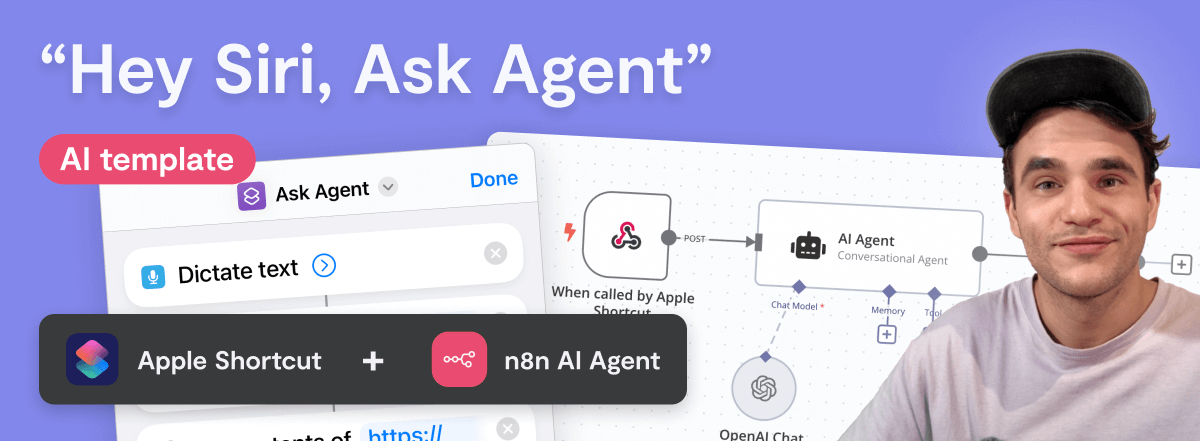\n## \"Hey Siri, Ask Agent\" workflow\n**Made by [Max Tkacz](https://www.linkedin.com/in/maxtkacz) during the [30 Day AI Sprint](https://30dayaisprint.notion.site/)**\n\nThis template integrates with Apple Shortcuts to trigger an n8n AI Agent via a \"Hey Siri\" command. The shortcut prompts for spoken input, transcribes it, and sends it to the workflow's `When Called by Apple Shortcut` Webhook trigger. The AI Agent processes the input and Siri dictates the response back to you.\n\nThe workflow also passes the current date and time to the `AI Agent`, which you can extend with additional context, like data from an App node, for more customized responses.\n\n"
},
"typeVersion": 1
},
{
"id": "a4ec93c3-eefa-4006-b02c-f995fb7bc410",
"name": "Respond to Apple Shortcut",
"type": "n8n-nodes-base.respondToWebhook",
"position": [
1640,
460
],
"parameters": {
"options": {},
"respondWith": "text",
"responseBody": "={{ $json.output }}"
},
"typeVersion": 1.1
},
{
"id": "942b284e-e26a-4534-8f33-eb92b0a88fdb",
"name": "Sticky Note1",
"type": "n8n-nodes-base.stickyNote",
"position": [
200,
760
],
"parameters": {
"color": 7,
"width": 280.2462120317618,
"height": 438.5821431288714,
"content": "### Set up steps\n1. Add an OpenAI API credential in `OpenAI Chat Model` node, or replace it with another model. Try `Groq` if you want a free alternative (can be used with free Groq account, no CC).\n2. Copy the \"Production URL\" from `When called by Apple Shortcut` node, you'll need this when setting up the shortcut.\n3. Save and activate this n8n workflow.\n4. Download the [Apple Shortcut here](https://uploads.n8n.io/devrel/ask-agent.shortcut), open it on macOS or iOS. This adds the shortcut to your device.\n5. Open the shortcut and swap URL in `Get contents of\" step to the \"Production URL\" you copied from `When called by Apple Shortcut`.\n6. Test it by saying \"Hey Siri, AI Agent\", then ask a question."
},
"typeVersion": 1
},
{
"id": "ebb9e886-546a-429c-b4b5-35c0a7b6370e",
"name": "Sticky Note2",
"type": "n8n-nodes-base.stickyNote",
"position": [
503.6292958565226,
760
],
"parameters": {
"color": 7,
"width": 330.5152611046425,
"height": 240.6839895136402,
"content": "### ... or watch set up video [5 min]\n[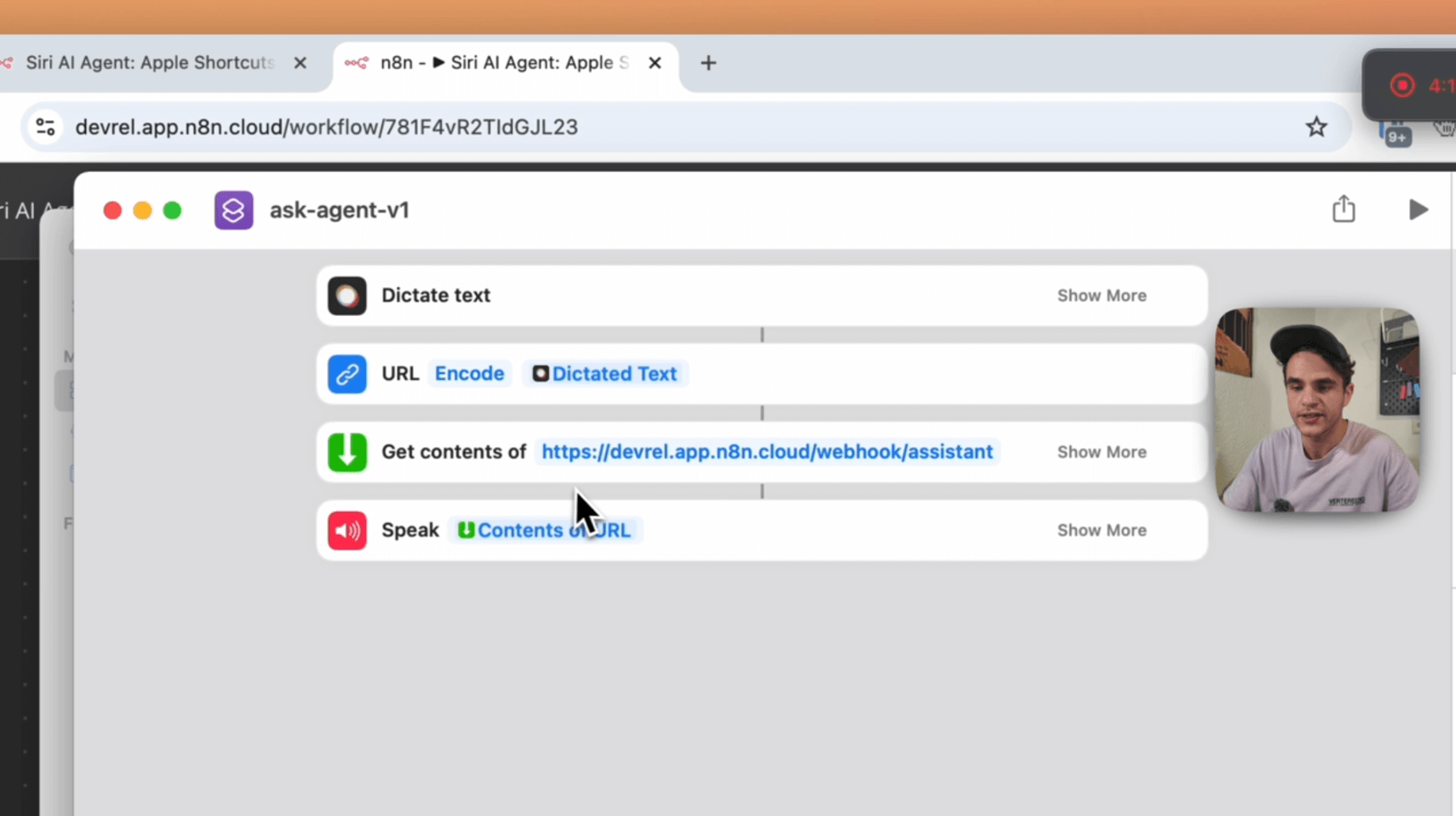](https://youtu.be/dewsB-4iGA8)\n"
},
"typeVersion": 1
},
{
"id": "5a842fa9-be8c-4ba8-996b-a26a53273b3f",
"name": "AI Agent",
"type": "@n8n/n8n-nodes-langchain.agent",
"position": [
1240,
460
],
"parameters": {
"text": "=Here is my request: {{ $json.body.input }}\n",
"agent": "conversationalAgent",
"options": {
"systemMessage": "=## Task\nYou are a helpful assistant. Provide concise replies as the user receives them via voice on their mobile phone. Avoid using symbols like \"\\n\" to prevent them from being narrated.\n\n## Context\n- Today is {{ $now.format('dd LLL yy') }}.\n- Current time: {{ $now.format('h:mm a') }} in Berlin, Germany.\n- When asked, you are an AI Agent running as an n8n workflow.\n\n## Output\nKeep responses short and clear, optimized for voice delivery. Don't hallucinate, if you don't know the answer, say you don't know. "
},
"promptType": "define",
"hasOutputParser": true
},
"typeVersion": 1.6
},
{
"id": "598d22d5-7472-44c5-ab2e-69c8bbb23ddd",
"name": "When called by Apple Shortcut",
"type": "n8n-nodes-base.webhook",
"position": [
980,
460
],
"parameters": {
"path": "assistant",
"options": {},
"httpMethod": "POST",
"responseMode": "responseNode"
},
"typeVersion": 2
}
],
"connections": {
"AI Agent": {
"main": [
[
{
"node": "Respond to Apple Shortcut",
"type": "main",
"index": 0
}
]
]
},
"OpenAI Chat Model": {
"ai_languageModel": [
[
{
"node": "AI Agent",
"type": "ai_languageModel",
"index": 0
}
]
]
},
"When called by Apple Shortcut": {
"main": [
[
{
"node": "AI Agent",
"type": "main",
"index": 0
}
]
]
}
}
}
Credentials you'll need
Each integration node will prompt for credentials when you import. We strip credential IDs before publishing — you'll add your own.
openAiApi
For the full experience including quality scoring and batch install features for each workflow upgrade to Pro
About this workflow
Siri Ai Agent Apple Shortcuts Powered Voice Template. Uses lmChatOpenAi, stickyNote, respondToWebhook, agent. Webhook trigger; 7 nodes.
Source: https://github.com/Zie619/n8n-workflows — original creator credit. Request a take-down →
Related workflows
Workflows that share integrations, category, or trigger type with this one. All free to copy and import.
jarvis. Uses agent, lmChatOpenAi, outputParserStructured, toolWorkflow. Webhook trigger; 13 nodes.
This template is ideal for: Businesses that want to provide 24/7 automated voice-based customer support Service providers needing to schedule appointments via voice interaction Teams looking to handle
Description: This n8n workflow automates a Discord bot to fetch messages from a specified channel and send AI-generated responses in threads. It ensures smooth message processing and interaction, maki
AI chatbot for appointment scheduling. Uses memoryBufferWindow, lmChatOpenAi, toolWorkflow, chatTrigger. Webhook trigger; 12 nodes.
💥 Build a Customer Support AI Voice Agent with GPT-5 and ElevenLabs _ VIDE. Uses agent, toolThink, lmChatOpenAi, googleSheetsTool. Webhook trigger; 12 nodes.