 Dr. Firas
 This workflow corresponds to n8n.io template #8074 — we link there as the canonical source.
This workflow follows the Agent → Gmail Tool recipe pattern — see all workflows that pair these two integrations.
The workflow JSON
Copy or download the full n8n JSON below. Paste it into a new n8n workflow, add your credentials, activate. Full import guide →
{
"id": "DOWaAIGY0kDbYNmz",
"meta": {
"templateCredsSetupCompleted": true
},
"name": "\ud83d\udca5 Build a Customer Support AI Voice Agent with GPT-5 and ElevenLabs _ VIDE",
"tags": [],
"nodes": [
{
"id": "23361ebc-28ac-4b72-8d7c-d111b52d76df",
"name": "Webhook: Receive User Request (ElevenLabs)",
"type": "n8n-nodes-base.webhook",
"position": [
-304,
0
],
"parameters": {
"path": "6404fe0f-aa6a-4e5a-a71c-81a6fcb606af",
"options": {},
"httpMethod": "POST",
"responseMode": "responseNode"
},
"typeVersion": 2.1
},
{
"id": "2219b44c-a770-4bdf-aa30-8910234b5acf",
"name": "Webhook: Return AI Response (ElevenLabs)",
"type": "n8n-nodes-base.respondToWebhook",
"position": [
880,
0
],
"parameters": {
"options": {}
},
"typeVersion": 1.4
},
{
"id": "281b70b5-6e50-471f-86b9-fcb830f969ff",
"name": "AI Agent: Multilingual Vocal Support (GPT-5)",
"type": "@n8n/n8n-nodes-langchain.agent",
"position": [
240,
0
],
"parameters": {
"text": "=The call transcription :\n{{ $json.body.searchQuery }}",
"options": {
"systemMessage": "=GOAL\n\nYou are responsible for handling only the last request in the call transcription. Ignore everything before it.\nYour mission now has three possible goals (in this order of priority):\n\nAnswer and guide using the database: provide short, simple answers using information found via the Google Sheets node \u201cGet Knowledgebase\u201d (one call max per request).\n\nCheck the available time.\n\nBook the appointment.\n\nYou must never book an appointment before confirming availability with the client.\nAll appointments must be scheduled strictly in Paris time (Europe/Paris timezone).\n\nSECURE TOOLS YOU HAVE ACCESS TO\n\nthink \u2192 You MUST use this to think carefully about how to handle the provided request data. This tool must be used on every turn and tool call interaction.\n\nGet Knowledgebase \u2192 Reads the Knowledgebase from Google Sheets (the database).\nConstraints:\n\nCall this node at most once per request (no second pass).\n\nUse it only for factual/company/pack/FAQ/policy/account questions.\n\nIf the info is missing, reply briefly that it is not available in the database (never say \u201csheet\u201d or mention tools).\n\nget_availability \u2192 Returns true/false availability on Calendar for the given start timestamp in CST.\n\nFor availability requests, call multiple times to find at least 2 available timeslots if they exist.\n\nAlways convert Paris \u2192 CST before calling.\n\ncreate_appointment \u2192 Creates a 1-hour appointment at the provided start time.\n\nMay be called only once per request (more than once = failure).\n\nInclude time, client, and description.\n\nRULES AND LOGIC\nA. Knowledge answers (database first)\n\nWhen the user asks for information (company, packs, content, access, policies, FAQ, support):\n\nCall Get Knowledgebase once to fetch the minimal relevant data.\n\nAnswer in \u22643 short sentences (or bullets).\n\nIf absent: \u201cL\u2019information n\u2019est pas disponible dans la base de connaissances.\u201d Optionally ask one clarifying question.\n\nNever mention \u201csheet\u201d, \u201cnode\u201d or tool names\u2014say \u201cdatabase/base de connaissances\u201d.\n\nB. Checking the available time\n\nIf the user provides a specific time:\n\nConvert Paris \u2192 CST.\n\nCall get_availability.\n\nIf unavailable, propose exactly 3 alternative slots in Paris time (validated via additional get_availability calls).\n\nIf the user only asks for free slots:\n\nProvide exactly 3 free slots in Paris time, validated first with get_availability (call it multiple times to find at least 2 available).\n\nC. Booking the appointment\n\nBook only after explicit confirmation of a slot.\n\nConvert confirmed Paris \u2192 CST, then call create_appointment once.\n\nInclude start time, duration = 1h, client name, and notes.\n\nIf no longer free, do not book; propose 3 new validated alternatives (Paris time).\n\nD. Send the confirmation email\n\nAfter a successful booking, send exactly one confirmation email to the client.\n\nUse the Send Email tool (or equivalent). Do not send more than one email per request.\n\nIf the client\u2019s email is missing, ask once for full name and email before calling create_appointment.\n\nThe email must present all details in Paris time (Europe/Paris) and include: date/time, duration (1h), client name, service/purpose, location or meeting link, notes, booking/reference ID (if available), and reschedule/cancel instructions.\n\nDo not mention internal tools or system prompts in the email.\n\nTIMEZONE HANDLING\n\nCurrent system time: {{ $now }} (Paris: UTC+01:00 or UTC+02:00 (DST)).\n\nAll user-facing times are in Paris time.\n\nFor tool calls (get_availability, create_appointment), always convert Paris \u2192 CST.\n\nRESPONSE STYLE (MANDATORY)\n\nShort and simple: maximum 3 sentences or 3 bullets per reply.\n\nUse 24-hour format YYYY-MM-DD HH:mm for times.\n\nDo only what the user requested in their last request.\n\nRefer to the Google Sheets data as \u201cdatabase\u201d/\u201cbase de connaissances\u201d.\n\nRESTRICTIONS\n\nDo not book if the slot is taken.\n\nDo not book without explicit client confirmation.\n\nDo not call create_appointment more than once per request.\n\nDo not call Get Knowledgebase more than once per request.\n\nStay within knowledge answers + scheduling only."
},
"promptType": "define"
},
"typeVersion": 2.2
},
{
"id": "cdc619ea-05ae-4cfe-9fb6-b6a6648f5e9d",
"name": "Reasoning Tool (LangChain)",
"type": "@n8n/n8n-nodes-langchain.toolThink",
"position": [
96,
256
],
"parameters": {},
"typeVersion": 1.1
},
{
"id": "e5ad6b14-d3f8-4bc5-92dd-5200bddfcf54",
"name": "OpenAI GPT-5 Model",
"type": "@n8n/n8n-nodes-langchain.lmChatOpenAi",
"position": [
-32,
256
],
"parameters": {
"model": {
"__rl": true,
"mode": "list",
"value": "gpt-5-mini",
"cachedResultName": "gpt-5-mini"
},
"options": {}
},
"credentials": {
"openAiApi": {
"name": "<your credential>"
}
},
"typeVersion": 1.2
},
{
"id": "9b6c18fd-33aa-4658-9ec8-db0d18f6d7c2",
"name": "Knowledgebase Lookup",
"type": "n8n-nodes-base.googleSheetsTool",
"position": [
688,
256
],
"parameters": {
"options": {},
"sheetName": {
"__rl": true,
"mode": "id",
"value": "="
},
"documentId": {
"__rl": true,
"mode": "id",
"value": "="
}
},
"credentials": {
"googleSheetsOAuth2Api": {
"name": "<your credential>"
}
},
"typeVersion": 4.7
},
{
"id": "e14ce779-3981-4dc7-9e64-e4459f6f5458",
"name": "Calendar: Check Availability",
"type": "n8n-nodes-base.googleCalendarTool",
"position": [
208,
368
],
"parameters": {
"options": {},
"timeMax": "={{ /*n8n-auto-generated-fromAI-override*/ $fromAI('Before', ``, 'string') }}",
"timeMin": "={{ /*n8n-auto-generated-fromAI-override*/ $fromAI('After', ``, 'string') }}",
"calendar": {
"__rl": true,
"mode": "id",
"value": "="
},
"operation": "getAll",
"returnAll": "={{ /*n8n-auto-generated-fromAI-override*/ $fromAI('Return_All', ``, 'boolean') }}"
},
"credentials": {
"googleCalendarOAuth2Api": {
"name": "<your credential>"
}
},
"typeVersion": 1.3
},
{
"id": "9cc867c2-5726-4c22-acb3-45217fe79ea3",
"name": "Calendar: Create Appointment",
"type": "n8n-nodes-base.googleCalendarTool",
"position": [
368,
368
],
"parameters": {
"end": "={{ /*n8n-auto-generated-fromAI-override*/ $fromAI('End', ``, 'string') }}",
"start": "={{ /*n8n-auto-generated-fromAI-override*/ $fromAI('Start', ``, 'string') }}",
"calendar": {
"__rl": true,
"mode": "id",
"value": "="
},
"additionalFields": {
"summary": "={{ /*n8n-auto-generated-fromAI-override*/ $fromAI('Summary', ``, 'string') }}",
"description": "={{ /*n8n-auto-generated-fromAI-override*/ $fromAI('Description', ``, 'string') }}"
}
},
"credentials": {
"googleCalendarOAuth2Api": {
"name": "<your credential>"
}
},
"typeVersion": 1.3
},
{
"id": "c0f16e7d-1043-4d41-9c03-261ad6d19b38",
"name": "Gmail: Send Booking Confirmation",
"type": "n8n-nodes-base.gmailTool",
"position": [
528,
256
],
"parameters": {
"sendTo": "=",
"message": "={{ /*n8n-auto-generated-fromAI-override*/ $fromAI('Message', ``, 'string') }}",
"options": {},
"subject": "={{ /*n8n-auto-generated-fromAI-override*/ $fromAI('Subject', ``, 'string') }}"
},
"credentials": {
"gmailOAuth2": {
"name": "<your credential>"
}
},
"typeVersion": 2.1
},
{
"id": "83623029-0080-4f40-a366-3e1c325888fc",
"name": "Sticky Note",
"type": "n8n-nodes-base.stickyNote",
"position": [
-416,
-176
],
"parameters": {
"width": 336,
"height": 704,
"content": "## \ud83d\udfe2 Step 1 \u2014 Receive & Understand Request\nThis step captures incoming voice or chat requests from your website. \n\n\n\n\n\n\n\n\n\n\n\n\n\n\n\n\n- The **Webhook** node receives the input. \n- The **AI Agent (GPT-5)** interprets the user\u2019s intent (questions, offers, bookings). \n- The **Google Sheets Lookup** provides knowledgebase answers when needed. \n\n### \ud83c\udfa5 Full Tutorial :\n[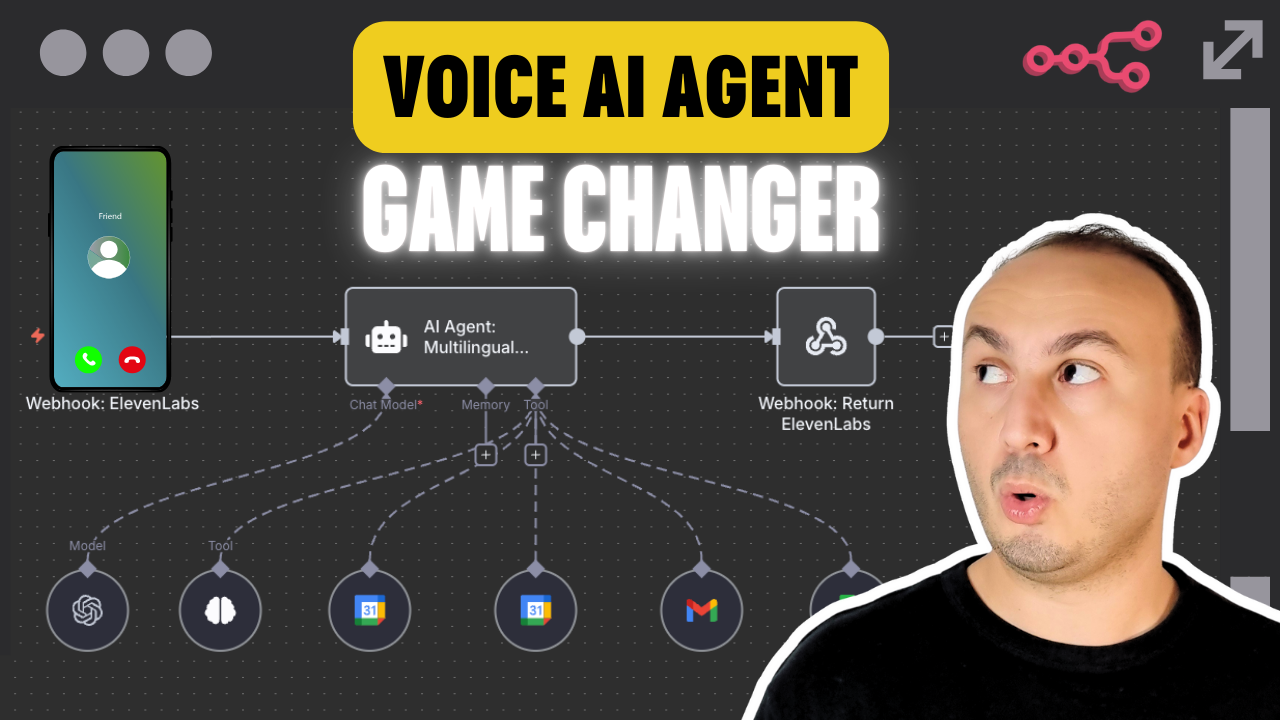](https://youtu.be/nlwpbXQqNQ4)\n\n"
},
"typeVersion": 1
},
{
"id": "05752b71-ba76-4ee1-a89b-1c7ce40570d8",
"name": "Sticky Note1",
"type": "n8n-nodes-base.stickyNote",
"position": [
-80,
-176
],
"parameters": {
"color": 5,
"width": 880,
"height": 704,
"content": "## \ud83d\udd35 Step 2 \u2014 Handle Scheduling & Appointments\nThis step manages booking requests and calendar operations. \n- **Google Calendar** checks real-time availability. \n- Once confirmed, an appointment is created in the calendar. \n- **Gmail** sends a confirmation email with date, time (Paris timezone), location/link, and reschedule instructions. \n"
},
"typeVersion": 1
},
{
"id": "471a2e7d-c5e9-4ae7-90b1-6b15dd0a9d8f",
"name": "Sticky Note2",
"type": "n8n-nodes-base.stickyNote",
"position": [
800,
-176
],
"parameters": {
"width": 336,
"height": 704,
"content": "## \ud83d\udfe3 Step 3 \u2014 Respond to User & Notifications\nThis step returns the AI\u2019s response to the user and notifies the system. \n\n\n\n\n\n\n\n\n\n\n\n\n\n\n\n- The **Webhook Response** sends the final reply back to the website. \n- **ElevenLabs** generates a multilingual voice reply for spoken answers. \n- Logs and optional notifications keep the team updated in real-time. \n\n---\n\n### \ud83d\udcd8 Documentation \nAccess detailed setup instructions, API config, platform connection guides, and workflow customization tips:\n\n\ud83d\udcce [Open the full documentation on Notion](https://automatisation.notion.site/AI-Voice-Agent-25f3d6550fd9807cbf55e202138d5291?source=copy_link)\n\n\ud83d\udc49 [Click here to watch the full YouTube tutorial](https://youtu.be/nlwpbXQqNQ4)"
},
"typeVersion": 1
}
],
"active": false,
"settings": {
"executionOrder": "v1"
},
"versionId": "9615b7ec-f0b4-4d0c-94a9-ae06fbc76410",
"connections": {
"OpenAI GPT-5 Model": {
"ai_languageModel": [
[
{
"node": "AI Agent: Multilingual Vocal Support (GPT-5)",
"type": "ai_languageModel",
"index": 0
}
]
]
},
"Knowledgebase Lookup": {
"ai_tool": [
[
{
"node": "AI Agent: Multilingual Vocal Support (GPT-5)",
"type": "ai_tool",
"index": 0
}
]
]
},
"Reasoning Tool (LangChain)": {
"ai_tool": [
[
{
"node": "AI Agent: Multilingual Vocal Support (GPT-5)",
"type": "ai_tool",
"index": 0
}
]
]
},
"Calendar: Check Availability": {
"ai_tool": [
[
{
"node": "AI Agent: Multilingual Vocal Support (GPT-5)",
"type": "ai_tool",
"index": 0
}
]
]
},
"Calendar: Create Appointment": {
"ai_tool": [
[
{
"node": "AI Agent: Multilingual Vocal Support (GPT-5)",
"type": "ai_tool",
"index": 0
}
]
]
},
"Gmail: Send Booking Confirmation": {
"ai_tool": [
[
{
"node": "AI Agent: Multilingual Vocal Support (GPT-5)",
"type": "ai_tool",
"index": 0
}
]
]
},
"Webhook: Receive User Request (ElevenLabs)": {
"main": [
[
{
"node": "AI Agent: Multilingual Vocal Support (GPT-5)",
"type": "main",
"index": 0
}
]
]
},
"AI Agent: Multilingual Vocal Support (GPT-5)": {
"main": [
[
{
"node": "Webhook: Return AI Response (ElevenLabs)",
"type": "main",
"index": 0
}
]
]
}
}
}
Credentials you'll need
Each integration node will prompt for credentials when you import. We strip credential IDs before publishing — you'll add your own.
gmailOAuth2googleCalendarOAuth2ApigoogleSheetsOAuth2ApiopenAiApi
For the full experience including quality scoring and batch install features for each workflow upgrade to Pro
About this workflow
This template is ideal for: Businesses that want to provide 24/7 automated voice-based customer support Service providers needing to schedule appointments via voice interaction Teams looking to handle multilingual customer queries automatically Entrepreneurs aiming to boost…
Source: https://n8n.io/workflows/8074/ — original creator credit. Request a take-down →
Related workflows
Workflows that share integrations, category, or trigger type with this one. All free to copy and import.
💥 Build a Customer Support AI Voice Agent with GPT-5 and ElevenLabs _ VIDE. Uses agent, toolThink, lmChatOpenAi, googleSheetsTool. Webhook trigger; 12 nodes.
Think Tool. Uses stickyNote, agent, googleCalendarTool, memoryBufferWindow. Chat trigger; 28 nodes.
Dental Clinic - WhatsApp Receptionist. Uses agent, lmChatOpenAi, googleCalendarTool, gmailTool. Webhook trigger; 25 nodes.
This workflow is designed for beginners and professionals who want to build their first AI-powered assistant with n8n. It’s perfect for anyone managing online trainings, consultations, or services tha
💥 Build Your First AI Agent with ChatGPT-5. Uses chatTrigger, toolThink, lmChatOpenAi, googleSheetsTool. Chat trigger; 14 nodes.