This workflow follows the Agent → Gmail Tool recipe pattern — see all workflows that pair these two integrations.
The workflow JSON
Copy or download the full n8n JSON below. Paste it into a new n8n workflow, add your credentials, activate. Full import guide →
{
"name": "ejemplo_telegram",
"nodes": [
{
"parameters": {
"operation": "getAll",
"calendar": {
"__rl": true,
"mode": "list",
"value": "derekcheungsa@gmail.com",
"cachedResultName": "derekcheungsa@gmail.com"
},
"options": {
"timeMin": "={{$fromAI(\"date\",\"the date after which to fetch the messages in format YYYY-MM-DDTHH:MM:SS\")}}",
"fields": "=items(summary, start(dateTime))"
}
},
"id": "9be3217b-a365-43ae-a5a9-368cfda742c5",
"name": "Google Calendar",
"type": "n8n-nodes-base.googleCalendarTool",
"position": [
1640,
400
],
"typeVersion": 1.1
},
{
"parameters": {
"sessionIdType": "customKey",
"sessionKey": "={{ $('Listen for incoming events').first().json.message.from.id }}"
},
"id": "cc8d6321-5400-4aa4-8c99-7bbad682e8e8",
"name": "Window Buffer Memory",
"type": "@n8n/n8n-nodes-langchain.memoryBufferWindow",
"position": [
1400,
400
],
"typeVersion": 1.2
},
{
"parameters": {
"operation": "getAll",
"filters": {
"labelIds": [
"INBOX",
"UNREAD"
],
"readStatus": "unread",
"receivedAfter": "={{$fromAI(\"date\",\"the date after which to fetch the messages in format YYYY-MM-DDTHH:MM:SS\")}}"
}
},
"id": "2cb1c34b-999d-44bc-b153-e9bc02d6395b",
"name": "Get Email",
"type": "n8n-nodes-base.gmailTool",
"position": [
1520,
400
],
"typeVersion": 2.1
},
{
"parameters": {
"options": {}
},
"id": "e41254ab-f046-49c3-8430-33d5b07ee783",
"name": "OpenAI Chat Model",
"type": "@n8n/n8n-nodes-langchain.lmChatOpenAi",
"position": [
1280,
400
],
"typeVersion": 1
},
{
"parameters": {
"updates": [
"message"
],
"additionalFields": {}
},
"id": "f5d93ec6-92ad-4973-9a65-782858f62749",
"name": "Listen for incoming events",
"type": "n8n-nodes-base.telegramTrigger",
"position": [
480,
80
],
"typeVersion": 1,
"credentials": {
"telegramApi": {
"name": "<your credential>"
}
}
},
{
"parameters": {
"chatId": "={{ $('Listen for incoming events').first().json.message.from.id }}",
"text": "={{ $json.output }}",
"additionalFields": {
"appendAttribution": false,
"parse_mode": "Markdown"
}
},
"id": "82f46237-982d-40b0-964d-ca279f163616",
"name": "Telegram",
"type": "n8n-nodes-base.telegram",
"position": [
1920,
80
],
"typeVersion": 1.1,
"onError": "continueErrorOutput"
},
{
"parameters": {
"conditions": {
"options": {
"version": 2,
"leftValue": "",
"caseSensitive": true,
"typeValidation": "strict"
},
"combinator": "and",
"conditions": [
{
"id": "a0bf9719-4272-46f6-ab3b-eda6f7b44fd8",
"operator": {
"type": "string",
"operation": "empty",
"singleValue": true
},
"leftValue": "={{ $json.message.text }}",
"rightValue": ""
}
]
},
"options": {}
},
"id": "662c3044-e787-4215-b6b2-7945dcfeec6c",
"name": "If",
"type": "n8n-nodes-base.if",
"position": [
840,
80
],
"typeVersion": 2.2
},
{
"parameters": {
"resource": "audio",
"operation": "transcribe",
"options": {}
},
"id": "a66251b9-5289-4d94-944d-dcba2ec38a81",
"name": "Speech to Text",
"type": "@n8n/n8n-nodes-langchain.openAi",
"position": [
1200,
20
],
"typeVersion": 1.3
},
{
"parameters": {
"fields": {
"values": [
{
"name": "text",
"stringValue": "={{ $json?.message?.text || \"\" }}"
}
]
},
"options": {}
},
"id": "cf7e1bca-f8d1-4074-a45b-e8a84842988f",
"name": "Voice or Text",
"type": "n8n-nodes-base.set",
"position": [
680,
80
],
"typeVersion": 3.2
},
{
"parameters": {
"resource": "file",
"fileId": "={{ $('Listen for incoming events').item.json.message.voice.file_id }}"
},
"id": "15bc8163-228b-4ba3-a848-d48ec6cb9a83",
"name": "Get Voice File",
"type": "n8n-nodes-base.telegram",
"position": [
1020,
20
],
"typeVersion": 1.1
},
{
"parameters": {
"promptType": "define",
"text": "={{ $json.text }}",
"options": {
"systemMessage": "=You are a helpful assistant.\n\nToday's date is {{ $now }}.\n\nGuidelines:\n- When fetching emails, filter out any promotional emails. \n- When summarizing emails, include Sender, Message date, subject, and brief summary of email.\n- if the user did not specify a date in the request assume they are asking for today\n- Use baserow tool to answer questions about tasks\n- When answering questions about calendar events, filter out events that don't apply to the question. For example, the question is about events for today, only reply with events for today. Don't mention future events if it's more than 1 week away"
}
},
"id": "a406e8ce-52bf-4c0d-9c14-bb3362e8d635",
"name": "Angie, AI Assistant \ud83d\udc69\ud83c\udffb\u200d\ud83c\udfeb",
"type": "@n8n/n8n-nodes-langchain.agent",
"position": [
1420,
100
],
"typeVersion": 1.6
},
{
"parameters": {
"content": "## Process Telegram Request\n",
"height": 278.75,
"width": 496.25,
"color": 5
},
"id": "dd18ac1d-8354-4e9d-9b84-36619d74f98f",
"name": "Sticky Note",
"type": "n8n-nodes-base.stickyNote",
"position": [
660,
-20
],
"typeVersion": 1
},
{
"parameters": {
"databaseId": 146496,
"tableId": 372174,
"additionalOptions": {}
},
"id": "df2f4ea2-610a-4674-92f8-6084d49006ba",
"name": "Tasks",
"type": "n8n-nodes-base.baserowTool",
"position": [
1760,
400
],
"typeVersion": 1
},
{
"parameters": {
"descriptionType": "manual",
"toolDescription": "Useful for getting contact information. For example emails or phone numbers.",
"databaseId": 146496,
"tableId": 372177,
"additionalOptions": {}
},
"id": "f2c039b0-a1dc-4177-8069-05a2fd5155d8",
"name": "Contacts",
"type": "n8n-nodes-base.baserowTool",
"position": [
1880,
400
],
"typeVersion": 1
},
{
"parameters": {
"content": "## Start here: Step-by Step Youtube Tutorial :star:\n\n[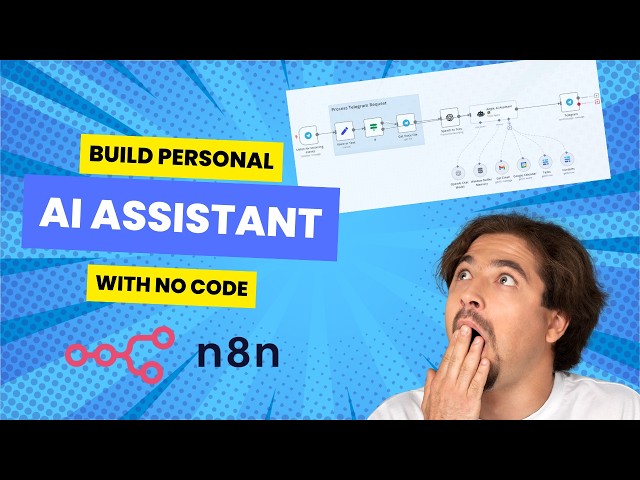](https://youtu.be/pXjowPc6V2s)\n",
"height": 389.78268107403096,
"width": 386.9292441979969,
"color": 5
},
"id": "c8489573-3862-4ea6-aa5d-ab7736a99806",
"name": "Sticky Note5",
"type": "n8n-nodes-base.stickyNote",
"position": [
20,
-60
],
"typeVersion": 1
}
],
"connections": {
"If": {
"main": [
[
{
"node": "Get Voice File",
"type": "main",
"index": 0
}
],
[
{
"node": "Angie, AI Assistant \ud83d\udc69\ud83c\udffb\u200d\ud83c\udfeb",
"type": "main",
"index": 0
}
]
]
},
"Tasks": {
"ai_tool": [
[
{
"node": "Angie, AI Assistant \ud83d\udc69\ud83c\udffb\u200d\ud83c\udfeb",
"type": "ai_tool",
"index": 0
}
]
]
},
"Contacts": {
"ai_tool": [
[
{
"node": "Angie, AI Assistant \ud83d\udc69\ud83c\udffb\u200d\ud83c\udfeb",
"type": "ai_tool",
"index": 0
}
]
]
},
"Get Email": {
"ai_tool": [
[
{
"node": "Angie, AI Assistant \ud83d\udc69\ud83c\udffb\u200d\ud83c\udfeb",
"type": "ai_tool",
"index": 0
}
]
]
},
"Voice or Text": {
"main": [
[
{
"node": "If",
"type": "main",
"index": 0
}
]
]
},
"Get Voice File": {
"main": [
[
{
"node": "Speech to Text",
"type": "main",
"index": 0
}
]
]
},
"Speech to Text": {
"main": [
[
{
"node": "Angie, AI Assistant \ud83d\udc69\ud83c\udffb\u200d\ud83c\udfeb",
"type": "main",
"index": 0
}
]
]
},
"Google Calendar": {
"ai_tool": [
[
{
"node": "Angie, AI Assistant \ud83d\udc69\ud83c\udffb\u200d\ud83c\udfeb",
"type": "ai_tool",
"index": 0
}
]
]
},
"OpenAI Chat Model": {
"ai_languageModel": [
[
{
"node": "Angie, AI Assistant \ud83d\udc69\ud83c\udffb\u200d\ud83c\udfeb",
"type": "ai_languageModel",
"index": 0
}
]
]
},
"Window Buffer Memory": {
"ai_memory": [
[
{
"node": "Angie, AI Assistant \ud83d\udc69\ud83c\udffb\u200d\ud83c\udfeb",
"type": "ai_memory",
"index": 0
}
]
]
},
"Listen for incoming events": {
"main": [
[
{
"node": "Voice or Text",
"type": "main",
"index": 0
}
]
]
},
"Angie, AI Assistant \ud83d\udc69\ud83c\udffb\u200d\ud83c\udfeb": {
"main": [
[
{
"node": "Telegram",
"type": "main",
"index": 0
}
]
]
}
},
"active": false,
"settings": {
"executionOrder": "v1"
},
"versionId": "b23230fd-abc4-4317-8942-e4e69e9c85ca",
"id": "rAFOTXcdwsVbYqL7",
"tags": []
}
Credentials you'll need
Each integration node will prompt for credentials when you import. We strip credential IDs before publishing — you'll add your own.
telegramApi
For the full experience including quality scoring and batch install features for each workflow upgrade to Pro
About this workflow
ejemplo_telegram. Uses googleCalendarTool, memoryBufferWindow, gmailTool, lmChatOpenAi. Event-driven trigger; 15 nodes.
Source: https://github.com/Paulchasi/n8n_basic_workflows/blob/5b251e6bec4a8456a635af75d5523990e68b3349/workflow_propios/ejemplo_telegram.json — original creator credit. Request a take-down →
Related workflows
Workflows that share integrations, category, or trigger type with this one. All free to copy and import.
BoomerBobBot.TP. Uses agent, telegramTrigger, telegram, memoryBufferWindow. Event-driven trigger; 95 nodes.
Telegram Trigger receives incoming messages (text, voice, photo, document). Switch routes by message type to appropriate processors: Text → forwarded as-is. Voice → downloaded and sent to Transcribe a
Transform your Telegram messenger into a powerful, multi-modal personal or team assistant. This n8n workflow creates an intelligent agent that can understand text, voice, images, and documents, and ta
Personal Assistant. Uses memoryBufferWindow, agent, agentTool, httpRequestTool. Event-driven trigger; 77 nodes.
Digital marketers, content creators, social media managers, and businesses who want to use AI marketing automation for YouTube Shorts without spending hours on production. This AI workflow helps anyon