This workflow follows the Agent → Gmail Tool recipe pattern — see all workflows that pair these two integrations.
The workflow JSON
Copy or download the full n8n JSON below. Paste it into a new n8n workflow, add your credentials, activate. Full import guide →
{
"nodes": [
{
"id": "c70236ea-91ab-4e47-b6f6-63a70ede5d3c",
"name": "Google Calendar",
"type": "n8n-nodes-base.googleCalendarTool",
"position": [
1000,
680
],
"parameters": {
"options": {
"fields": "=items(summary, start(dateTime))",
"timeMin": "={{$fromAI(\"date\",\"the date after which to fetch the messages in format YYYY-MM-DDTHH:MM:SS\")}}"
},
"calendar": {
"__rl": true,
"mode": "list",
"value": "derekcheungsa@gmail.com",
"cachedResultName": "derekcheungsa@gmail.com"
},
"operation": "getAll"
},
"credentials": {
"googleCalendarOAuth2Api": {
"name": "<your credential>"
}
},
"typeVersion": 1.1
},
{
"id": "d2287bea-de47-4180-8ee6-55d4ab1a89da",
"name": "Window Buffer Memory",
"type": "@n8n/n8n-nodes-langchain.memoryBufferWindow",
"position": [
760,
680
],
"parameters": {
"sessionKey": "={{ $('Listen for incoming events').first().json.message.from.id }}",
"sessionIdType": "customKey"
},
"typeVersion": 1.2
},
{
"id": "fa955731-86f6-4e4d-8604-dab5f52dee87",
"name": "Get Email",
"type": "n8n-nodes-base.gmailTool",
"position": [
880,
680
],
"parameters": {
"filters": {
"labelIds": [
"INBOX",
"UNREAD"
],
"readStatus": "unread",
"receivedAfter": "={{$fromAI(\"date\",\"the date after which to fetch the messages in format YYYY-MM-DDTHH:MM:SS\")}}"
},
"operation": "getAll"
},
"credentials": {
"gmailOAuth2": {
"name": "<your credential>"
}
},
"typeVersion": 2.1
},
{
"id": "46511f47-1687-4cbe-ae41-ceb205ed1f11",
"name": "OpenAI Chat Model",
"type": "@n8n/n8n-nodes-langchain.lmChatOpenAi",
"position": [
640,
680
],
"parameters": {
"model": "gpt-4o-mini",
"options": {}
},
"credentials": {
"openAiApi": {
"name": "<your credential>"
}
},
"typeVersion": 1
},
{
"id": "64fe44db-af19-43eb-9ff1-de0a72a9e645",
"name": "Listen for incoming events",
"type": "n8n-nodes-base.telegramTrigger",
"position": [
-160,
360
],
"parameters": {
"updates": [
"message"
],
"additionalFields": {}
},
"credentials": {
"telegramApi": {
"name": "<your credential>"
}
},
"typeVersion": 1
},
{
"id": "e35c04ff-a050-4564-8c1b-5b22b556872f",
"name": "Telegram",
"type": "n8n-nodes-base.telegram",
"onError": "continueErrorOutput",
"position": [
1280,
360
],
"parameters": {
"text": "={{ $json.output }}",
"chatId": "={{ $('Listen for incoming events').first().json.message.from.id }}",
"additionalFields": {
"parse_mode": "Markdown",
"appendAttribution": false
}
},
"credentials": {
"telegramApi": {
"name": "<your credential>"
}
},
"typeVersion": 1.1
},
{
"id": "e791d4f8-2c19-4c14-a71e-39a04f22e944",
"name": "If",
"type": "n8n-nodes-base.if",
"position": [
200,
360
],
"parameters": {
"options": {},
"conditions": {
"options": {
"version": 2,
"leftValue": "",
"caseSensitive": true,
"typeValidation": "strict"
},
"combinator": "and",
"conditions": [
{
"id": "a0bf9719-4272-46f6-ab3b-eda6f7b44fd8",
"operator": {
"type": "string",
"operation": "empty",
"singleValue": true
},
"leftValue": "={{ $json.message.text }}",
"rightValue": ""
}
]
}
},
"typeVersion": 2.2
},
{
"id": "5bd1788a-3d08-4eb3-8e03-3ce82f44d2a7",
"name": "Speech to Text",
"type": "@n8n/n8n-nodes-langchain.openAi",
"position": [
620,
360
],
"parameters": {
"options": {},
"resource": "audio",
"operation": "transcribe"
},
"credentials": {
"openAiApi": {
"name": "<your credential>"
}
},
"typeVersion": 1.3
},
{
"id": "b67a2a93-517b-469e-aaa4-32c422710743",
"name": "Voice or Text",
"type": "n8n-nodes-base.set",
"position": [
40,
360
],
"parameters": {
"fields": {
"values": [
{
"name": "text",
"stringValue": "={{ $json?.message?.text || \"\" }}"
}
]
},
"options": {}
},
"typeVersion": 3.2
},
{
"id": "8105c39f-9e87-44c4-9215-b3777f0b4164",
"name": "Get Voice File",
"type": "n8n-nodes-base.telegram",
"position": [
380,
360
],
"parameters": {
"fileId": "={{ $('Listen for incoming events').item.json.message.voice.file_id }}",
"resource": "file"
},
"credentials": {
"telegramApi": {
"name": "<your credential>"
}
},
"typeVersion": 1.1
},
{
"id": "759b975f-d17c-4386-a5b3-12413f0361f4",
"name": "Angie, AI Assistant \ud83d\udc69\ud83c\udffb\u200d\ud83c\udfeb",
"type": "@n8n/n8n-nodes-langchain.agent",
"position": [
780,
360
],
"parameters": {
"text": "={{ $json.text }}",
"options": {
"systemMessage": "=You are a helpful assistant.\n\nToday's date is {{ $now }}.\n\nGuidelines:\n- When fetching emails, filter out any promotional emails. \n- When summarizing emails, include Sender, Message date, subject, and brief summary of email.\n- if the user did not specify a date in the request assume they are asking for today\n- Use baserow tool to answer questions about tasks\n- When answering questions about calendar events, filter out events that don't apply to the question. For example, the question is about events for today, only reply with events for today. Don't mention future events if it's more than 1 week away"
},
"promptType": "define"
},
"typeVersion": 1.6
},
{
"id": "5537c777-f003-4673-b48a-4993a0c10520",
"name": "Sticky Note",
"type": "n8n-nodes-base.stickyNote",
"position": [
20,
260
],
"parameters": {
"color": 5,
"width": 496.25,
"height": 278.75,
"content": "## Process Telegram Request\n"
},
"typeVersion": 1
},
{
"id": "40e92679-b47a-4213-bb23-3f8d086459f2",
"name": "Tasks",
"type": "n8n-nodes-base.baserowTool",
"position": [
1120,
680
],
"parameters": {
"tableId": 372174,
"databaseId": 146496,
"additionalOptions": {}
},
"credentials": {
"baserowApi": {
"name": "<your credential>"
}
},
"typeVersion": 1
},
{
"id": "570a0647-b571-4ebc-9dfe-40244b5a0b2a",
"name": "Contacts",
"type": "n8n-nodes-base.baserowTool",
"position": [
1240,
680
],
"parameters": {
"tableId": 372177,
"databaseId": 146496,
"descriptionType": "manual",
"toolDescription": "Useful for getting contact information. For example emails or phone numbers.",
"additionalOptions": {}
},
"credentials": {
"baserowApi": {
"name": "<your credential>"
}
},
"typeVersion": 1
},
{
"id": "7fb1d95a-a8d6-4040-9271-5197296be7da",
"name": "Sticky Note5",
"type": "n8n-nodes-base.stickyNote",
"position": [
-620,
220
],
"parameters": {
"color": 5,
"width": 386.9292441979969,
"height": 389.78268107403096,
"content": "## Start here: Step-by Step Youtube Tutorial :star:\n\n[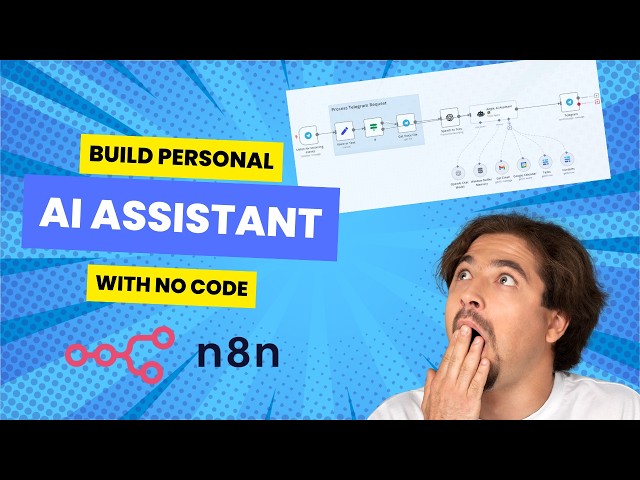](https://youtu.be/pXjowPc6V2s)\n"
},
"typeVersion": 1
}
],
"connections": {
"If": {
"main": [
[
{
"node": "Get Voice File",
"type": "main",
"index": 0
}
],
[
{
"node": "Angie, AI Assistant \ud83d\udc69\ud83c\udffb\u200d\ud83c\udfeb",
"type": "main",
"index": 0
}
]
]
},
"Tasks": {
"ai_tool": [
[
{
"node": "Angie, AI Assistant \ud83d\udc69\ud83c\udffb\u200d\ud83c\udfeb",
"type": "ai_tool",
"index": 0
}
]
]
},
"Contacts": {
"ai_tool": [
[
{
"node": "Angie, AI Assistant \ud83d\udc69\ud83c\udffb\u200d\ud83c\udfeb",
"type": "ai_tool",
"index": 0
}
]
]
},
"Get Email": {
"ai_tool": [
[
{
"node": "Angie, AI Assistant \ud83d\udc69\ud83c\udffb\u200d\ud83c\udfeb",
"type": "ai_tool",
"index": 0
}
]
]
},
"Voice or Text": {
"main": [
[
{
"node": "If",
"type": "main",
"index": 0
}
]
]
},
"Get Voice File": {
"main": [
[
{
"node": "Speech to Text",
"type": "main",
"index": 0
}
]
]
},
"Speech to Text": {
"main": [
[
{
"node": "Angie, AI Assistant \ud83d\udc69\ud83c\udffb\u200d\ud83c\udfeb",
"type": "main",
"index": 0
}
]
]
},
"Google Calendar": {
"ai_tool": [
[
{
"node": "Angie, AI Assistant \ud83d\udc69\ud83c\udffb\u200d\ud83c\udfeb",
"type": "ai_tool",
"index": 0
}
]
]
},
"OpenAI Chat Model": {
"ai_languageModel": [
[
{
"node": "Angie, AI Assistant \ud83d\udc69\ud83c\udffb\u200d\ud83c\udfeb",
"type": "ai_languageModel",
"index": 0
}
]
]
},
"Window Buffer Memory": {
"ai_memory": [
[
{
"node": "Angie, AI Assistant \ud83d\udc69\ud83c\udffb\u200d\ud83c\udfeb",
"type": "ai_memory",
"index": 0
}
]
]
},
"Listen for incoming events": {
"main": [
[
{
"node": "Voice or Text",
"type": "main",
"index": 0
}
]
]
},
"Angie, AI Assistant \ud83d\udc69\ud83c\udffb\u200d\ud83c\udfeb": {
"main": [
[
{
"node": "Telegram",
"type": "main",
"index": 0
}
]
]
}
}
}
Credentials you'll need
Each integration node will prompt for credentials when you import. We strip credential IDs before publishing — you'll add your own.
baserowApigmailOAuth2googleCalendarOAuth2ApiopenAiApitelegramApi
For the full experience including quality scoring and batch install features for each workflow upgrade to Pro
How this works
Effortlessly manage your email and calendar through Telegram chats, saving time by handling routine tasks without switching apps. This workflow suits busy professionals who rely on Gmail and Google Calendar, allowing you to query emails, check schedules, or set reminders via simple messages. The core step involves an AI-powered chat model interpreting your Telegram input, then chaining actions like fetching emails with the Gmail tool or updating events in Google Calendar for seamless execution.
Use this when you need quick, conversational access to email and calendar data on the go, such as during meetings or travel, integrating naturally with Telegram's mobile interface. Avoid it for complex automations requiring custom logic or high-volume processing, as the event-driven trigger works best for individual queries. Common variations include adding voice commands via speech-to-text for hands-free use or extending to other tools like reminders for broader productivity boosts.
About this workflow
Telegram Gmailtool. Uses googleCalendarTool, memoryBufferWindow, gmailTool, lmChatOpenAi. Event-driven trigger; 15 nodes.
Source: https://github.com/Zie619/n8n-workflows — original creator credit. Request a take-down →
Related workflows
Workflows that share integrations, category, or trigger type with this one. All free to copy and import.
BoomerBobBot.TP. Uses agent, telegramTrigger, telegram, memoryBufferWindow. Event-driven trigger; 95 nodes.
Telegram Trigger receives incoming messages (text, voice, photo, document). Switch routes by message type to appropriate processors: Text → forwarded as-is. Voice → downloaded and sent to Transcribe a
Transform your Telegram messenger into a powerful, multi-modal personal or team assistant. This n8n workflow creates an intelligent agent that can understand text, voice, images, and documents, and ta
Personal Assistant. Uses memoryBufferWindow, agent, agentTool, httpRequestTool. Event-driven trigger; 77 nodes.
Digital marketers, content creators, social media managers, and businesses who want to use AI marketing automation for YouTube Shorts without spending hours on production. This AI workflow helps anyon